


Catalyst 9200: Network Capacity Planning
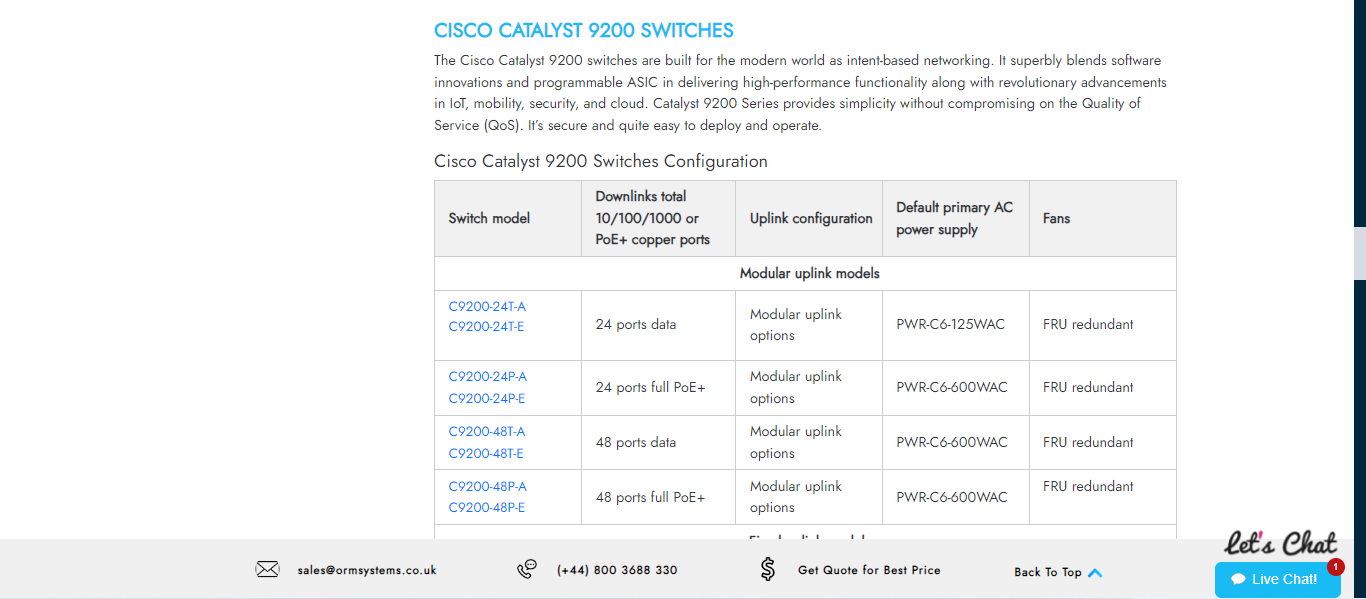
Effective network capacity planning is essential for ensuring that a network can handle current demands and future growth. The Cisco Catalyst 9200 series provides the tools and features necessary to facilitate comprehensive network capacity planning. This article explores strategies and best practices for network capacity planning using the Cisco Catalyst 9200, highlighting its key features, benefits, and implementation steps.
Understanding Network Capacity Planning
Network capacity planning involves analyzing and forecasting the amount of network resources required to support data traffic, applications, and services. It ensures that the network can handle peak usage without performance degradation.
Key Benefits
|
Benefit |
Description |
|
Improved Performance |
Ensures the network can handle peak traffic loads without slowdowns. |
|
Cost Efficiency |
Avoids over-provisioning and under-provisioning, optimizing resource allocation. |
|
Future-Proofing |
Prepares the network for future growth and emerging technologies. |
|
Enhanced Reliability |
Reduces the risk of congestion and outages by planning for sufficient capacity. |
|
Better User Experience |
Provides a seamless experience for users by maintaining consistent performance. |
Key Features of Cisco Catalyst 9200 for Capacity Planning
The Cisco Catalyst 9200 series offers several features that aid in effective network capacity planning:
|
Feature |
Description |
|
High Port Density |
Provides numerous ports to support a large number of devices and connections. |
|
Modular Design |
Allows for easy expansion and scalability to meet growing demands. |
|
Advanced Analytics |
Offers detailed insights into network usage and performance. |
|
Quality of Service (QoS) |
Prioritizes critical traffic to maintain optimal performance. |
|
Real-Time Monitoring |
Enables continuous tracking of network conditions and resource utilization. |
Steps for Network Capacity Planning with Cisco Catalyst 9200
To implement effective network capacity planning using the Cisco Catalyst 9200, follow these key steps:
Step 1: Assess Current Network Usage
Begin by evaluating the current state of your network to understand existing usage patterns and identify any immediate capacity issues.
Monitoring Network Traffic
Enable NetFlow: Collect and analyze network traffic data.
bash
Copy code
Switch(config)# interface gigabitEthernet 1/0/1
Switch(config-if)# ip flow ingress
Switch(config-if)# ip flow egress
Use Cisco DNA Center: Leverage the centralized management platform for detailed analytics.
bash
Copy code
Switch(config)# ip flow-export destination 192.168.1.100 9995
Step 2: Forecast Future Needs
Project future network demands based on business growth, new applications, and technology trends.
Analyzing Growth Trends
-
Historical Data Analysis: Use historical usage data to identify trends and forecast future needs.
-
Business Growth Projections: Incorporate organizational growth plans into capacity forecasts.
Step 3: Identify Capacity Gaps
Compare current network capacity with future projections to identify potential shortfalls.
Capacity Gap Analysis
-
Utilize Analytics Tools: Use tools like Cisco DNA Center to analyze current capacity and predict future requirements.
-
Map Capacity to Demand: Ensure that each network segment has sufficient capacity to meet projected demand.
Step 4: Plan for Expansion
Develop a strategy to expand network capacity to address identified gaps and accommodate future growth.
Expanding Network Capacity
Add Ports and Modules: Utilize the modular design of the Cisco Catalyst 9200 to add additional ports and modules as needed.
bash
Copy code
Switch(config)# interface range gigabitEthernet 1/0/1 - 48
Switch(config-if-range)# channel-group 1 mode active
-
Upgrade Bandwidth: Increase the bandwidth of critical links to support higher data volumes.
Step 5: Implement Quality of Service (QoS)
Configure QoS to prioritize critical traffic and ensure optimal performance across the network.
Configuring QoS Policies
Define QoS Classes: Create classes to categorize traffic based on priority.
bash
Copy code
Switch(config)# class-map match-all CriticalTraffic
Switch(config-cmap)# match ip dscp 46
Apply QoS Policies: Assign policies to interfaces to manage traffic flow.
bash
Copy code
Switch(config)# policy-map QoSPolicy
Switch(config-pmap)# class CriticalTraffic
Switch(config-pmap-c)# priority
Switch(config)# interface gigabitEthernet 1/0/1
Switch(config-if)# service-policy output QoSPolicy
Step 6: Monitor and Adjust
Continuously monitor network performance and adjust capacity plans as needed to maintain optimal operation.
Ongoing Monitoring
Real-Time Monitoring: Use real-time monitoring tools to track network conditions.
bash
Copy code
Switch# show ip flow statistics
-
Regular Audits: Conduct regular audits to ensure the network remains aligned with capacity plans.
Best Practices for Network Capacity Planning
To ensure successful network capacity planning, follow these best practices:
|
Best Practice |
Description |
|
Regular Monitoring |
Continuously monitor network performance and usage. |
|
Proactive Planning |
Plan for future growth and emerging technologies to avoid capacity issues. |
|
Detailed Documentation |
Maintain detailed records of capacity plans and network configurations. |
|
Scalability Considerations |
Design the network with scalability in mind to accommodate growth. |
|
Staff Training |
Ensure IT staff are trained on capacity planning tools and techniques. |
Conclusion
Effective network capacity planning is essential for maintaining optimal performance, supporting future growth, and ensuring a reliable user experience. The Cisco Catalyst 9200 series provides a comprehensive set of features and tools to facilitate robust capacity planning. By assessing current usage, forecasting future needs, identifying capacity gaps, planning for expansion, implementing QoS, and continuously monitoring performance, organizations can build a network that meets both current and future demands.
In conclusion, leveraging the capabilities of the Cisco Catalyst 9200 for network capacity planning enables organizations to optimize their network infrastructure, avoid performance bottlenecks, and ensure a seamless user experience. Embrace these strategies and best practices to create a resilient, scalable, and future-proof network.
ORM Systems: Providing comprehensive IT solutions worldwide. Find Cisco routers, switches, and a variety of IT products for all your needs.

 Arabic
 Français
 Español
 Português
 Deutsch
 Türkçe
 Dutch
Dutch
 Italiano
 Russian
 Romaian