


How to Get and Set Up Phantom Wallet Extension: A Step-by-Step Guide
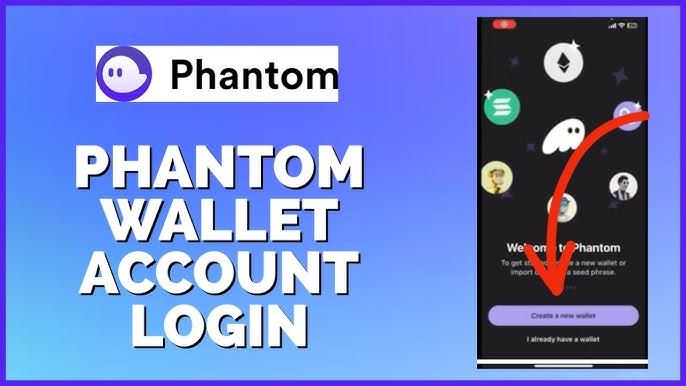
Phantom Wallet is a popular choice for managing Solana-based assets. It's secure, user-friendly, and integrates seamlessly with dApps. If you're wondering how to get and set up the Phantom Wallet extension, you’re in the right place. In this guide, we’ll walk you through the entire process from installation to securing your wallet.
Step 1: Install Phantom Wallet Extension
The first step is to install the Phantom Wallet extension on your browser. Follow these steps:
-
Go to the Phantom Website
Visit the official Phantom Wallet website to ensure you download from a secure source. The extension is available for Chrome, Brave, Firefox, and Edge. -
Click ‘Add to Browser’
On the homepage, you'll find a button that says "Add to [Your Browser]". Click it to begin the installation process. -
Confirm Installation
After clicking the button, your browser will prompt you to confirm the extension's installation. Approve it, and the Phantom Wallet will be added to your browser.
Step 2: Create a New Phantom Wallet
Once you have the extension installed, it’s time to set up your wallet.
-
Open the Phantom Extension
Click on the Phantom icon in your browser's toolbar to launch it. -
Choose ‘Create a New Wallet’
After launching, select the option to create a new wallet. Phantom will generate a new wallet for you. -
Backup Your Secret Recovery Phrase
Phantom will display a 12-word recovery phrase. Write this down and store it in a safe place. This is crucial for recovering your wallet if you lose access to it. -
Set a Password
Choose a strong password to protect your wallet. This will be required every time you want to access your wallet from the browser.
Step 3: Securing Your Phantom Wallet
Security is vital when dealing with cryptocurrencies. Here are a few tips to ensure your wallet stays secure:
-
Use a Strong Password
Always use a combination of letters, numbers, and symbols for your password. Avoid using easily guessable phrases. -
Enable Two-Factor Authentication (2FA)
Although Phantom doesn’t offer 2FA natively, using a hardware wallet or integrating with other 2FA-enabled services can add an extra layer of security. -
Never Share Your Recovery Phrase
Your 12-word recovery phrase is the master key to your wallet. Never share it with anyone and avoid storing it digitally.
Step 4: Adding SOL to Your Phantom Wallet
Now that your wallet is set up, you’ll need Solana (SOL) to interact with the Solana blockchain.
-
Copy Your Wallet Address
Go to your wallet dashboard and copy your unique wallet address. -
Transfer SOL from an Exchange
If you have SOL on an exchange like Binance or Coinbase, you can send it to your Phantom Wallet by pasting your wallet address into the recipient field on the exchange. -
Confirm the Transfer
Once the transfer is initiated, it usually takes a few minutes to appear in your Phantom Wallet.
Step 5: Using Phantom Wallet with dApps
Phantom Wallet isn’t just for storing SOL; you can also use it to interact with decentralized applications (dApps) on the Solana blockchain.
-
Connect to a dApp
When you visit a Solana-based dApp, such as a decentralized exchange or an NFT marketplace, you’ll be prompted to connect your Phantom Wallet. Simply click "Connect Wallet," and your Phantom Wallet will be ready to use. -
Approve Transactions
Every time you perform an action within the dApp, such as swapping tokens or minting NFTs, you’ll be asked to approve the transaction in your Phantom Wallet.
Final Thoughts
Setting up the Phantom Wallet extension is a simple process that enables you to store, send, and receive Solana-based assets securely. By following these steps, you’ll have full control of your digital assets and access to a wide range of decentralized applications. Just remember to keep your recovery phrase safe and always prioritize security when interacting with your wallet.

 English
 Arabic
 Français
 Español
 Português
 Deutsch
 Türkçe
 Dutch
Dutch
 Italiano
 Romaian