


How to Choose UI UX Design Templates That Elevate Your Project
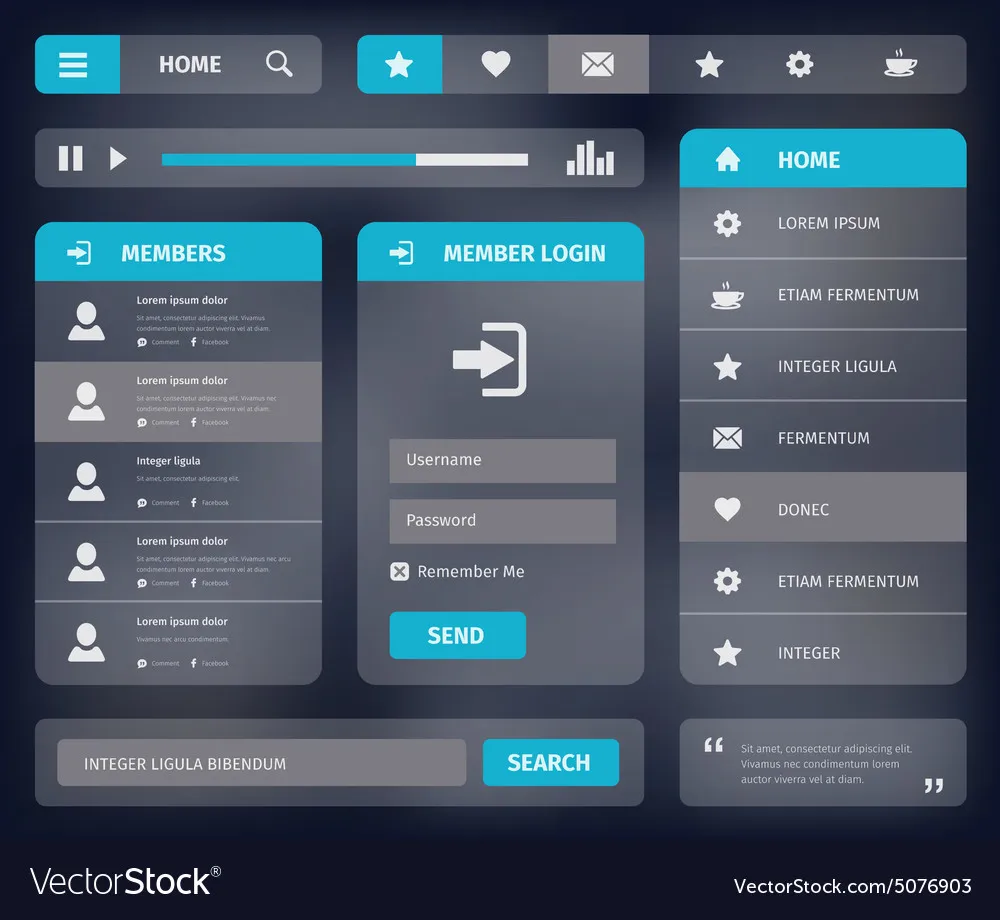
Choosing the right design template is one of the most important decisions in any digital project. Whether you are building a website, an app, or an online platform, design influences how users connect with your brand. A well-chosen template can save time, enhance usability, and create a seamless experience. But with so many options available, finding the right fit can feel overwhelming. This guide will walk you through the process of choosing UI UX design templates that not only look good but also perform well.
Why Templates Matter in UI and UX
User interface (UI) defines how something looks, while user experience (UX) defines how it feels to interact with it. Together, they create the foundation of any digital product. A template provides a ready-made framework for these elements. It offers pre-designed layouts, visual styles, and navigation structures that help speed up development.
When you use ui ux design templates, you don’t have to start from scratch. Instead, you can focus on customization and branding. Templates reduce design errors, maintain consistency, and help you stay aligned with user expectations.
Benefits of Using Templates
Using templates has clear advantages.
-
They save time by reducing repetitive work.
-
They ensure design consistency across pages or screens.
-
They inspire colors, typography, and layout.
-
They make it easier to adopt modern design trends.
-
They support faster prototyping and testing.
For small businesses or startups, templates can also cut costs. Instead of hiring large design teams, you can begin with a well-structured framework and build from there.
Factors to Consider Before Choosing a Template
Not every template is created equal. Some look visually appealing but lack usability. Others are functional but outdated in style. To make the best choice, focus on the following factors.
1. Understand Your Project Goals
Start by clarifying your goals. What is the main purpose of your website or app? Do you want to sell products, generate leads, or provide information? The right template should align with your objectives. For example, an e-commerce store requires templates with product-focused layouts and easy checkout flows. A portfolio site needs templates that highlight visuals and storytelling.
2. Prioritize User Experience
Templates should make navigation simple. Look for clear menus, logical page structures, and smooth transitions. Avoid cluttered layouts that confuse users. A clean and intuitive template will encourage visitors to stay longer and engage more.
3. Check Responsiveness
A responsive design is non-negotiable. Your template must adapt to desktops, tablets, and mobile devices seamlessly. With most users browsing on mobile, responsiveness ensures accessibility and usability across screens.
4. Look at Customization Options
While templates provide a starting point, customization makes them unique. Check if you can easily change colors, fonts, or layouts without coding. Templates with flexible options let you tailor the design to match your brand identity.
5. Evaluate Loading Speed
Design should never slow down performance. Heavy templates filled with unnecessary animations or large files can frustrate users. Always check demo versions of templates and test loading times before making a decision.
6. Consider Compatibility
Make sure the template works well with your platform. If you are building on WordPress, Shopify, or any other CMS, verify compatibility. Using ui ux design templates that integrate smoothly prevents technical issues later.
7. Read Reviews and Ratings
Reviews can reveal hidden strengths and weaknesses. Look for templates with positive feedback about usability, customer support, and updates. Ratings help you avoid templates that look good on the surface but fail in practice.
Trends in UI and UX Templates
Design evolves quickly. Choosing a modern template helps you stay relevant. Some current trends include:
-
Minimalist layouts with lots of white space.
-
Bold typography for better readability.
-
Dark mode options for user comfort.
-
Micro-interactions that make navigation engaging.
-
Accessibility features for inclusive design.
When browsing ui ux design templates, keep these trends in mind. They reflect what today’s users expect from digital experiences.
Mistakes to Avoid
Many people make common mistakes when choosing templates. Avoid these pitfalls:
-
Picking based only on visuals without considering usability.
-
Ignoring mobile responsiveness.
-
Choosing templates with too many unnecessary features.
-
Forgetting to check support and documentation.
-
Overlooking accessibility for all types of users.
A template is more than just aesthetics. It is the backbone of your project’s functionality and user satisfaction.
How to Test a Template Before Buying
Testing is an important step. Here are simple ways to evaluate a template:
-
Explore the live demo thoroughly.
-
Check how the design looks on different screen sizes.
-
Test the speed using free online tools.
-
Navigate the menu to see if it feels intuitive.
-
Review the documentation for customization guidance.
If the template meets these standards, it is a strong candidate.
Where to Find Reliable Templates
There are many online marketplaces offering templates. Some of the most popular include:
-
ThemeForest
-
TemplateMonster
-
Envato Elements
-
Creative Market
-
UI8
Many platforms also offer free ui ux design templates for beginners. While free options are useful for practice or small projects, premium templates often provide better support, features, and long-term value.
Matching Templates with Your Brand Identity
Your brand identity should guide your template choice. Think about your color palette, typography style, and tone of communication. If your brand is modern and sleek, look for minimalist templates. If your brand is creative and bold, opt for layouts with unique visuals and vibrant accents.
Consistency across all elements builds trust. The right template should feel like a natural extension of your brand.
Customizing for User Needs
Templates are not one-size-fits-all. Always adapt them for your target audience. For example, if your audience is tech-savvy, you can use templates with advanced navigation. If your audience is diverse, prioritize simplicity and accessibility.
Use analytics and user feedback to refine the template over time. This ensures your design stays aligned with user behavior and preferences.
Balancing Aesthetics and Functionality
A template can be beautiful, but if it doesn’t work well, users will leave. Always strike a balance between style and function. Clear navigation, fast performance, and mobile-friendly design should come first. Aesthetic details should enhance, not distract from, the user experience.
The Role of Accessibility
Accessibility is essential in modern design. Look for templates that support screen readers, offer high-contrast modes, and allow keyboard navigation. Inclusive templates make sure everyone, regardless of ability, can interact with your content.
Templates for Different Types of Projects
Not all projects need the same type of template. Here are some examples:
-
Business websites: Professional, clean layouts with clear calls to action.
-
E-commerce stores: Product-focused templates with filters and quick checkout.
-
Portfolios: Visual storytelling layouts with image galleries.
-
Blogs: Content-focused templates with easy navigation for posts.
-
Mobile apps: Lightweight designs with intuitive gestures and icons.
By aligning templates with project needs, you ensure better outcomes.
Continuous Improvement
Choosing a template is not the end. As your project grows, revisit your design regularly. Update elements, refine user flows, and add features based on feedback. The best ui ux design templates allow room for growth and adaptability.
Final Thoughts
Choosing ui ux design templates is not about picking the prettiest option. It is about finding a design that supports your goals, enhances user experience, and grows with your brand. Always consider usability, responsiveness, customization, and compatibility. Avoid common mistakes by testing templates before committing.
Remember that a template is just the foundation. The true value comes from how you customize it for your users. With the right choice, your digital project can stand out, attract users, and deliver a smooth experience.
 Deutsch
 English
 Arabic
 Français
 Español
 Português
 Türkçe
 Dutch
Dutch
 Italiano
 Russian
 Romaian