


WhatsApp Cloud API: The Complete Guide to Faster, Scalable Business Messaging
In today’s fast-moving digital world, customers want quick, reliable, and personalized communication. Businesses have shifted from traditional SMS & emails to instant messaging platforms, and WhatsApp remains the most powerful channel with over 2 billion active users.
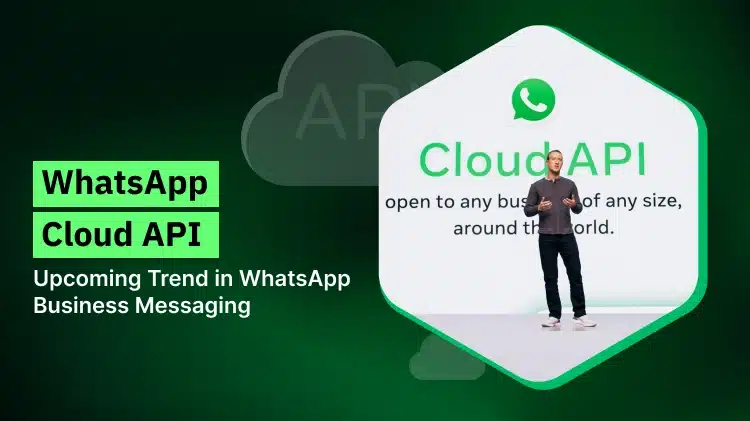
To help businesses build powerful communication workflows, Meta introduced the WhatsApp Cloud API—a cloud-hosted, scalable, and developer-friendly solution. Unlike the earlier on-premise WhatsApp Business API, the Cloud API offers faster onboarding, lower maintenance, and global scalability.
In this blog, we (WebMaxy) break down everything you need to know about the WhatsApp Cloud API, WhatsApp Cloud, WhatsApp Business Cloud API, and Cloud API—along with features, setup, pricing, and use cases.
What is the WhatsApp Cloud API?
The WhatsApp Cloud API is Meta’s official cloud-hosted version of the WhatsApp Business API. It allows businesses to integrate WhatsApp messaging into their CRM, marketing tools, customer support platforms, and backend systems—without managing servers.
Key things to know:
-
Hosted directly on Meta’s cloud servers
-
Faster setup than on-premise API
-
Lower infrastructure & maintenance cost
-
Ideal for small, mid-scale & enterprise businesses
-
Allows sending notifications, alerts, OTPs, reminders & automated messages
The WhatsApp Business Cloud API gives full access to advanced messaging features such as templates, automation, webhooks, chatbot integration, and multi-agent support.
Register here: https://accounts.webmaxy.co/whatsapp-commerce/register
How Is WhatsApp Cloud API Different from On-Premise API?
|
Feature |
Cloud API |
On-Premise API |
|
Hosting |
Hosted by Meta |
Self-hosted |
|
Setup Time |
Instant |
Takes days/weeks |
|
Maintenance |
Meta handles updates |
Business must manage |
|
Throughput |
Very high |
Depends on your server |
|
Cost |
Lower |
Higher (servers + support) |
This has made the WhatsApp Cloud the preferred solution for modern businesses.
Key Features of WhatsApp Cloud API
1. High-Speed Messaging
Instant message delivery for transactional alerts, OTPs, updates, and promotions.
2. Multi-Agent Support
Multiple support agents can use the same WhatsApp number through your CRM or helpdesk.
3. Automated Workflows
Connect with platforms like WebMaxy, CRMs, ERPs, and chatbots for automated responses.
4. Rich Messaging Format
Supports:
-
Images
-
Videos
-
Buttons & CTA
-
Documents
-
List Messages
-
Catalog messages
5. Webhooks for Real-Time Updates
Get instant events for message status, user replies, and delivery reports.
6. Easy Scalability
The Cloud API is designed for growing businesses needing millions of messages per day.
Benefits of Using WhatsApp Business Cloud API
✔ Faster Developer Integration
Simple REST APIs let developers integrate WhatsApp within hours.
✔ Reliable Communication
Meta-managed cloud ensures 99.9% uptime and stable performance.
✔ Lower Operational Costs
No servers, hosting, upgrades, or technical maintenance required.
✔ Better Customer Interaction
Businesses can send:
-
Appointment reminders
-
Payment updates
-
Delivery notifications
-
Personalized marketing messages
✔ Global Reach
Communicate with customers globally without any performance issues.
Top Use Cases of WhatsApp Cloud API
1. E-commerce
-
Order confirmations
-
Delivery updates
-
Product recommendations
-
Abandoned cart recovery
2. Banking & Fintech
-
OTP delivery
-
Transaction alerts
-
Account updates
3. Travel & Hospitality
-
Booking confirmations
-
E-ticket delivery
-
Check-in reminders
4. Healthcare
-
Appointment reminders
-
Lab report sharing
-
Prescription updates
5. Customer Support
-
Automated FAQs
-
Live agent chat
-
Chatbots
Find WebMaxy’s pricing plans here: https://accounts.webmaxy.co/whatsapp-commerce/plan
How to Set Up the WhatsApp Cloud API?
Meta has simplified the onboarding process:
Step 1: Create a Meta Developer Account
Go to the Meta Developer platform and create/sign into your account.
Step 2: Create a Facebook App
Choose “Business” as the app type.
Step 3: Add WhatsApp Product
Select WhatsApp and configure settings.
Step 4: Generate a Temporary Access Token
Used for initial testing.
Step 5: Connect a Phone Number
You can use a new or existing number.
Step 6: Use API Endpoints
Integrate messaging APIs into your CRM, website, or backend.
If you don’t want to do this manually, WebMaxy offers a no-code WhatsApp Cloud API integration with automation workflows, broadcast campaigns, chatbot builders, and more.
Contact Us: https://www.webmaxy.co/contact/
WhatsApp Cloud API Pricing (Meta)
Meta charges based on conversation categories:
-
Marketing
-
Utility
-
Authentication
-
Service Conversations
Prices vary by region and conversation type. You also get:
-
Free 1,000 conversations per month
-
Unlimited session messaging within 24 hours
Businesses usually pair the Cloud API with a platform like WebMaxy for:
-
Campaign management
-
Chat automation
-
Multi-agent support
-
Chatbot flows
-
Analytics
Why Choose WebMaxy for WhatsApp Cloud API?
WebMaxy provides a powerful suite built over the WhatsApp Business Cloud API allowing you to:
Send bulk promotional, update, and alert messages.
Build AI & Rule-Based Chatbots
Automate 80% of customer support.
Enable Multi-Agent Support
Allow your entire support team to handle chats simultaneously.
Integrate With CRM & Website
Connect WhatsApp with Shopify, WooCommerce, websites, and internal systems.
Track Insights & Performance
Analyze message delivery, click-through rates, and conversation quality.
If you want a modern, reliable, and fully scalable WhatsApp communication system, the WhatsApp Cloud API combined with WebMaxy is the best solution.
Final Thoughts
The WhatsApp Cloud API empowers businesses to scale communication without worrying about servers, maintenance, or complex setups. Whether you’re a startup, e-commerce brand, or enterprise, the WhatsApp Business Cloud API offers unmatched speed, reliability, and flexibility.
By using WebMaxy, you get an easy, no-code, automation-powered platform to maximize the potential of WhatsApp Cloud and deliver exceptional customer experiences.
Book an Appointment: https://calendly.com/webmaxy/30min

 Arabic
 Français
 Español
 Português
 Deutsch
 Türkçe
 Dutch
Dutch
 Italiano
 Russian
 Romaian