


How To Completely Uninstall Legacy Family Tree?
If you are facing repeated issues with genealogy software and want to uninstall Legacy Family Tree, doing it the right way is important. An incomplete removal can leave behind files or settings that may cause problems later. This guide explains why users uninstall Legacy Family Tree and how to remove it completely while keeping your personal data safe.
Why Do Users Uninstall Legacy Family Tree?
Many users decide to uninstall Legacy Family Tree due to ongoing technical or usability issues. One of the most common reasons is software instability. Frequent crashes, freezing screens, or “access violation” errors, especially when working with large family trees, can interrupt research and cause frustration.
Another major concern is data corruption or loss. Some users report duplicate records, missing source citations, or data disappearing after edits. Performance issues are also common, including lag when typing or slow response times when managing large files.
In addition, syncing problems with FamilySearch can prevent events or individuals from updating correctly. Some users also feel the interface looks outdated and prefer more modern, web-based genealogy tools. Finally, conflicts with antivirus software or firewalls may cause errors that remain unresolved even after running repair tools repeatedly.
Before You Uninstall Legacy Family Tree
Before starting the uninstall process, it is essential to back up your user-created files. These include family data files and media files such as photos, books, charts, and webpages stored in the Legacy Family Tree folder within your Documents directory. Backing up ensures your research is not lost.
How to Completely Uninstall Legacy Family Tree
To fully uninstall Legacy Family Tree, start by closing all related applications, including Legacy Family Tree, Legacy Charting, and Legacy FamilySearch.
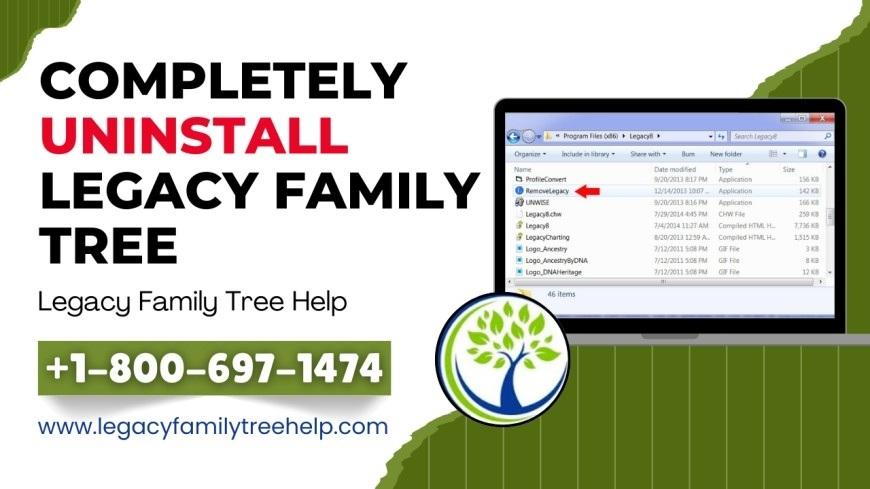
Next, right-click the Legacy desktop icon and select Open File Location. This is the fastest way to access the Legacy program folder. If you prefer to navigate manually, the folder is usually located in:
-
32-bit Windows:
C:\Program Files -
64-bit Windows:
C:\Program Files (x86)
Inside the Legacy program folder, locate the file named RemoveLegacy.exe. Right-click it and choose Run as Administrator. This ensures the software removes all program files, registry entries, and system components correctly.
After the uninstall process finishes, check the Programs and Features section in the Control Panel to confirm Legacy Family Tree no longer appears.
Final Thoughts
Knowing how to uninstall Legacy Family Tree properly helps prevent leftover files and future system conflicts. By following these steps carefully and backing up your data first, you can safely remove the software while protecting your valuable genealogy research.

 Arabic
 Français
 Español
 Português
 Deutsch
 Türkçe
 Dutch
Dutch
 Italiano
 Russian
 Romaian