


Why Is My Infotainment System Lagging or "Ghost Touching" After a Software Patch?
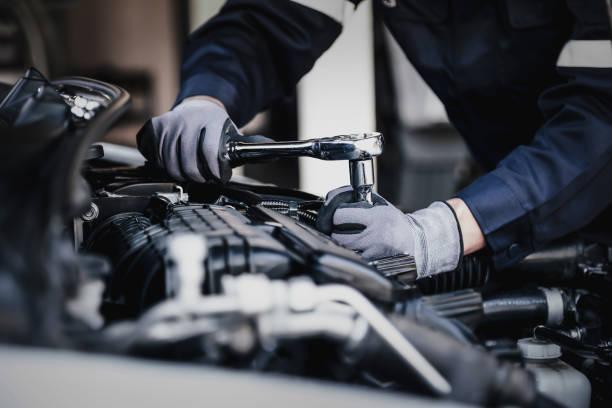
In the modern automotive landscape, your vehicle is essentially a high-powered computer on wheels. The infotainment system, once just a simple radio interface, has evolved into a sophisticated hub that controls everything from GPS navigation and climate settings to safety diagnostics and smartphone integration. However, this digital evolution comes with its own set of technical headaches. Many drivers have recently reported a frustrating phenomenon: after a scheduled software patch or "over-the-air" update, the screen begins to lag significantly, or worse, starts "ghost touching"—performing actions on its own as if an invisible finger is tapping the glass. While these updates are designed to improve performance or add security layers, they can sometimes introduce bugs that conflict with existing hardware configurations. Understanding why these glitches happen requires a deeper look into how automotive software interacts with the physical components of your dashboard.
The Digital Conflict: Software Updates vs. Hardware Constraints
The primary reason an infotainment system might lag after a patch is a mismatch between the new software’s resource demands and the hardware’s capabilities. Just like a smartphone that slows down after several years of OS updates, car head units have fixed RAM and processing power. A new patch might introduce "heavier" code or background processes that the older processor struggles to execute in real-time. This creates a bottleneck where the system's response time drops, leading to the stuttering or freezing that drivers find so maddening. If you are interested in the physical assembly and maintenance of these modern vehicles, enrolling in a car mechanic course can provide you with a comprehensive understanding of how electronic control units (ECUs) are integrated into the vehicle's chassis and how they communicate with the user interface.
Deciphering the Ghost Touch Phenomenon
Ghost touching is perhaps the most unnerving glitch a driver can experience. You might be driving down the highway when suddenly the radio station changes, the map zooms in and out, or a phone call is initiated—all without you touching the screen. After a software patch, this is often caused by a change in the "digitizer" sensitivity settings. The digitizer is the thin layer of glass or plastic that senses your touch. A software update might recalibrate the voltage thresholds for touch detection; if set too high, the system may interpret static electricity, temperature changes, or even microscopic dust particles as a deliberate human touch. This is a technical nuance that highlights the intersection of electrical engineering and traditional automotive repair. Mastering these complexities is a key part of becoming a modern car mechanic, as today's professionals must be as comfortable with a multimeter and a diagnostic scanner as they are with a wrench.
Cache Accumulation and Corrupted Data Files
Sometimes, the issue isn't the new code itself, but the "leftovers" from the old version. During a software patch, the system often retains "cache" files—temporary data stored to speed up processes. If the patch doesn't properly clear the old cache, the system tries to run new commands using old, incompatible temporary files. This leads to data corruption, which manifests as system crashes or unresponsive buttons. In professional repair environments, technicians often perform a "hard reset" or a "firmware re-flash" to wipe these remnants. Learning how to navigate these manufacturer-specific service menus is a specialized skill.
Environmental Factors and Overheating Issues
It is also possible that a software patch changes the way the infotainment system manages heat. If the update causes the processor to run at a higher clock speed to handle new features, it generates more heat. Infotainment units are often tucked into tight dashboard spaces with limited ventilation. When the unit overheats, the processor "throttles" its performance to cool down, resulting in massive lag. Additionally, excessive heat can cause the adhesive layers in the touchscreen to expand slightly, putting physical pressure on the digitizer and triggering ghost touches. Understanding the cooling requirements and the structural layout of a dashboard is vital for any technician. If you want to learn how to properly disassemble these sensitive components without causing damage, pursuing a career as a car mechanic will give you the hands-on experience needed to handle delicate automotive interiors and their cooling ducts.
Voltage Fluctuations and Electrical Grounding
We must also consider the electrical health of the vehicle itself. A software patch might make the infotainment system more sensitive to voltage drops. If your car’s battery is aging or the alternator is struggling, the system may not receive the steady 12-volt supply it needs to function. Low voltage can cause digital sensors to "misfire," leading to erratic screen behavior and input errors. Furthermore, a loose grounding wire—often disturbed during other repairs—can introduce electrical "noise" into the system, which the digitizer interprets as touch input. This highlights why a holistic approach to vehicle health is so important. A professional car mechanic doesn't just look at the screen; they check the battery health, the wiring harnesses, and the grounding points to ensure the entire electrical ecosystem is stable enough to support modern software.
Practical Steps for Troubleshooting at Home
Before heading to a dealership and facing a hefty diagnostic fee, there are a few things you can try. First, check for a "System Reset" option in your settings menu; this is different from a factory reset and usually doesn't erase your data. Second, ensure the screen is perfectly clean; a build-up of oils or cleaning chemicals can interfere with the capacitive sensors. Third, check your vehicle's battery voltage with a simple voltmeter. If these steps don't work, the problem likely lies deep within the firmware or the hardware itself. The rise of these digital issues means the industry needs more people who understand the marriage of software and steel.
 Deutsch
 English
 Arabic
 Français
 Español
 Português
 Türkçe
 Dutch
Dutch
 Italiano
 Russian
 Romaian