


Understanding Volume Shader: Real-Time Rendering for Modern GPUs
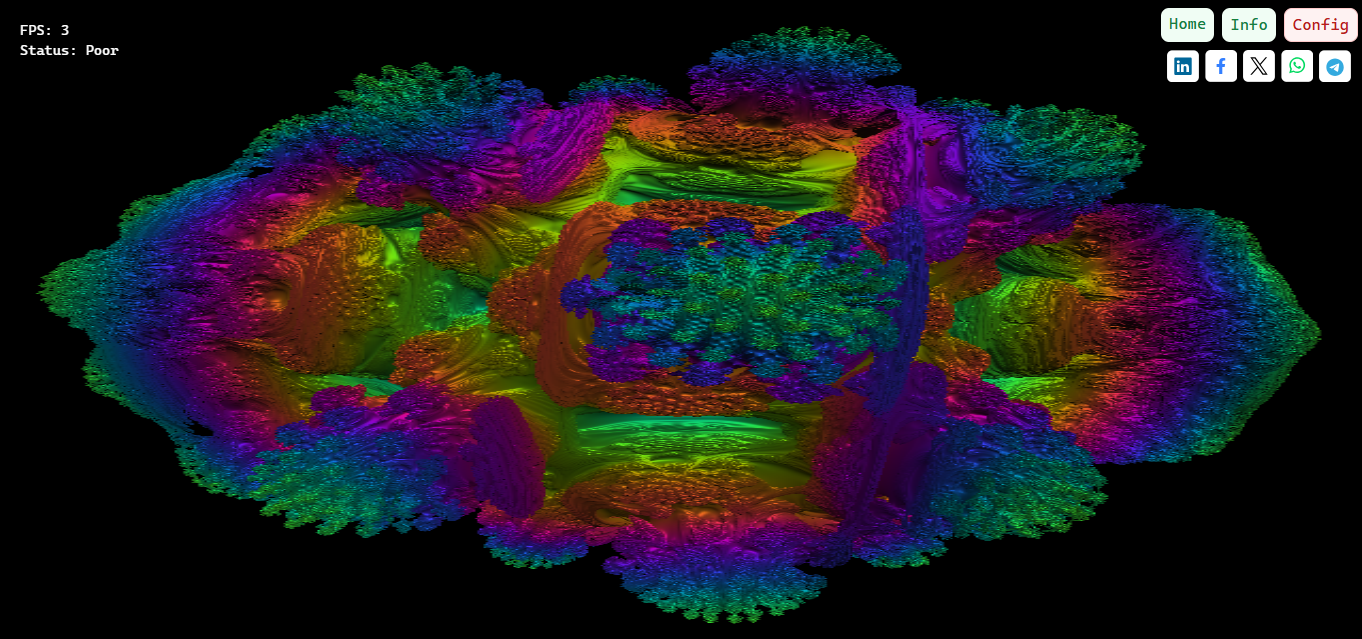
Volume Shader has become a crucial tool for developers and gamers alike, allowing users to explore advanced graphics capabilities while using a Live FPS overlay to monitor real-time performance. This shader system is designed to stress modern GPUs with volumetric effects such as fog, smoke, and atmospheric lighting, offering an interactive way to understand how your graphics card handles complex scenes.
WHAT IS VOLUME SHADER
Volume Shader is a GPU-focused rendering technique that simulates light interaction within 3D volumes. Unlike traditional shaders that only apply effects to surfaces, volume shaders calculate how light passes through a medium, creating realistic visual phenomena. By leveraging ray marching and multiple sample computations per pixel, this technology can produce visually stunning environments that respond dynamically to lighting and camera movement.
For developers, Volume Shader is not just a visual tool; it is a benchmark for shader efficiency, GPU memory usage, and real-time rendering performance. Gamers can use it to test whether their hardware maintains high frame rates even with graphically intensive effects active.
WHY IT MATTERS
Volumetric effects have become standard in modern games, simulations, and VR environments. They enhance immersion by adding depth, atmosphere, and realistic lighting. However, these effects are demanding on the GPU. Volume Shader helps identify bottlenecks, showing how different hardware configurations perform under realistic stress.
The inclusion of a Live FPS overlay means users can instantly see the impact of volumetric rendering on frame rates, allowing for immediate adjustments in settings, quality, and resolution. This transparency makes it easier to optimize both games and professional 3D applications.
REAL-WORLD APPLICATIONS
Volume Shader is widely used in:
-
Gaming: Fog, smoke, and lighting effects that improve immersion
-
Architectural visualization: Realistic interior and exterior lighting simulations
-
VR/AR experiences: Enhancing depth and presence in virtual environments
-
WebGL and browser-based graphics: Real-time effects without heavy software installations
By running a volume shader with a live FPS overlay, users can identify the most resource-intensive areas of a scene, making it an essential tool for optimizing both content creation and gameplay.
KEY FEATURES
Volume Shader offers several advantages that make it an industry-standard tool for testing and development:
-
Real-time volumetric rendering: Simulates light interacting with particles and fog
-
Interactive FPS monitoring: See performance impacts instantly
-
Cross-platform accessibility: Works on web-based platforms and modern browsers
-
Educational value: Teaches developers about GPU computation and shader optimization
-
Visual feedback: Immediate rendering results to analyze performance under stress
These features make it highly suitable for developers, students, and enthusiasts seeking to understand and optimize modern graphics workflows.
CONCLUSION
Volume Shader is more than a rendering tool; it is a platform for exploring how real-time volumetric effects impact performance and visual fidelity. With the Live FPS overlay, users can monitor GPU load and frame rate changes instantly, gaining practical insights into system performance. Whether for professional development, gaming, or learning, Volume Shader provides an accessible, interactive, and visually impressive experience that highlights the power of modern GPUs and the importance of optimization in graphics rendering.

 Arabic
 Français
 Español
 Português
 Deutsch
 Türkçe
 Dutch
Dutch
 Italiano
 Russian
 Romaian