


How to Convert Image to Embroidery File
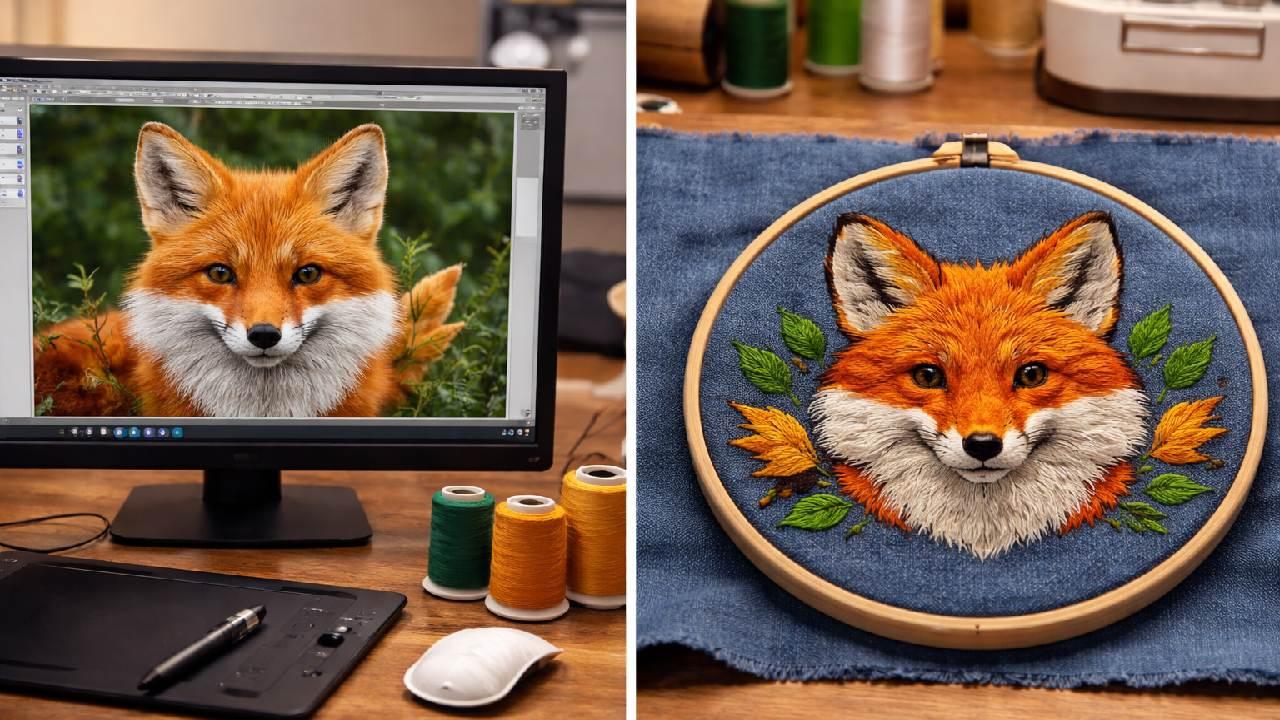
Embroidery has evolved from a manual craft into a precise digital process. If you are exploring how to convert image to embroidery file, you are stepping into the essential part of modern embroidery known as digitizing. This process allows machines to stitch designs accurately by following detailed instructions created from an image.
Understanding the Conversion Process
At first glance, converting an image may seem like a simple task, but it involves more than just changing file types. Embroidery machines do not understand pixels. They require stitch commands that define movement, direction, and thread usage.
So when learning how to convert image to embroidery file, you are actually learning how to rebuild an image into a structured stitch pattern that the machine can execute.
Selecting a Suitable Image
The foundation of a good embroidery file is a well chosen image. Designs with bold outlines and limited color palettes are easier to digitize and produce cleaner results.
Highly detailed images or photos often lose clarity when stitched. It is always a good idea to simplify your artwork before starting. Clear shapes and strong contrast will make the digitizing process smoother.
Digitizing Step by Step
Digitizing software plays a central role in this workflow. Tools like Wilcom, Hatch, or Brother PE Design help convert images into embroidery files.
The typical process includes:
Importing the image into the software
Adjusting its size to fit the embroidery area
Tracing the design manually or using auto features
Assigning stitch types to each part of the design
Fine tuning stitch direction and density
Manual control is important because it allows you to guide how the stitches flow across the design, which directly impacts the final look.
Working with Stitch Types
Different sections of your design require different stitch styles. Satin stitches are ideal for smooth edges and text. Fill stitches are used for larger surfaces, while running stitches help create fine details.
For designs that need a raised and premium appearance, 3D Puff Embroidery Digitizing is often used. This technique gives the design a three dimensional effect, making it stand out prominently on items like caps and jackets.
Exporting in the Correct Format
Once the design is complete, it must be saved in a format your embroidery machine can read. Common formats include DST, PES, and EXP.
Each machine supports specific formats, so it is important to check compatibility before exporting. This ensures that your design stitches correctly without errors.
Testing for Best Results
Testing is a critical step in achieving quality embroidery. Use the preview feature in your software to simulate the stitching process. After that, run a sample on fabric to evaluate the design.
This helps identify issues such as uneven stitching, incorrect density, or thread breaks. Making small adjustments at this stage can significantly improve the final output.
Practical Tips for Beginners
Start with simple designs to build confidence
Avoid very small or intricate details
Match stitch density to the type of fabric you are using
Always test before starting large production
These practices will help you develop consistency and improve your results over time.
Conclusion
Mastering how to convert image to embroidery file is a key step in producing high quality embroidery. It combines technical knowledge with creative decision making, allowing you to transform digital artwork into stitched designs.
EMDigitizer offers practical embroidery tools, including cost calculators, stitch count calculators, and simulators, which help hobbyists and professionals save time, estimate projects accurately, and create high-quality embroidery with ease.
Visit now: EM Digitizer

 English
 Arabic
 Français
 Español
 Português
 Deutsch
 Dutch
Dutch
 Italiano
 Russian
 Romaian