


How to Fix the 7 Most Common Smartphone Problems in 2026: A Complete DIY Fix-It Guide
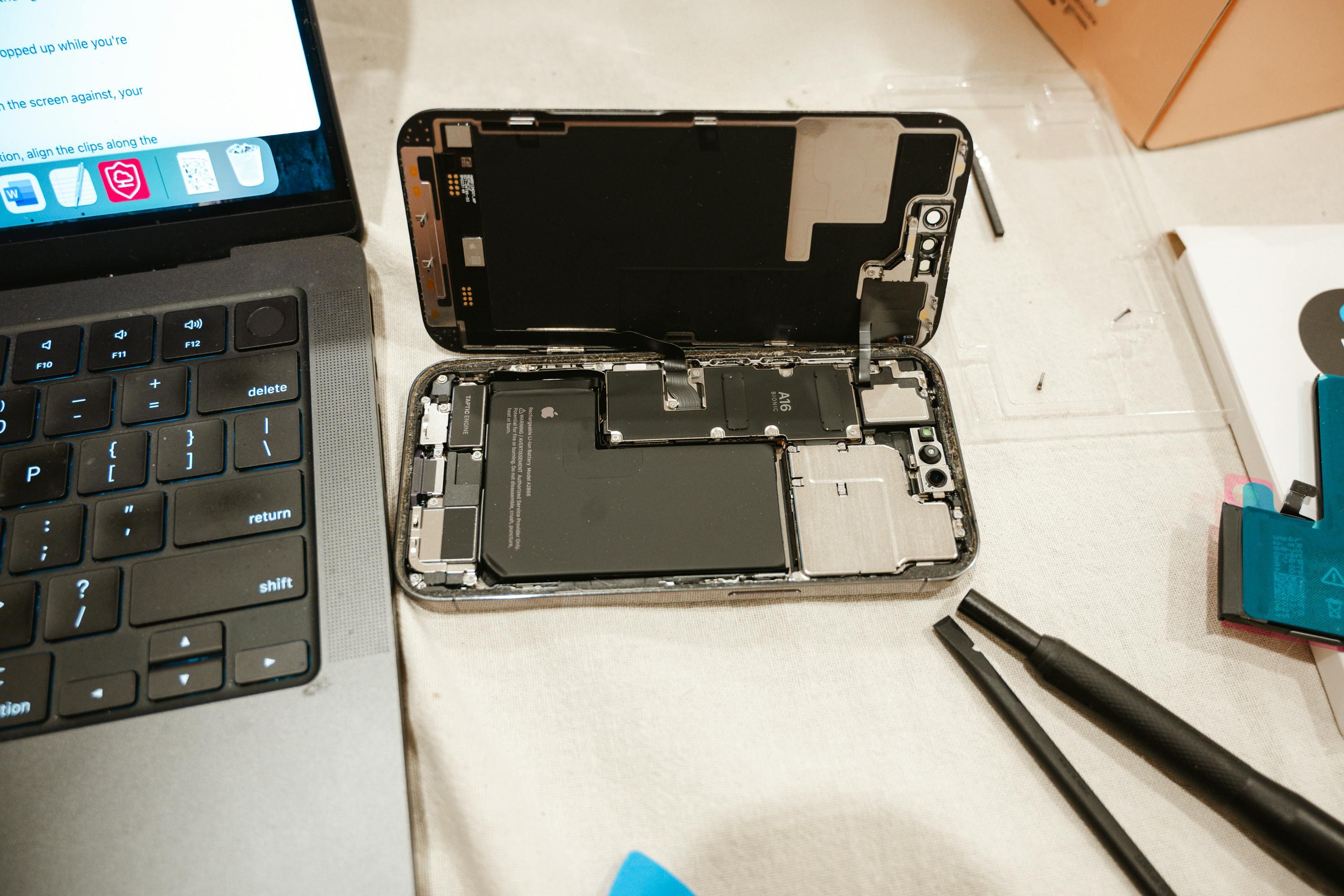
Nowadays, mobile phones have become a necessity. They are your wallet, office, and lifeline. Due to this continued use, even minor problems such as the green line, battery life, or even a slow performance can be compelling and annoying. The good news? The majority of fixes are not as difficult as you believe. This is your ultimate DIY guide to fixing the 7 most common smartphone issues at home.
The majority of mobile phone problems can be solved by simple procedures, including the optimization of settings, software updates, and application management. The solutions are used to enhance performance, increase battery life, and address frequent problems without professional repair.
1. Green Line on Phone Screen
This is the huge problem with smartphones. If you don't know, many 2- to 3-year-old smartphones have a green line issue, and it's not caused by physical damage. Still, automatically after a software update, and this issue mostly occurs in Sony and OnePlus mobiles, in rare cases with other mobiles, it started from the Samsung S20 series, then vivo, and other Android devices.
For example, your phone has a technical issue, and in the 2026 market charges you a very high price for a replacement,t and on the other hand, the same used phone is available at a lower price, hence proving why wasting money on costly repairs than the second-hand device is not worth it.
Solutions
-
Restarting the phone sometimes causes green lines to appear due to a temporary software update glitch.
-
Check if your phone has an update available to fix display bugs.
-
Reset the phone, sometimes it's caused a system bug
-
If the green line is still here, then replacing the screen t is likely a hardware problem, and the screen may need to be replaced.
If the green line doesn’t disappear after trying these fixes, it’s likely a hardware issue; don’t delay. Get urgent same day phone repair service in your area to prevent further screen damage.
2. Unresponsive Touchscreen (Ghost Touch)
In life, everyone now has a mobile phone, and sometimes you might face this issue. The screen is not working properly. If you click on a specific app, then it will open another app instead if you want to open it, and you do not know why this happened.
Have you experienced that whenever you put your phone on charge and try to use it, you start to get ghost touches? Your phone is not working properly, and you are unable to do what you want. And you have this problem when you are charging your phone. But when you unplug your phone, it works normally.
Solution
-
Commonly, ghost touch occurs due to electric fluctuations or varying power input to the device.
-
Try plugging your phone into a different non-standard location with a different power supply and see if the problem persists. If the problem persists, it's most likely your USB cable. Try to replace it.
-
Use the original adapter to avoid the 3rd-party adapter.
-
Update the software.
3. Battery Not Increasing While Plugged In
Or a common one: you might have noticed that the battery percentage stays the same and doesn't increase. This happens when the device is consuming the most power or when you are using it in a hot place.
Imagine you're playing PUBG or editing a 4k video while your phone is charging. You started at 20%, and after 30 minutes, you're still stuck at 20% or 19%. That's why you didn't use the phone while it was charging.
Solutions
-
If you are using a standard charger while playing a high-graphics game, the power consumption won't exceed the charger's output. Use a Fast Charger with the correct wattage.
-
Even if you are gaming, other apps might be syncing in the background. Close them to reduce CPU load.
-
A faulty or local cable might not be providing enough "Amps" to charge the battery while the screen and processor are at full load.
4. Overheating
Seems like smartphones get smarter each year, and it appears they won't turn the heat down any time soon, but this heating can become quite literal if you are not careful with your device choice.
Using Google Maps or playing a game with lots of graphics, like PUBG, your phone suddenly becomes so hot that it burns your hands. This is what your phone does to ensure that its internal motherboard does not become permanently damaged due to heat.
Solutions
-
Shut down your device immediately if it feels hot to the touch. This prevents hardware damage and allows the processor to cool down.
-
If you are using the back case, then remove it.
-
If you are playing a game while charging, close the game; otherwise, it can affect your battery health.
5. Storage problem
Storage problems are the second-most common issue users face. Because users store the memories in the form of Pics, videos, or documents, a lot of data can be stored on a mobile device, but it also slows it down.
Imagine you download a lot of games, and from time to time an update comes, so your storage fills up, and the device shows a storage full message.
Solutions
-
If you store your data, use Google Photos, and move all of it there.
-
Move all data into a single folder and store it on your laptop or a USB drive.
-
Delete the duplicate media.
6. Water damage
Water damage is an uncommon and terrifying nightmare to any mobile device; few modern devices can survive even a couple of minutes in water.
Think about this situation; you are taking water and the glass drops out of your hand causing splashing water on your mobile. Don't panic, and never plug it in, which is exactly how a small accident turns into a total hardware failure.
Solutions
-
First, shut down the device, and if it is still on.
-
Don't plug into the charger, as this caused a short circuit in the motherboard.
-
Avoid charging for at least 48 hours.
-
Remove the SIM, memory card, etc.
-
Don't dry it with a hair dryer or in the sun, as it can melt the internal components.
-
Put the mobile into the airtight box.
7. Slow Charging Speed
You noticed that when you buy a new mobile phone, its charging speed is fast and it shows a double lightning bolt or a green color.
Sometimes it happens when you plug the mobile with a copy charger, not the original. Or sometimes you insert the wrong side of the wrong side.
Solution
-
Check the charging cable; is it damaged?
-
Check whether the cable is the original.
-
Check the mobile port for dust. If yes, clean it.
-
While putting in the charging cable, sometimes it's put in the wrong side, like the back side, change to the right side.
FAQs
Q1. Can a software update really fix the Green Line issue?
There's a 50% chance of fixing the green line issue, which is very common on OLED screens, by updating the software or restarting the mobile; otherwise, you will need to replace the screen.
Q2. Is the Rice Trick actually effective for water damage?
The rice trick is an old, ineffective method that is harmful because rice dust and small particles can enter the mobile's ports, like the speaker and charging sockets.
Q3. Why does my phone heat up specifically while charging?
Think of it like this: Energy transfer always creates heat. If you use heavy apps or play high-graphics games while plugged in, your phone triggers "Thermal Throttling." It's just your phone protecting itself by slowing down the charging speed so the battery.
doesn't overheat.
Conclusion
Most of these smartphone problems can be fixed using simple troubleshooting steps such as optimizing settings, updating software, and managing apps. The solutions are useful in enhancing performance, increasing battery life, and addressing frequent errors without the need for professional repair.
Your smartphone is not just a gadget; it is your work, family, and fun companion. Having to deal with a buggy display or a low battery life is stressful, but, as we have seen, most of the frequent issues do not need an expensive visit to the repair shop.

 Arabic
 Français
 Español
 Português
 Deutsch
 Türkçe
 Dutch
Dutch
 Italiano
 Russian
 Romaian