


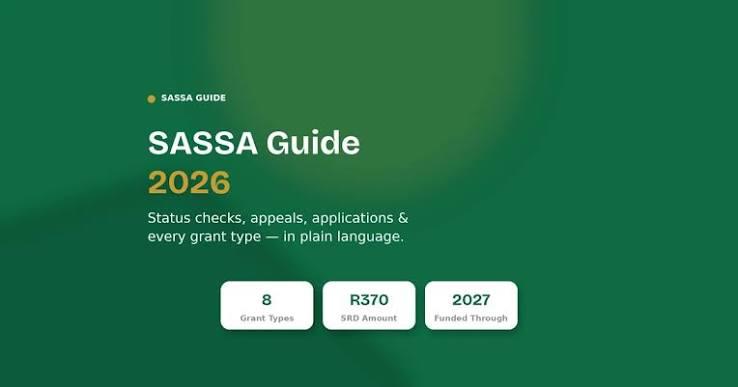
In South Africa, the Social Relief of Distress (SRD) grant—currently set at R370 per month—is a vital lifeline for millions of people facing financial hardship. This grant is confirmed to run through to 31 March 2027 . However, the monthly application and payment process can be confusing, with various statuses that aren't always clear. Knowing how to correctly check your SASSA SRD status and understanding what the results mean is essential for managing your finances and ensuring you receive the support you're entitled to.
This guide provides a clear, step-by-step overview of the process for 2026, covering the official channels to check your status and explaining what each status message means. Please note that this article is for informational purposes only and is not affiliated with SASSA or the South African Government. The official SRD website is srd.sassa.gov.za . For detailed guidance and up-to-date information, many users find SASSA SRD status checkto be a helpful starting point to navigate the process.
How to Check Your SASSA SRD Status: 6 Official Methods
You can check your status through several official channels. All methods pull from the same SASSA database, so the result is the same no matter which one you choose . The best method for you depends on your device, available data, and personal preference.
1. Online Portal: Most Detailed Option
This method provides the most comprehensive result, including your current status and payment date.
-
Steps to Follow:
-
Go to the official website: srd.sassa.gov.za.
-
Enter your 13-digit South African ID number.
-
Enter the cellphone number you used when you first applied for the grant.
-
Click on the "Check Status" or "Submit" button .
-
-
Important: Your ID number and phone number must be entered exactly as they appear on your application. Even one incorrect digit will result in an error . This is also the only channel where you can update your banking or personal details .
2. USSD: Best for No Data or Basic Phones
This is a free, text-based service that works on any mobile phone, even without data.
-
How to Use:
-
Dial *120*3210# on your phone's keypad. If this code is busy, you can try *120*69277# or *134*7737# instead .
-
Follow the on-screen menu prompts to select the SRD status option.
-
Enter your ID number and registered cellphone number when requested .
-
Your status and payment date will be displayed on your screen.
-
-
Note: Network providers may charge a small fee for using this service, so check your airtime balance beforehand .
3. WhatsApp: A Convenient, Low-Data Option
Most South African networks zero-rate WhatsApp, making this effectively a free option for many .
-
How to Use:
-
Save the official SASSA WhatsApp number: 082 046 8553 .
-
Open WhatsApp and start a new chat with this number.
-
Send a message like "Hi" or "SASSA" or "Status" .
-
Follow the automated prompts to provide your ID number and phone number. Your status will be sent to you in the chat .
-
4. Toll-Free Call Centre: Help with Complex Issues
If you prefer to speak to someone, or if other methods are failing, you can call the official helpline.
-
Contact Number:
-
0800 60 10 11 .
-
-
Details: This call is toll-free from South African landlines and all major mobile networks . The lines are often busiest in the last week of the month, so be prepared for long wait times.
5. Moya App: A Third-Party Data-Free Option
The Moya App is a legitimate third-party application that is zero-rated on supported networks, meaning you can use it without a data bundle .
-
How to Use:
-
Download the Moya App from your device's app store (requires about 100MB of data for the initial download ).
-
Register using your ID and registered cellphone number.
-
Navigate to the SASSA services section to check your status or balance .
-
6. Visiting a SASSA Office
For in-person assistance, you can visit your nearest SASSA office. You can find the nearest office by searching online or calling the toll-free number .
Decoding Your SASSA Status: What Do the Messages Mean?
Once you've checked your status, you'll see a one-word message. Here's a breakdown of what the most common statuses mean .
Approved
-
What It Means: You have passed all the checks for the current month and qualify for the R370 grant.
-
What to Do: Wait for a payment date, which is usually assigned in the last week of the month. If it doesn't show a date immediately, check again after the 24th of the month .
Pending
-
What It Means: SASSA is still reviewing your application or verifying your details.
-
What to Do: No action is needed. Wait for 7–14 days from the start of the payment month and then check again .
Declined
-
What It Means: Your application failed one specific check for that month. Common reasons include earning above the income ceiling (R624 per month) or failing the identity verification.
-
What to Do: Read the specific reason provided, if possible. You have the right to appeal this decision within 90 days .
Referred
-
What It Means: This is not a rejection. It means a verification request has been sent to another department (like Home Affairs, UIF, or SARS).
-
What to Do: Usually, no action is needed. SASSA clears these in batches, but it's recommended to check again in a few days for an update .
Bank Details Pending
-
What It Means: SASSA cannot verify your bank account details.
-
What to Do: You must update your banking details on the official SRD portal immediately . Make sure the bank account is in your name and the details match exactly.
Identity Verification Failed
-
What It Means: SASSA could not match your ID number with government records.
-
What to Do: You must fix your details and complete the verification steps again, ideally by visiting a SASSA office in person .
Troubleshooting: What to Do When Things Go Wrong
-
"Incorrect Details" Error: If you know your details are correct but keep getting an error, the most common cause is a mismatch with your registered cellphone number. If you've changed your SIM card since applying, your status will not show. You must update your number by visiting a SASSA office .
-
"Approved" but No Payment: An approved status does not guarantee immediate payment. Wait until your assigned payment date has passed. If it still hasn't arrived, verify your banking details are correct on the portal before contacting the call centre .
-
I Lost My Registered Phone Number: Without this number, you cannot access the portal. You must visit a SASSA office in person to update your contact details .
-
Avoid Scams: Be extremely cautious of fake websites. The only official SASSA SRD website is srd.sassa.gov.za. Never enter your ID or banking details on sites you find via social media links or from unverified sources . SASSA services are always free; no one can guarantee approval in exchange for payment .
In conclusion, regularly checking your SASSA SRD status is a crucial monthly task to ensure you know where your application stands and when you can expect your payment. By using one of the official methods above and understanding what each status means, you can manage your SRD grant effectively and avoid common pitfalls. For more detailed guides and FAQs, you can refer to independent resources like SASSA SRD status check, which aggregate information to help beneficiaries navigate the system.

 Arabic
 Français
 Español
 Português
 Deutsch
 Türkçe
 Dutch
Dutch
 Italiano
 Russian
 Romaian