


What Does "SOS Only iPhone" Mean?
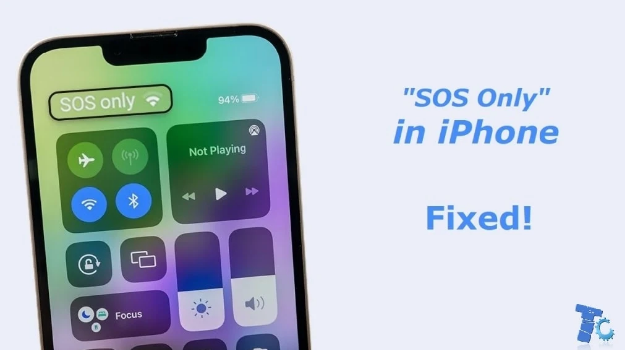
If you see "SOS Only" on your iPhone, it means your device can only connect to emergency services. This message appears when your iPhone cannot access your regular cellular network. It might be due to a variety of reasons, such as no signal from your carrier, a technical glitch, or a temporary disruption in your network’s coverage. The "SOS Only iPhone" status limits your phone’s functionality to emergency calls only. This might be alarming, but it’s important to understand why it happens and how you can fix it.
Reasons Behind "SOS Only iPhone"
There are several reasons your iPhone may display "SOS Only." First, if your device is out of range of a cell tower or if there's no available cellular network, your iPhone may switch to this mode. This feature helps ensure that, even in emergencies, you can reach emergency services. Another reason could be a problem with your SIM card or network settings. Additionally, if you’re in a foreign country or region where your carrier doesn’t have coverage, you may see the "SOS Only iPhone" message. Lastly, software issues can occasionally cause your iPhone to misinterpret your connection status.
How to Fix "SOS Only iPhone"
If you see "SOS Only iPhone," you can take several steps to resolve the issue. First, try restarting your device. This simple step often fixes temporary glitches. If the issue persists, ensure that your iPhone is connected to a reliable cellular network. You can check this by moving to a different area or ensuring that your SIM card is properly inserted. Another step is to turn on and off Airplane Mode, as this resets your device’s connection to the network. If these methods don’t work, check for any software updates or reset your network settings.
When Should You Seek Help?
If none of the solutions work and your iPhone still shows "SOS Only," it may be time to visit your carrier or an Apple Store. There could be a more serious issue with your phone or SIM card that needs professional attention. It’s also possible that your phone is locked to a specific carrier, and you need assistance unlocking it for use on a different network.
Conclusion
Seeing the "SOS Only iPhone" message can be frustrating, but it usually means your phone is having trouble connecting to its network. By troubleshooting the problem with the steps outlined above, you can often fix the issue on your own. If not, professional help is available to get your iPhone back to full functionality. Keep in mind that "SOS Only iPhone" is a safety feature designed to allow emergency communication, and understanding why it happens can ease the stress when it occurs.

 Arabic
 Français
 Español
 Português
 Deutsch
 Türkçe
 Dutch
Dutch
 Italiano
 Russian
 Romaian