


How to Convert Gmail Emails to PDF Format?

Summary: Today, Gmail is the most used email service. Most of the users use Gmail for their personal and professional purposes. It provides many facilities to manage emails. Users can access their Gmail data from anywhere. But, internet availability is not confirmed at every moment. So, users prefer to convert Gmail emails to PDF format that can be accessed easily without internet connectivity.
PDF is a portable document format that can be easily shared with others. Saving data in PDF format allows you to protect your important data with password protection features. So, in this article we will discuss the methods to export Gmail emails to PDF in a simple manner. First we discuss the manual solution and then the professional solution.
Method 1: Manual Way to Convert Gmail Emails to PDF Format
You manually export Gmail emails to PDF. But, it does not give the permission to save multiple Gmail emails to PDF at the same time. Using this approach you can convert only one email at a time. So, it is a time consuming process. Follow the given steps to convert Gmail emails to PDF format.
Step 1. Firstly, Sign in your Gmail Account with credentials on your local system.
Step 2. Now, Open the email that you want to convert in PDF format and click on three vertical dots from the top right side of the email window.
Step 3. Choose the Print option from the drop down list.
Step 4. After that, in the Destination section, select Print as PDF option.
Step 5. Finally, give the name of the file and choose the destination location to save the PDF file and click on Save button.
Step 6. Repeat the process again and again to export other emails.
Hence, you can convert Gmail emails to PDF format manually.
Method 2: Expert Solution to Export Gmail Emails to PDF Format
In the above section we saw that using a manual solution you can convert only one email at time. So, we use an automated solution to export Gmail emails to PDF in batch. However, Xtraxtor Gmail Backup Tool is a reliable solution to convert all emails from Gmail to PDF at the same time. The software preserves complete data integrity and gives accurate results after the conversion process. It maintains the original structure of the emails during the process.
Apart from this, it is designed with advanced algorithms and simple interface. Both technical or non-technical users can easily convert Gmail emails to PDF without any external guidance. It supports all latest and old versions of Windows OS.
Steps to Convert Gmail Emails to PDF Format using Professional Tool
Step 1. Download and Run Xtraxtor Email Backup Tool on your system.
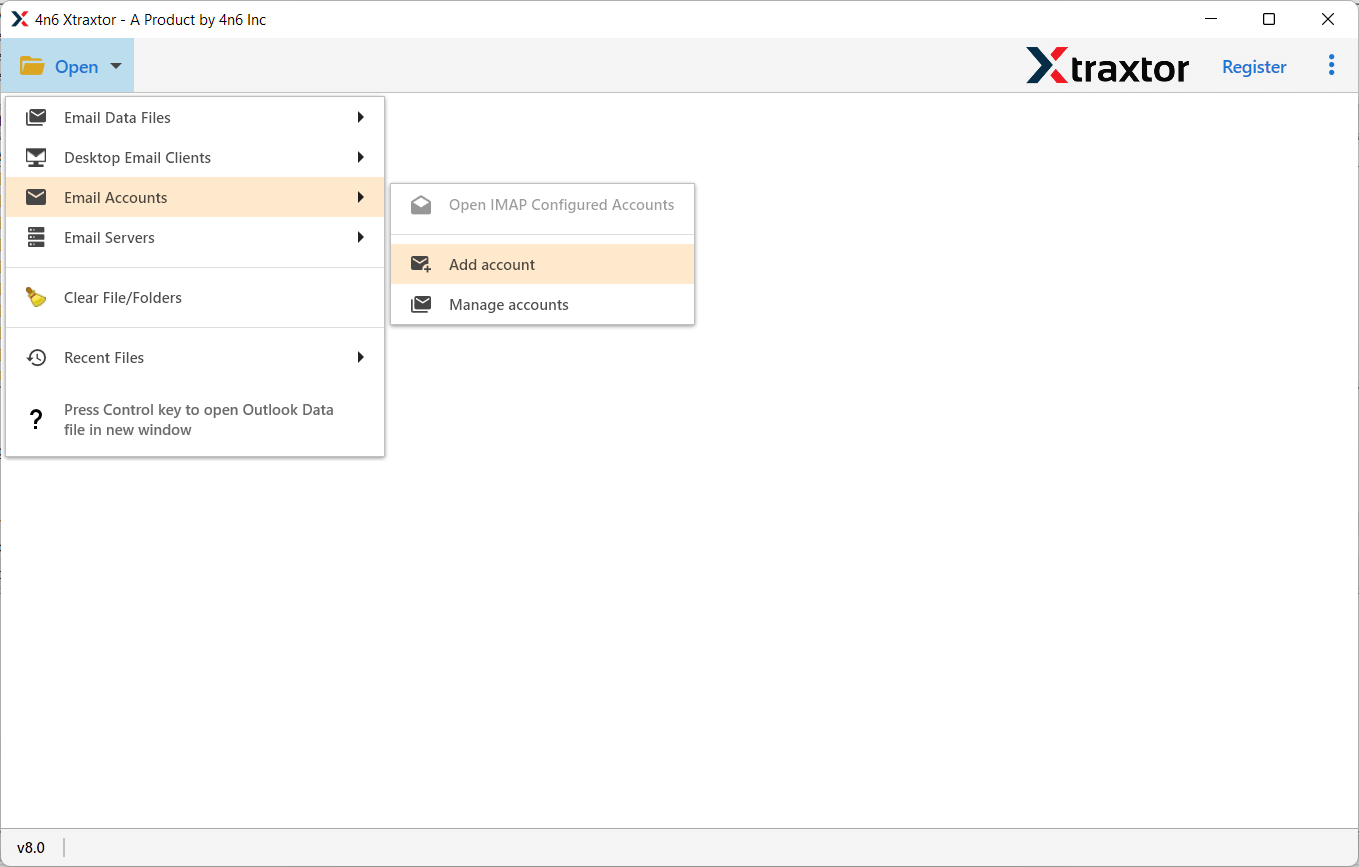
Step 2. Now, Navigate to Open >> Email Accounts >> Add Accounts.
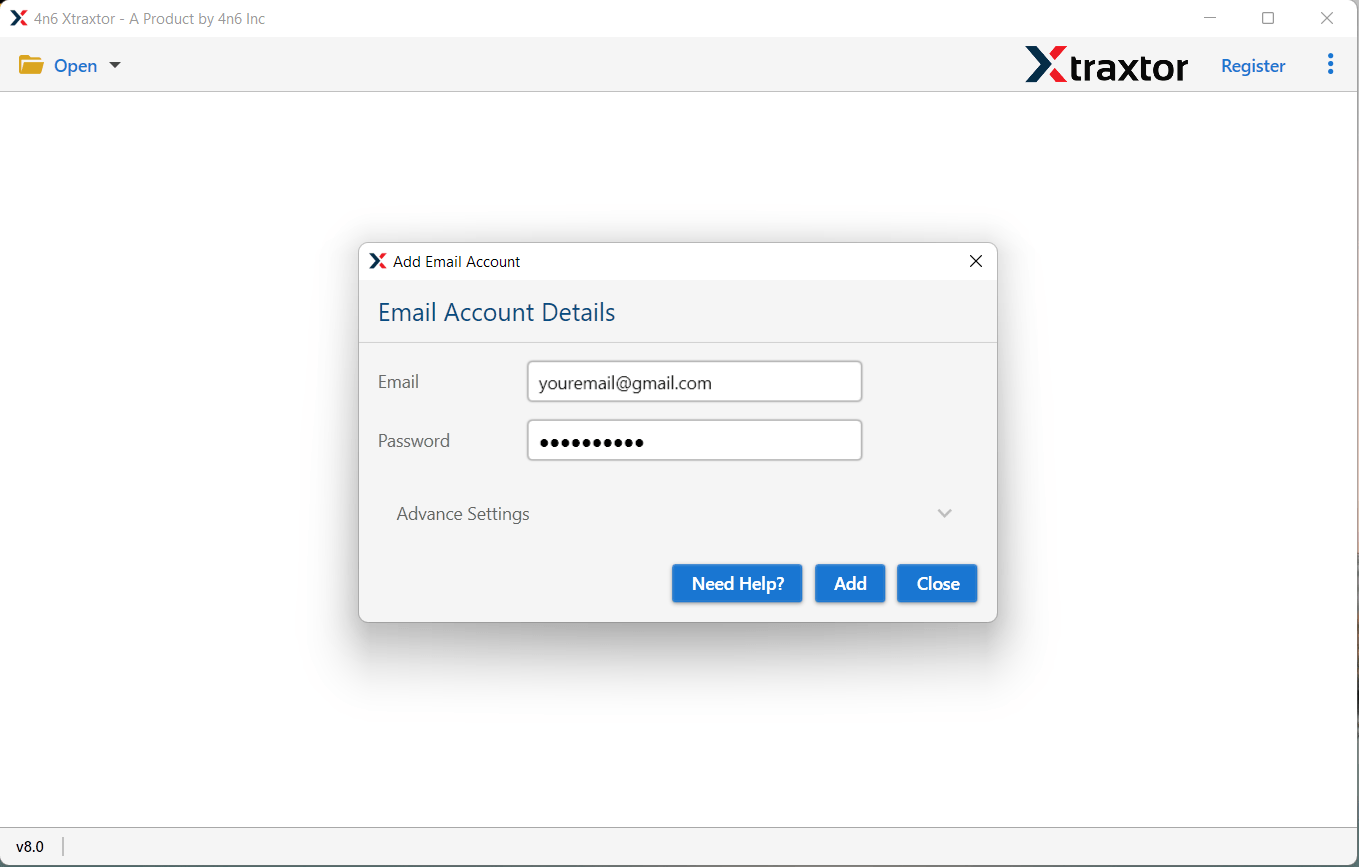
Step 3. Enter your Gmail credentials and click on the Add button.
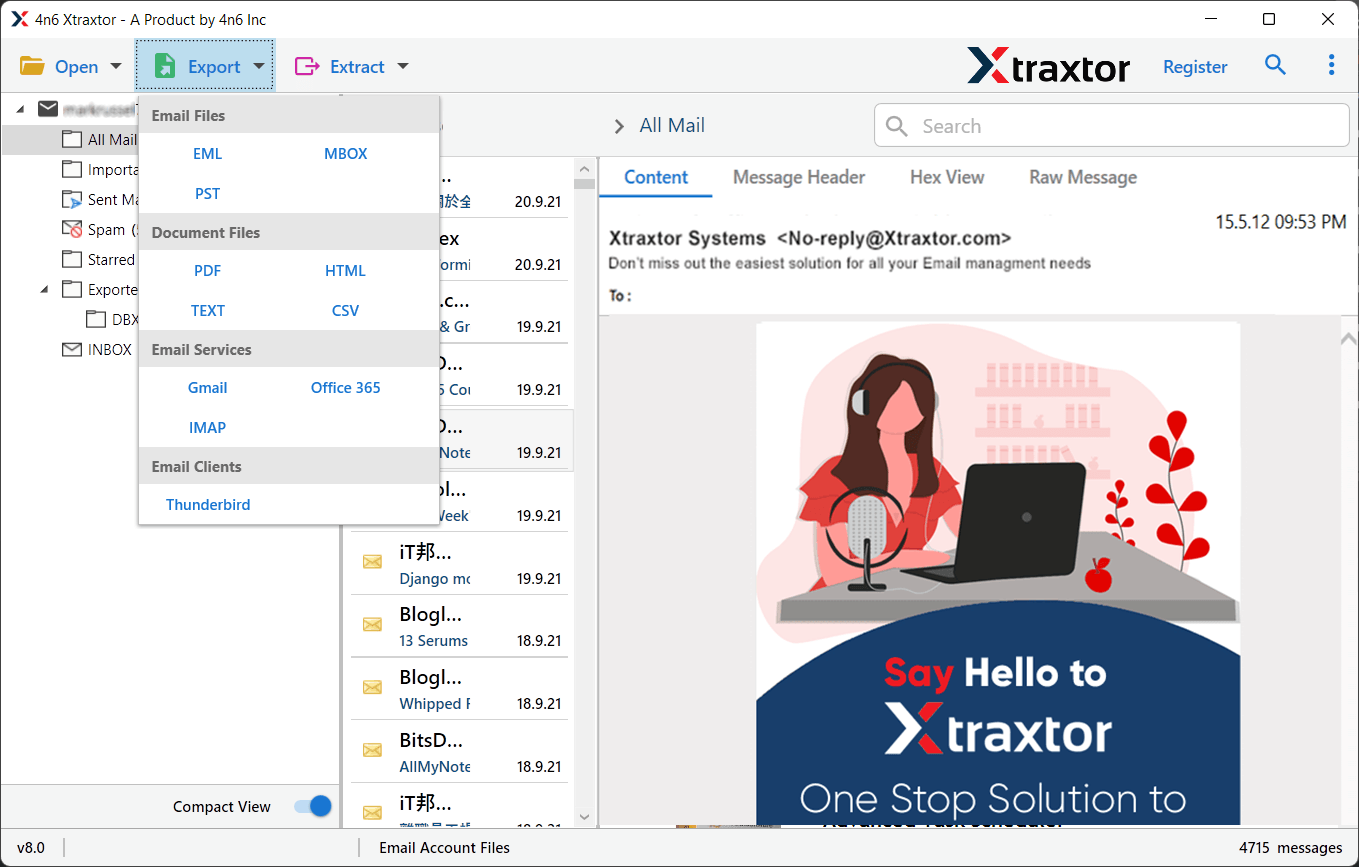
Step 4. After that, click on Export and choose PDF from given options.
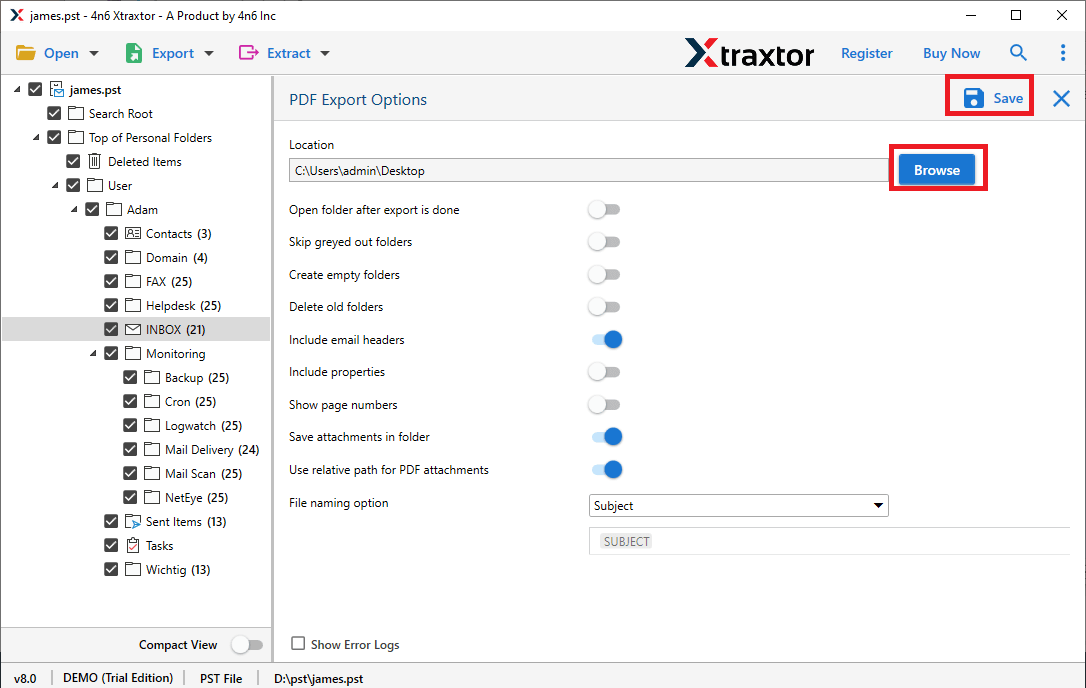
Step 5. At last, Click on Browse to set the Destination location and press Save button.
Advantage of Xtraxtor Gmail Backup Tool
-
Able to convert all emails from Gmail to PDF at the same time.
-
Export Gmail Email to PST, MBOX, EML, PDF, MSG, HTML etc. file formats.
-
A preview option to view all emails from Gmail before the conversion process.
-
Keep the metadata properties and attributes of emails during the process.
-
Multiple advanced filter options such as to, from, date, time, subject etc.
-
Directly migrate Gmail emails to Office 365, AOL Mail and other accounts.
-
Freedom to save converted files at your desired location.
-
Free trial version is available to check its work efficiency.
Conclusion
Many users want to save their Gmail emails to PDF format for security purposes and to easily access it. So, in this post we have discussed how to convert Gmail emails to PDF format. Both manual and professional ways are explained here. But the manual method allows you to export one Gmail email to PDF at once. Whereas, the automated solution converts all emails to PDF format at a single go.

 English
 Arabic
 Français
 Español
 Português
 Deutsch
 Dutch
Dutch
 Italiano
 Russian
 Romaian