


How to Convert PST to ICS File Format?
Overview: MS Outlook stores their complete data such as Email, Contracts, Calendar etc. in PST format on the local system. Sometimes Outlook users need to access their PST file calendar in other email platforms. We all know that PST is only compatible with Outlook. So, users need to convert PST file to ICS format. However, in this article we will discuss how to export PST file to ICS Calendar file. Before proceeding with PST to ICS conversion, let’s understand about pST and ICS File.
PST stands for Personal Storage Table. It is a file format of MS Outlook. It is used by Outlook to store emails, contacts, calendar events and other Outlook data items locally.
ICS is a universal Calendar file format. It is used by various email platforms and calendar applications to store calendar events.ICS format save data in plain text format. If you convert your calendar events to ICS format then you easily share the calendar information with ICS supported email applications.
How to Convert PST to ICS File Format?
There are two methods to export PST file to ICS format. One is manual and the other one is automated solution. In the upcoming section we will explain both methods step by step.
Method 1: Automated Way to Export PST File to ICS File
Try Xtraxtor PST Converter on your Windows system to convert PST to ICS format. This software is specially designed to perform these types of tasks. It preserves 100% data integrity during the conversion process. There are various advanced filter options to convert specific calendar events from PST to ICS.
Apart from this, the software is able to convert PST to MBOX and other file formats. The interface of this tool is very simple and easy to use. Any novice user can convert PST to ICS file format without any external guidance. You can download its free demo version to check how its work so easily.
Step-by-Step Guide to Convert PST to ICS File Format
Step 1. Launch Xtraxtor Email Converter on your Windows PC.
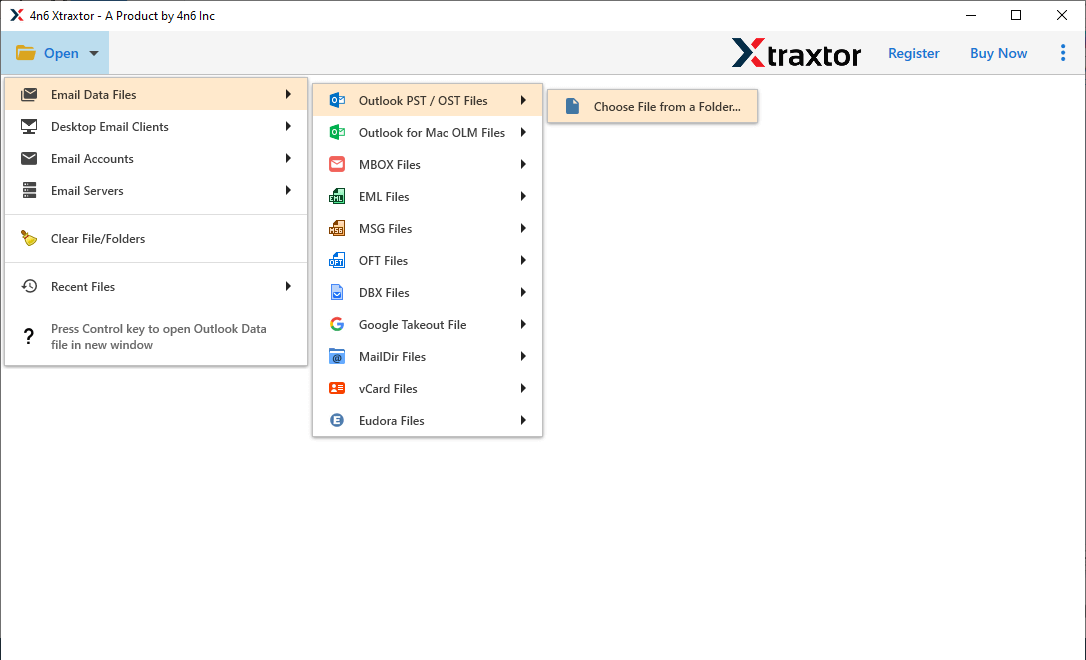
Step 2. Now, Click on Open >> Email Data Files >> Outlook PST/OST Files and select the PST file from which you want to export calendar event to ICS.
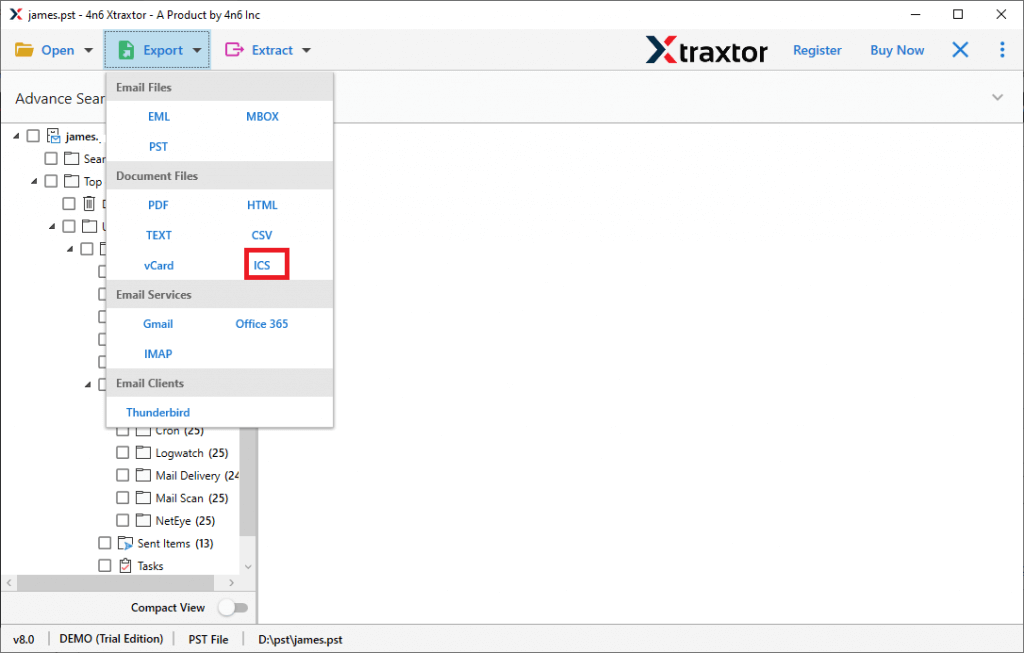
Step 3. After that, click on Export and select ICS format from given options.
Step 4. Click on Browse and select the destination path to save the output file and then press Save button.
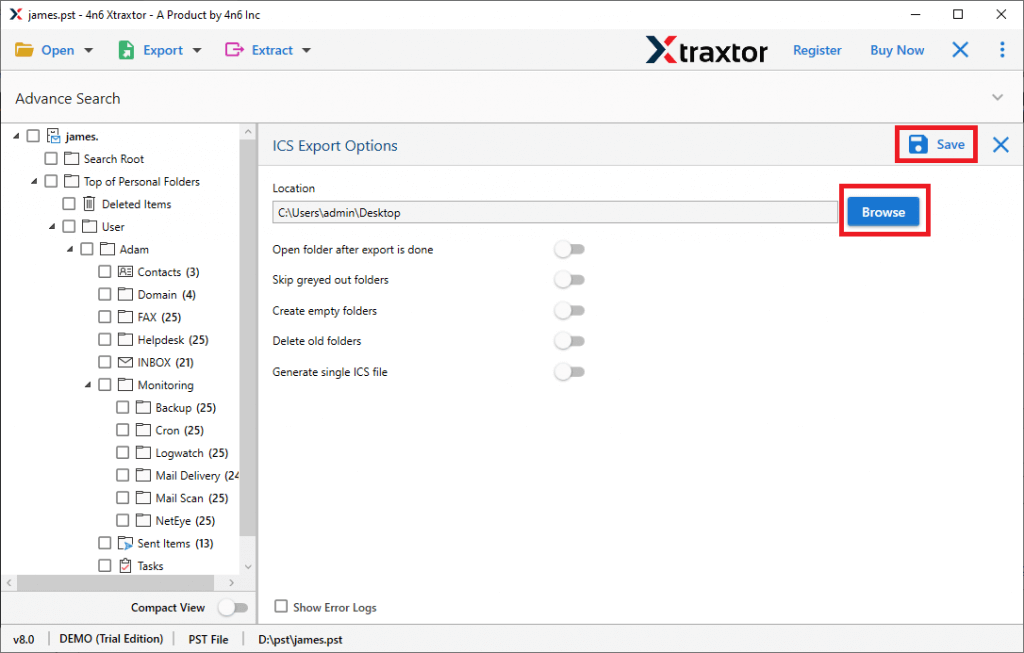
The process is complete. Hence, you can easily export PST file to ICS in a few simple clicks.
Key Features of Xtraxtor
The software has many advantages which are given below-
-
The software can convert all calendar events from PST to ICS at once.
-
Using this tool you can convert PST to PDF, MBOX, MSG, EML, HTML, TXT etc.
-
It preserves 100% data integrity and gives accurate results after the conversion process.
-
Advanced filter options such as to, from, date, time etc.
-
There is no file size and number of file restrictions to perform the exporting process.
-
Provide preview option to view calendar events before the conversion.
-
It is able to maintain the original structure of the PST file during the process.
-
Tool can directly import PST to Gmail, Office 365 and other cloud based services.
-
Interface of this utility is very simple and easy to use.
-
Stand alone utility to perform the PST to ICS conversion.
-
Compatible with all latest and old versions of Windows Operating Systems.
-
Customer service team is available 24*7 to answer users' doubts.
Method 2: Manual Way to Convert PST Calendar to ICS Format
Follow the given steps to export PST to ICS file format.
Step 1. Launch MS Outlook on your system and go to Calendar icon.
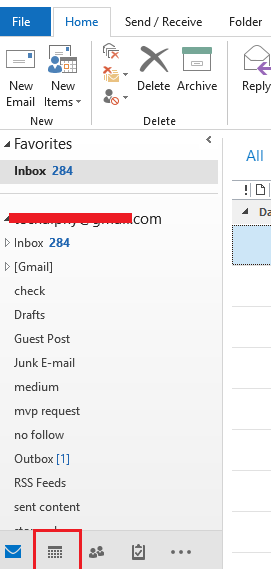
Step 2. Now, Select the Calendar and Click on File option.
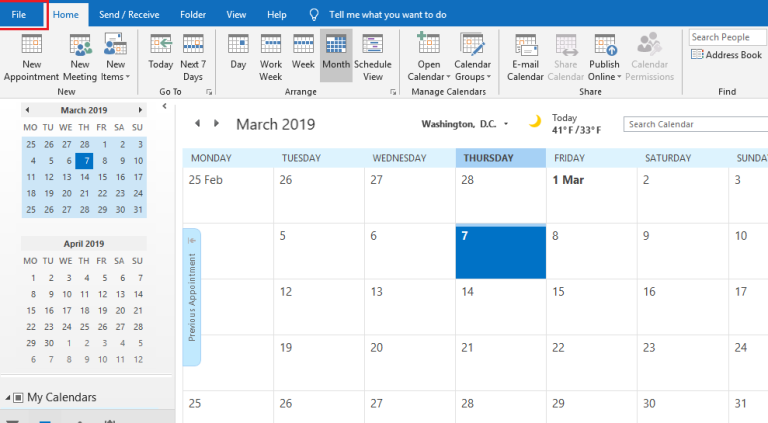
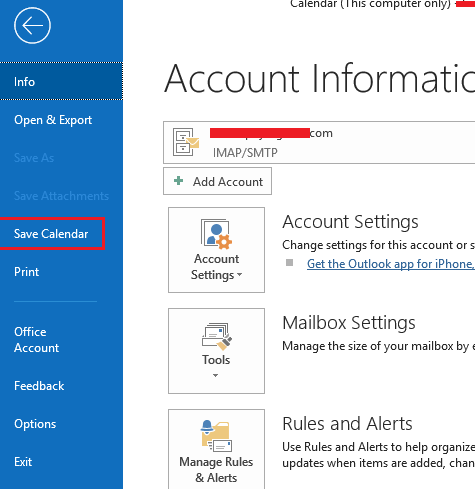
Step 3. After that, choose the Save Calendar to export PST to ICS file format.
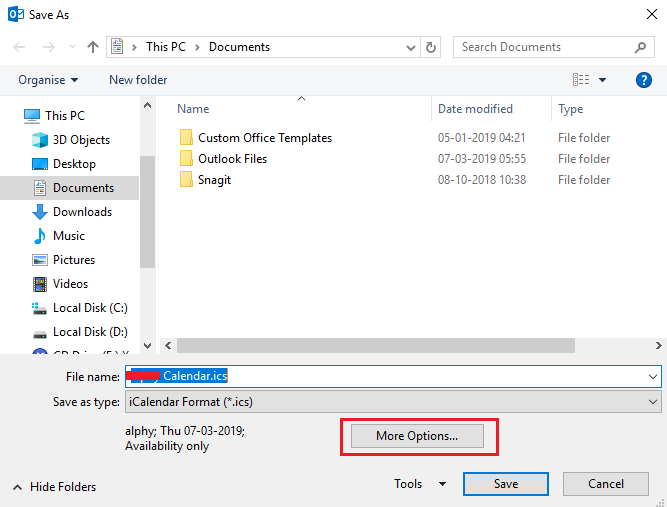
Step 4. Click on Browse and select the destination path to save the ICS file.
Step 5. Finally, click on save button to complete the process.
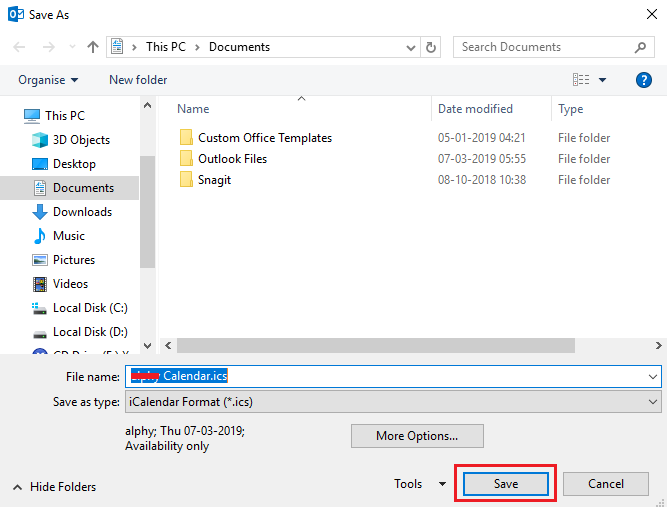
Hence, you can manually export PST calendar to ICS file format.
Limitations of Manual Method
-
The process takes lot of time to complete the process.
-
Outlook must be installed to convert PST to ICS file format.
-
There are high chance of data loss.
Conclusion
In this post we have discussed how to convert PST to ICS file format. Here, two methods are explained in detail. You can choose any method that is suitable for you. However, the above suggested tool is able to export PST calendar to ICS format without losing any single bit of data.

 English
 Arabic
 Français
 Español
 Português
 Deutsch
 Türkçe
 Dutch
Dutch
 Italiano
 Romaian