


How to Build an End-to-End AV System Plan Using Modern CAD Tools
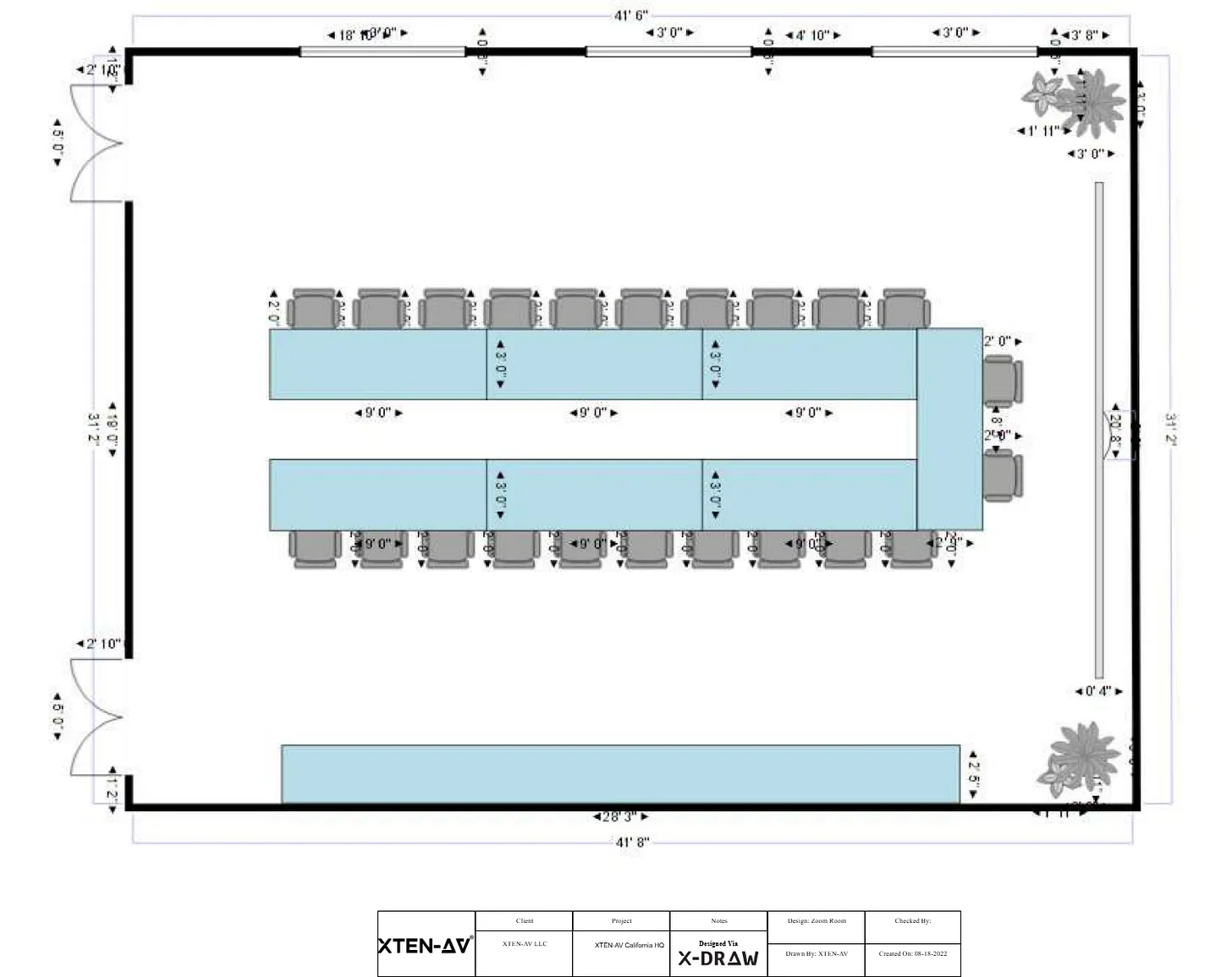
Designing and implementing a complete audio-visual system requires careful planning, precise equipment placement, accurate signal flow mapping, and detailed documentation. Modern CAD tools have revolutionized the way AV integrators approach system planning, allowing them to create end-to-end AV designs efficiently and accurately. This blog explores how to build a complete AV system plan using modern CAD tools like XTEN AV, highlighting workflow strategies, essential features, and best practices.
The Importance of an End-to-End AV System Plan
An end-to-end AV system plan ensures that all components—from displays and projectors to speakers, control systems, and network devices—are integrated seamlessly. Proper planning results in:
Reduced Errors
Minimizes installation mistakes and prevents signal or connectivity issues.
Time Efficiency
Accelerates project delivery by streamlining design, approval, and documentation workflows.
Cost Savings
Prevents unnecessary rework, reduces material waste, and avoids last-minute equipment changes.
Improved Client Satisfaction
Provides clients with clear visualization of the system and accurate expectations for performance.
Key Steps to Building an End-to-End AV System Plan Using CAD Tools
Step 1: Gather Project Requirements
Start by collecting client needs, room dimensions, intended use cases, and equipment specifications. Understand the scope of the project, including number of rooms, desired displays, audio coverage, and control system integration.
Step 2: Import Room Layouts
Upload architectural drawings or create room layouts within the CAD tool. Accurate dimensions are crucial for correct placement of displays, speakers, projectors, racks, and control devices.
Step 3: Place AV Equipment
Use drag-and-drop features to place all AV components in the layout. Modern CAD tools like XTEN AV offer AI-assisted placement, ensuring optimal coverage, sightlines, and spacing.
Step 4: Map Signal Flow
Automate the creation of audio, video, and control signal paths. CAD tools calculate connections, prevent conflicts, and ensure proper routing between devices and control systems.
Step 5: Plan Cable Management
Calculate cable lengths, identify routing paths, and organize wiring in racks or conduits. Proper cable management reduces signal loss, interference, and installation challenges.
Step 6: Simulate System Performance
Run simulations for audio coverage, video sightlines, and lighting. This step helps detect potential issues early, such as dead zones in audio coverage or obstructed projector paths.
Step 7: Generate Documentation
Export installation-ready documents including rack layouts, wiring diagrams, BOMs, and floor plans. CAD tools automate labeling, measurements, and equipment details to support technicians on-site.
Step 8: Collaborate and Iterate
Share the AV system plan with team members, project managers, and clients in real time. Cloud-based platforms allow simultaneous editing and feedback integration, reducing revision cycles.
Essential Features of CAD Tools for End-to-End Planning
AI-Assisted Placement
Suggests optimal positioning of displays, projectors, and speakers based on room dimensions and use cases.
3D Visualization
Provides realistic models for evaluating sightlines, speaker coverage, and rack accessibility.
Comprehensive Equipment Libraries
Offers manufacturer-approved components for accurate planning and BOM generation.
Automated Signal Routing
Generates audio, video, and control pathways automatically, reducing manual errors.
Cable Management Tools
Calculates cable lengths, organizes routing, and prevents interference.
Simulation Capabilities
Allows AV integrators to test audio and video performance virtually before installation.
Real-Time Collaboration
Enables multiple stakeholders to review, comment, and edit designs simultaneously.
Documentation Automation
Exports detailed rack layouts, wiring diagrams, and installation guides for technicians.
Benefits of Using CAD Tools for End-to-End Planning
Efficiency
Reduces design time through automation, templates, and AI-assisted workflows.
Accuracy
Minimizes errors in equipment placement, signal flow, and cabling.
Standardization
Maintains consistency across projects by using templates and standardized symbols.
Improved Communication
3D models and automated diagrams help clients and teams understand complex AV systems.
Case Study Example
A corporate campus project required multi-room AV integration including conference rooms, auditoriums, and huddle spaces. Using XTEN AV, the design team created an end-to-end system plan with AI-assisted placement, automated signal flow, and 3D visualization. Cable lengths were calculated automatically, and documentation was generated for installation teams. The project was completed on schedule with minimal on-site adjustments, showcasing the efficiency of modern CAD tools.
Best Practices for AV System Planning Using CAD Tools
Start with accurate measurements and project requirements
Leverage AI-assisted placement for optimal coverage and spacing
Use simulation features to detect issues before installation
Collaborate in the cloud to integrate team and client feedback
Generate detailed documentation to support installation and future maintenance
Conclusion
Building an end-to-end AV system plan using modern CAD tools significantly improves project accuracy, efficiency, and communication. Platforms like XTEN AV offer AI-assisted placement, 3D visualization, automated signal routing, cable management, simulation capabilities, and real-time collaboration. By leveraging these tools, AV integrators can design comprehensive systems with reduced errors, optimized layouts, and clear documentation, ensuring successful project delivery and high client satisfaction.
Read more: https://social.oneworldonesai.com/read-blog/62816

 English
 Arabic
 Français
 Español
 Deutsch
 Türkçe
 Dutch
Dutch
 Italiano
 Russian
 Romaian