In today’s gaming world, precision and responsiveness are everything. Whether you are a competitive esports player, a casual gamer, or a developer, ensuring that your controller works perfectly is essential. This is where a Controller tester becomes incredibly valuable.
A Controller tester is a tool—either hardware or software—that helps users check the functionality, accuracy, and responsiveness of a gaming controller. From verifying button inputs to analyzing joystick sensitivity, a Controller tester ensures your device performs exactly as expected.
What Is a Controller Tester?
A Controller tester is a diagnostic tool used to examine and evaluate the performance of gaming controllers. It can detect issues such as:
- Unresponsive buttons
- Joystick drift
- Trigger sensitivity problems
- Connectivity issues
- Calibration errors
Controller testers are commonly used for devices like:
- Xbox Wireless Controller
- PlayStation DualSense
- Nintendo Switch Pro Controller
These controllers, while highly advanced, can develop faults over time. A Controller tester helps identify those problems quickly and accurately.
Why You Need a Controller Tester
1. Detect Joystick Drift
Joystick drift is one of the most common issues gamers face. It occurs when your character moves without you touching the joystick. A Controller tester visually displays joystick movement, making it easy to detect unwanted input.
2. Check Button Responsiveness
If a button feels unresponsive or delayed, a Controller tester can confirm whether the issue is hardware-related or software-based.
3. Test Trigger Sensitivity
For FPS and racing games, trigger precision matters. A Controller tester can show how smoothly triggers register pressure.
4. Verify Connectivity
Wireless controllers sometimes experience pairing issues. A Controller tester can confirm whether your PC or console recognizes all controller inputs properly.
Types of Controller Tester Tools
There are different kinds of Controller tester tools available:
Online Controller Tester
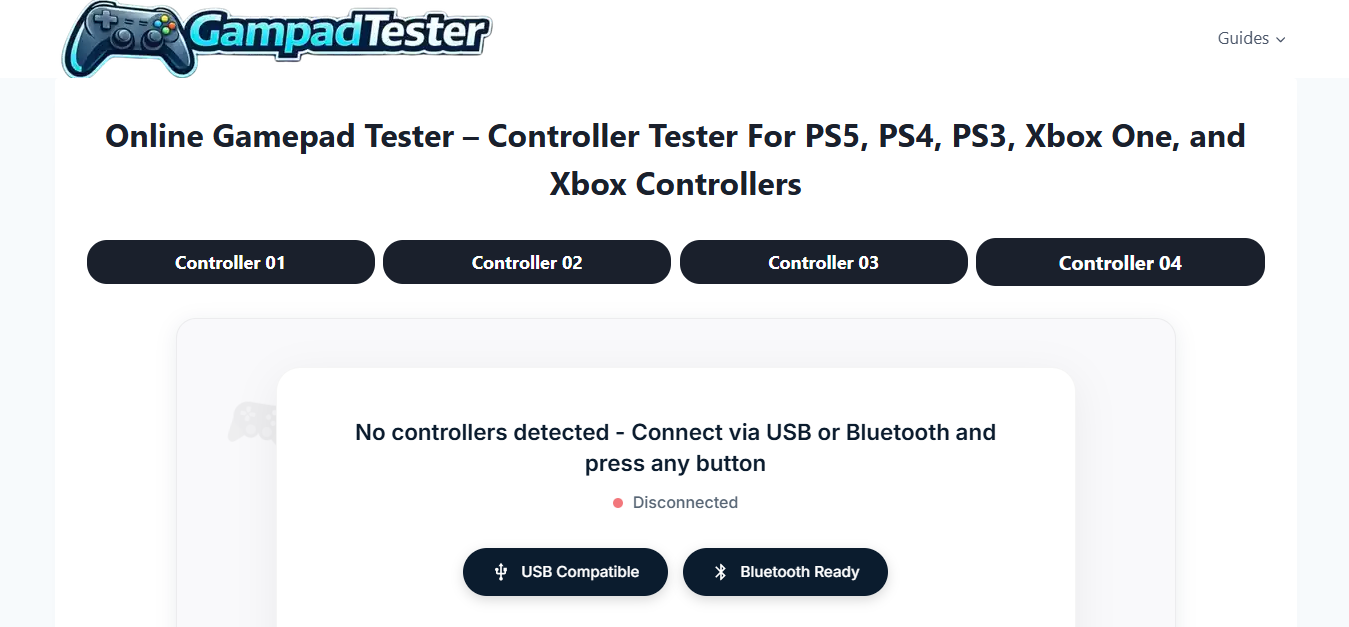
Web-based Controller tester tools allow you to plug in your controller and test it directly in your browser. These are convenient and require no installation.
Software-Based Controller Tester
Many gaming platforms include built-in Controller tester features:
- Steam offers controller configuration and testing tools.
- Windows includes a game controller calibration utility.
These tools provide detailed feedback and calibration options.
Hardware Controller Tester
Professional repair shops may use dedicated hardware Controller tester devices to measure electrical signals and component accuracy.
How to Use a Controller Tester
Using a Controller tester is usually straightforward:
- Connect your controller via USB or Bluetooth.
- Open your chosen Controller tester tool.
- Press each button to verify input detection.
- Move joysticks in circular motions to check calibration.
- Test triggers gradually to monitor pressure sensitivity.
The Controller tester interface typically shows a visual representation of your controller, highlighting active inputs in real time.
Benefits of Using a Controller Tester Regularly
Using a Controller tester frequently can:
- Extend your controller’s lifespan
- Improve gaming performance
- Prevent competitive disadvantages
- Identify problems early
- Save repair costs
For competitive gamers, even a small input delay can impact performance. Regular testing ensures optimal responsiveness.
Controller Tester for Developers
Game developers also rely heavily on Controller tester tools. During development, teams must verify compatibility across multiple devices, including:
- Microsoft controller standards
- Sony controller APIs
- Nintendo input systems
A Controller tester helps ensure consistent gameplay experiences across platforms.
Common Problems a Controller Tester Can Identify
Here are some frequent issues a Controller tester can detect:
- Dead zones in analog sticks
- Sticky buttons
- Broken vibration motors
- Firmware inconsistencies
- Input lag
By identifying these issues early, users can recalibrate, clean, repair, or replace components before problems worsen.
Choosing the Best Controller Tester
When selecting a Controller tester, consider:
- Compatibility with your controller
- Real-time visual feedback
- Calibration features
- Ease of use
- Free vs. paid options
If you are a professional gamer or repair technician, advanced Controller tester software with calibration tools may be worth the investment.
Final Thoughts
A Controller tester is an essential tool for anyone who uses a gaming controller regularly. Whether you're troubleshooting joystick drift, checking button response, or ensuring peak competitive performance, a Controller tester provides clarity and confidence.
From casual players to professional esports athletes and developers, everyone benefits from using a Controller tester. Regular testing ensures your controller remains reliable, responsive, and ready for action.
If you value precision and performance in your gaming experience, incorporating a Controller tester into your routine is a smart move




 English
 Arabic
 Français
 Español
 Português
 Deutsch
 Dutch
Dutch
 Italiano
 Russian
 Romaian