


Beginner Guide to Creating a TRON Wallet QR Code Instantly
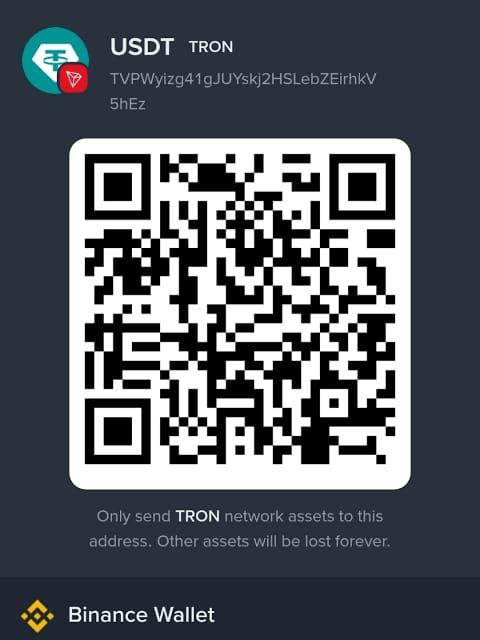
A TRON wallet QR code is one of the simplest ways to receive TRX payments without manually sharing long wallet addresses. For beginners, it removes the risk of typing errors and makes crypto transactions faster and more secure. With the help of a TRON QR Code Generator, anyone can create a scannable code within seconds and start receiving payments easily.
In this guide, you will learn how TRON wallet QR codes work, why they are useful, and how you can create one instantly even if you have no technical experience.
What Is a TRON Wallet QR Code?
A TRON wallet QR code is a machine-readable image that contains your TRON (TRX) wallet address. Instead of copying and pasting a long string of characters, users simply scan the code using a mobile wallet app.
This system is widely used in crypto payments, online businesses, freelancing, and donation platforms because it reduces errors and speeds up transactions.
When someone scans your QR code, their wallet automatically fills in your TRX address, making the transfer process smooth and efficient.
Why Use a TRON QR Code Generator?
A TRON QR Code Generator is an online or app-based tool that converts your wallet address into a QR code. It is especially useful for beginners who want a quick setup without dealing with complex blockchain tools.
Here are some key benefits:
- Fast setup in seconds
- No technical knowledge required
- Reduces risk of sending wrong wallet address
- Easy sharing on websites, social media, or business pages
- Ideal for payments, invoices, and donations
Using a generator ensures that your wallet details are securely encoded into a scannable format.
Step-by-Step Guide to Create a TRON Wallet QR Code
Creating a TRON wallet QR code is very simple. Follow these steps:
Step 1: Create or Open Your TRON Wallet
First, you need a TRON-compatible wallet such as Trust Wallet, TronLink, or any other secure wallet that supports TRX.
Step 2: Copy Your TRX Wallet Address
Open your wallet and locate your TRON address. It usually starts with a “T” followed by a long string of letters and numbers. Copy it carefully.
Step 3: Open a TRON QR Code Generator
Now open any trusted TRON QR Code Generator tool online. These tools are usually free and require no registration.
Step 4: Paste Your Wallet Address
Paste your copied TRX address into the generator input field. Double-check to ensure there are no missing or extra characters.
Step 5: Generate Your QR Code
Click the “Generate” button. The tool will instantly convert your wallet address into a QR code.
Step 6: Download and Save
Download the QR code image and save it on your device. You can now use it anywhere for receiving TRX payments.
Where You Can Use Your TRON QR Code
Once your QR code is created, it can be used in many ways:
- Online payment pages
- Freelance billing invoices
- Crypto donation campaigns
- Business websites
- Social media profiles
- Offline stores for crypto payments
This makes it a flexible tool for both personal and business use.
Safety Tips for Beginners
While using a TRON wallet QR code is safe, you should still follow basic security practices:
- Always double-check your wallet address before generating the QR code
- Use trusted QR generator tools only
- Do not share your private keys or recovery phrases
- Keep your wallet app updated
- Avoid suspicious or unknown QR code sources
These steps help ensure your funds remain safe while using crypto payments.
Final Thoughts
Creating a TRON wallet QR code is one of the easiest ways to simplify cryptocurrency transactions. With the help of a TRON QR Code Generator, even beginners can set up a professional payment system in just a few minutes. Whether you are running a business, freelancing, or simply receiving TRX from friends, QR codes make the process faster, safer, and more efficient.
As crypto adoption continues to grow, learning how to use tools like QR generators will give you a strong advantage in managing digital payments effectively.

 English
 Arabic
 Français
 Português
 Deutsch
 Türkçe
 Dutch
Dutch
 Italiano
 Russian
 Romaian