


A Setup Guide For Your Android TV
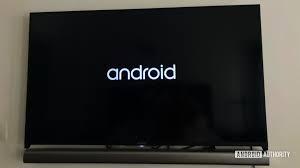
If you have purchased an Android TV and don’t know how to set it. You are in the right place. This post will provide you a step-by-step help in setting up your new Android TV. As you use Android on mobile phones with ease, you can also use it on your TV without difficulties because both devices’ software works almost similar.
So, without wasting time, let’s learn everything about setting up an Android TV.
Prerequisites before starting
Before starting the process, you will need to keep in mind all the prerequisites. We have prepared a list of the essential things which you will need before starting.
- A reliable internet connection
- Create a Google account
- If your existing TV lacks inbuilt Android, you can consider a set-top box. Or, you will need a new Android TV.
- TV should have HDMI ports and HDCP or High bandwidth Digital Content Protection.
- Don’t forget to take an HDMI cable. This cable usually comes with the box.
If you are ready with all the above prerequisites, you can now start the setup process. You can take advantage of three devices to set up your TV: an Android phone, a computer, or an Android TV remote. You will learn about all these methods for a hassle-free setup. Let’s explore them.
Please turn on the TV and pair it with the remote control
The first step in setting up an Android TV is turning it on and pairing it with the remote control. The paring process differs from TV to TV. However, if your TV remote has an IR connection system, it can turn on or off the TV by default. You will need a Bluetooth connection for some other features. Moreover, below are the steps to pair the TV with the remote.
- First, you have to turn on the TV connected to the Android set-top box.
- You will see pairing instructions on the screen. Follow it to pair.
- A checkmark will appear on the screen once the TV gets to pair with the remote control.
If the TV has successfully paired with the remote, you see multiple options for setting up the TV. You can set up the TV using both Android mobile or tablet. If you choose any of these options, you can share all the connection details with the TV from an Android device. If you want to set it up through remote control, you can avoid this option. Below are the popular ways to set up your Android TV.
Use an Android phone
- To set up the TV with the help of an Android phone, choose yes using remote when the TV shows an option like Quicky set up your TV with your Android phone.
- Now access your mobile phone and launch the Google app.
- Enter Set up my device and go through the provided steps to find a code. Please ensure that your TV will show the same code.
- Now come to your mobile phone, find and click on the TV name.
- Then go to your TV and use the provided instruction to complete the setup.
Use the remote control
- If you want to set up TV using the remote control, don’t choose yes when your TV says Quickly set up your TV with your Android phone. Skip this option using the remote.
- Provide a robust internet connection to the TV.
- Give time to the system to install the updates.
- Now use the Sign-in option and log in to your Google account.
- If you don’t want to sign now, you can avoid the Sign-in option.
- You will see some required instructions on the screen. Follow them to finish the setup.
Use a computer
- If you want to set up a TV using a computer, don’t choose yes when your TV says Quickly set up your TV with your Android phone. Skip this option using the remote.
- Connect with the Wi-Fi network.
- Sign through your Google account on the TV, and then access your computer.
- Go through the steps available on the screen to complete the setup.
These are the required steps to set up an Android TV using an Android mobile, computer, and Android TV remote. After completing the setup process, it is also good to update the system and apps with their latest updates.
Source :- https://directorycamp.com/blog/a-setup-guide-for-your-android-tv/

 English
 Arabic
 Français
 Español
 Português
 Deutsch
 Türkçe
 Italiano
 Russian
 Romaian