


Resolving Excel Runtime Error 13: Type Mismatch – A Comprehensive Guide
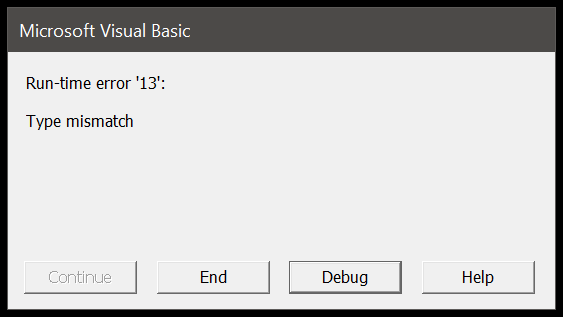
If you've encountered Excel runtime error 13 type mismatch, you know how frustrating it can be. This error typically arises during the execution of VBA (Visual Basic for Applications) code, and it can derail your workflow if not addressed promptly. Here’s a comprehensive guide to understanding, troubleshooting, and resolving this issue.
What is Runtime Error 13: Type Mismatch?
Runtime Error 13 occurs when there is a mismatch between data types in your VBA code. This means that the type of data being used in a particular operation does not match the type that the operation expects. For instance, trying to assign a string value to a variable that is expected to hold an integer will trigger this error.
Common Causes of Error 13
- Variable Type Conflicts: Assigning a value to a variable that is not compatible with its declared type.
- Inconsistent Data Types: Operations involving mismatched data types, such as trying to perform arithmetic on a string.
- Function Return Types: Functions returning a type different from what is expected.
- Object Type Issues: Using an object inappropriately, such as treating a range as a string.
How to Troubleshoot and Fix Error 13?
-
Review Your Code: Carefully examine the lines of code where the error occurs. Ensure that all variables are declared with the correct data types and that any operations performed are compatible with those types.
-
Use Debugging Tools: Leverage Excel’s built-in debugging tools. Set breakpoints and step through your code to identify where the type mismatch happens. This can help you pinpoint the exact location and nature of the mismatch.
-
Check Variable Declarations: Ensure that all variables are declared correctly using the
Dimstatement, and verify that the data types match their intended use. -
Validate Data Types: Make sure that the data being used in your operations is of the expected type. For example, convert strings to numbers if you intend to perform mathematical operations on them using functions like
CInt,CDbl, orVal. -
Handle Errors Gracefully: Use error-handling routines to manage unexpected issues and provide user-friendly messages or corrective actions. The
On Errorstatement can help you capture and manage errors effectively. -
Test with Sample Data: Run your code with various sample data sets to ensure it handles different types of input without errors. This can help identify edge cases and prevent runtime issues.
Best Practices to Prevent Error 13
- Consistent Data Types: Maintain consistency in your data types throughout your VBA code to minimize the risk of type mismatches.
- Error Handling: Implement robust error-handling techniques to manage and resolve unexpected issues.
- Code Review: Regularly review and refactor your code to ensure that it adheres to best practices and handles all potential data types correctly.
Conclusion!
Runtime Error 13: Type Mismatch can be a significant roadblock in your Excel VBA projects, but understanding its causes and solutions can help you overcome it efficiently. By reviewing your code, using debugging tools, and adhering to best practices, you can resolve this issue and prevent it from recurring. Keep these tips in mind, and you’ll be well-equipped to handle type mismatches and maintain smooth, error-free Excel applications.

 Arabic
 Français
 Español
 Português
 Deutsch
 Türkçe
 Dutch
Dutch
 Italiano
 Russian
 Romaian