


Simple calculator with javascript
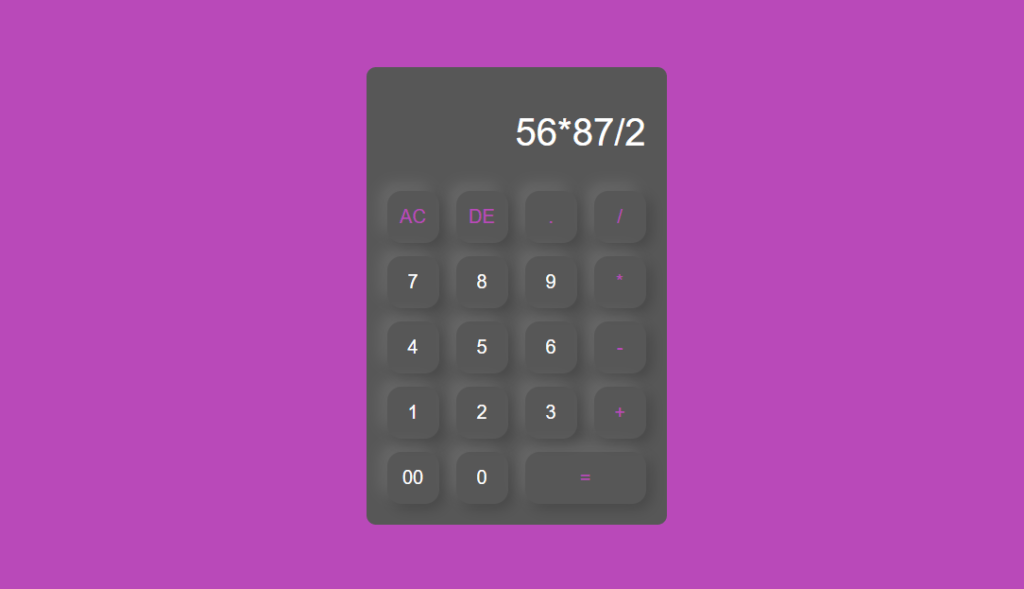
Find out about the way on how to build a Calculator using JavaScript.
Responsive web design should be applied to structure a calculator project in HTML.
Styling of the calculator project should be done using CSS.
How to make a calculator project to be dynamic? The use of JavaScript.
Structure (HTML):
The code begins with the practice structure of an HTML document which the learners are expected to modify.
The HTML presides the document as a document type declaration (DOCTYPE), language declaration (lang=”en”), and title of the document (<title>Calculator</title>).
The body section is central to the calculator though contains no external links.
Another div with a class of box exists within a div with a class of container within the body. This defined a container for the layout used in the calculator.
Inside a <form> tag built inside the box div we receive user inputs and manage button presses.
Calculator Functionality (Javascript):
For one of the fields it proposes a field of type with a single text input and name display. This field shows the result of current calculation and it is configured as disabled (disabled), which mean the user is unable to change it.
Multiple div elements group buttons with different functionalities:
The first row has buttons for ‘C’ for all clear, ‘E for delete, ‘.’ for decimal point and ‘/’ for division.
The “AC” button simply sets this value of the display equal to an empty string thus erasing it.
With the help of slice (0, - 1), “DE” deletes the last digit in the string and gets a substring without its last character.
“.” and “/” buttons set the value of the display as the corresponding symbolic value when clicked.
The next rows represent the buttons with numbers (1-9, 0, 00) and the buttons with operators (+, -,*).
Number buttons add the pressed number to the display value added depending upon the position was pressed.
The operator buttons add the relevant operator symbol to the entry.
The last row comes with “00” (double zero), “0”, and “=” (equal) buttons.
“00” sends two zeros on the number display of the Game Boy.
This button with the value “=” was given a class “equal operator”. This button when clicked causes the eval(display.value) function which computes the mathematics expression that is in the display field and puts the result in the display.


 English
 Arabic
 Français
 Español
 Português
 Deutsch
 Türkçe
 Italiano
 Russian
 Romaian