


Batch Upscale: Elevate Your Image Quality with One Click
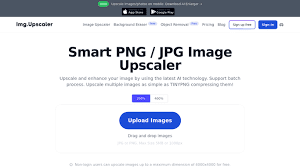
In today’s fast-paced world, the demand for high-quality images and videos is greater than ever before. Whether it’s for professional projects or personal hobbies, having sharp, high-resolution visuals is essential. This is where batch upscale comes into play, making it easier to enhance the quality of multiple images at once. But what exactly is it, and why does it matter?
What is Batch Upscale?
Batch upscale is the process of increasing the resolution of multiple images or videos simultaneously using specialized software. Rather than enhancing each file individually, this method allows for processing large batches of visuals in one go, saving time and ensuring uniform quality across all files.
Why Batch Upscale is Important
In fields like e-commerce, design, and media production, visuals are everything. Low-quality images can turn customers away or diminish the impact of your content. Batch upscaling ensures that you maintain a high level of quality across multiple assets without spending hours on manual adjustments.
Common Use Cases of Batch Upscaling
Image Enhancement for E-commerce
E-commerce businesses often have to deal with hundreds of product images. Batch upscaling allows these businesses to enhance all their images at once, ensuring that every product photo looks sharp and professional on their website.
Game Development and Textures
In video games, textures must be of high quality to create an immersive experience. Batch upscaling helps game developers quickly upscale multiple textures, ensuring that the final product meets the expectations of modern gamers.
Animation and CGI
In animation and computer-generated imagery (CGI), high-quality visuals are critical. Batch upscaling allows animators and designers to quickly upscale multiple scenes or assets, ensuring consistency in the final product.
How Does Batch Upscaling Work?
Batch upscaling leverages advanced algorithms and sometimes artificial intelligence to enhance the resolution of images or videos. It analyzes the existing pixels and intelligently predicts where new pixels should go to maintain clarity and detail.
AI and Machine Learning in Upscaling
AI-powered tools analyze patterns in images and predict how to add new pixels in a way that maintains or even improves clarity. This is particularly useful when dealing with complex images like faces or intricate textures.
Algorithms and Tools Used for Batch Upscaling
Different tools use various algorithms for upscaling, from traditional bicubic interpolation to more advanced neural network-based approaches. Tools like Topaz Gigapixel and Waifu2x have revolutionized batch upscaling with their advanced algorithms.
Benefits of Batch Upscaling
Time Efficiency
The most obvious benefit of batch upscaling is the time saved. Instead of working on each image one by one, you can enhance hundreds, if not thousands, of files in a single session.
Consistency Across Images
When you manually upscale individual images, there’s always the risk of inconsistency in quality. Batch processing ensures that all images are treated equally, resulting in a uniform look across your entire project.
Enhanced Quality for Large Projects
Batch upscaling is especially helpful for large projects, like websites with hundreds of product images or large video projects. This allows you to maintain high quality across the board without sacrificing efficiency.
Best Practices for Batch Upscaling
Choosing the Right Resolution
When batch upscaling, it's essential to choose a resolution that matches your project’s needs. Too high a resolution may result in unnecessary large file sizes, while too low a resolution won’t offer the visual impact you’re aiming for.
Maintaining Aspect Ratio
One common mistake is failing to maintain the aspect ratio, leading to distorted images. Always ensure that your software is set to preserve the original aspect ratio during the upscaling process.
Avoiding Over-Enhancement
Over-enhancing images can lead to unnatural results, with too much sharpness or artificial detail. It's important to find a balance that enhances the image while still looking natural.
Challenges in Batch Upscaling
Dealing with Complex Textures
Images with complex textures, such as hair or intricate fabrics, can be tricky to upscale without losing detail. AI-driven tools are better at handling these types of textures, but some loss may still occur.
Balancing File Size and Quality
Larger resolutions lead to bigger file sizes, which can be a problem for storage and website loading times. Finding the balance between high quality and reasonable file size is crucial for optimal results.
Compatibility Issues
Not all file formats are supported by all tools, which can be a problem if you're working with specific types of media. It's important to check the compatibility of your batch upscaling tool with the file formats you’re using.
Who Can Benefit from Batch Upscaling?
Professional Photographers
Photographers with large portfolios will appreciate the time savings that batch upscaling offers. It allows them to quickly enhance multiple shots while maintaining high standards of quality.
Designers and Animators
For designers working in animation or CGI, batch upscaling ensures that their assets are of the highest quality across every project without manual intervention.
E-commerce Businesses
E-commerce businesses, particularly those with large catalogs of products, benefit from consistent, high-quality visuals across their websites, leading to better customer engagement and sales.
Future Trends in Batch Upscaling
AI-Powered Upscaling Advances
As AI continues to evolve, we can expect even better results in image and video enhancement. Future tools will likely become more intuitive, offering smarter automation for creative professionals.
Real-Time Batch Upscaling
Real-time upscaling could soon become a reality, allowing users to see the results of their enhancements instantly, which would be particularly useful for live-streaming and other fast-paced environments.
Automation in Creative Industries
In the future, batch upscaling will likely become fully automated, streamlining creative workflows even further, especially in industries like filmmaking, game design, and digital marketing.
How to Get Started with Batch Upscaling Today
Step-by-Step Guide for Beginners
-
Choose your preferred batch upscaling tool.
-
Select the images or videos you want to upscale.
-
Set the desired resolution and maintain aspect ratio.
-
Start the process and wait for the tool to finish.

 English
 Arabic
 Français
 Español
 Português
 Deutsch
 Dutch
Dutch
 Italiano
 Russian
 Romaian