


Setup of WhatsApp Auto Reply for Consistent Customer Communication
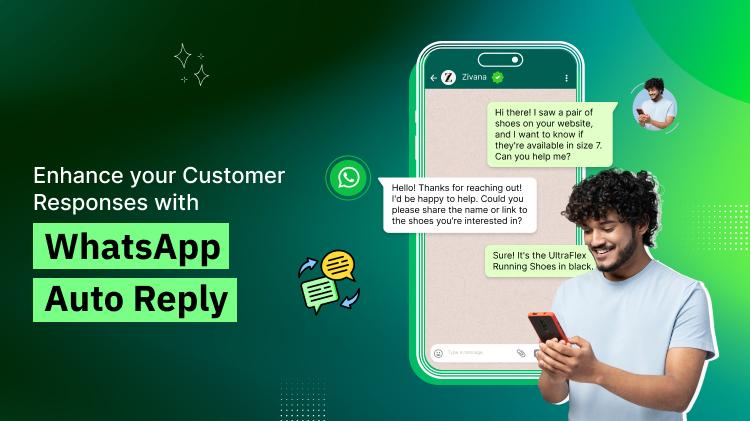
In today’s fast-paced digital world, customers expect instant responses from businesses. Meeting this demand can be challenging, especially for small to medium-sized enterprises. Fortunately, WhatsApp offers a solution with its auto-reply feature. Setting up auto reply in WhatsApp ensures consistent communication and keeps your customers engaged, even during non-business hours.
This blog will walk you through the importance of WhatsApp auto reply message, how to set it up, and its benefits for your business.
Why Use Auto Reply in WhatsApp?
The WhatsApp auto reply feature allows businesses to send automated messages to customers when they reach out. Here’s why it’s a game-changer:
-
24/7 Availability: Whether you’re offline or busy, customers receive immediate responses.
-
Improved Customer Experience: Acknowledgment or helpful information improves customer satisfaction.
-
Streamlined Operations: Automated replies reduce the burden on customer support teams.
-
Brand Professionalism: A prompt, automated message enhances your brand image.
From responding to FAQs to confirming receipt of inquiries, auto message on WhatsApp is a vital tool for modern businesses.
Register here for more details: https://accounts.webmaxy.co/whatsapp-commerce/register
How to Set Auto Reply in WhatsApp Business App
The WhatsApp Business app makes it easy to create and manage automatic reply in WhatsApp. Here’s a step-by-step guide:
1. Install the WhatsApp Business App
First, ensure you’re using the WhatsApp Business app. It offers features like labels, quick replies, and automated messaging that aren’t available in the standard app.
2. Open Business Tools
-
Go to the app’s settings.
-
Tap on "Business Tools."
3. Set an Away Message
-
Tap on "Away message."
-
Toggle the feature to enable it.
-
Customize your WhatsApp auto reply message to suit your brand. For instance:
-
“Hi! Thanks for reaching out. We’ll get back to you within 24 hours.”
-
“Hello! Our working hours are 9 AM to 6 PM. Please leave a message, and we’ll respond shortly.”
4. Schedule the Away Message
You can choose to send auto-replies during specific hours or all the time:
-
Always send: Replies are sent for every message.
-
Custom schedule: Define specific hours when the message should be sent.
-
Outside business hours: Send the message outside your working hours.
5. Save and Test
Once you save the settings, test the feature by messaging your business number to see how the auto message on WhatsApp appears.
Contact Us: https://www.webmaxy.co/contact/
Using Quick Replies in WhatsApp
Apart from auto-replies, WhatsApp quick replies are another time-saving feature. These are pre-written messages for common queries, such as pricing, location, or operating hours.
How to Set Quick Replies
-
Go to "Business Tools."
-
Tap on "Quick replies."
-
Write your message and assign a shortcut.
-
Use “/” followed by the shortcut to send quick replies easily.
Advanced Automation with WhatsApp Auto Reply Chatbot
For businesses with higher messaging volumes, a WhatsApp auto reply chatbot is an ideal solution. Chatbots use artificial intelligence to manage customer interactions, offering instant answers to FAQs, booking services, or even processing orders.
Key Benefits of a WhatsApp Chatbot
-
Handles multiple customer queries simultaneously.
-
Reduces manual effort for repetitive tasks.
-
Ensures consistent messaging.
To integrate a WhatsApp auto reply chatbot, you’ll need access to the WhatsApp Business API through providers like WebMaxy WhatsApp Commerce. These tools provide advanced automation, analytics, and seamless customer management.
Tips for Effective Auto Reply in WhatsApp
-
Keep It Short and Clear: Ensure your message is concise and easy to understand.
-
Add a Human Touch: Use friendly language to make the message feel personal.
-
Provide Alternatives: Include links to FAQs, websites, or WhatsApp customer support numbers for further assistance.
-
Regularly Update Messages: Adapt your WhatsApp business auto reply message to reflect new offers, policies, or business changes.
How to Set Auto Message in WhatsApp for Better Engagement
1. Use Personalized Responses
Personalize your automatic reply in WhatsApp with the customer’s name or context of their query, when possible.
2. Leverage Segmentation
With advanced tools like WhatsApp Business API, you can segment customers based on their interactions and send tailored auto-replies.
3. Monitor and Optimize
Track response rates and customer satisfaction to optimize your WhatsApp auto reply messages for better engagement.
Examples of WhatsApp Auto Reply Messages
Here are some examples to inspire your WhatsApp business auto reply message setup:
-
General Inquiry:
“Hi [Name], thanks for contacting [Business Name]. Our team will respond to you shortly. Meanwhile, visit our FAQ section here: [link].”
-
Out of Office:
“Hello! We’re currently unavailable. Our working hours are 9 AM to 6 PM. We’ll get back to you as soon as possible.”
-
Promotional Message:
“Hi! Thanks for reaching out. Check out our latest offers here: [link].”
Advantages of Using WhatsApp Auto Reply
-
Time-Saving: Automation saves time for both customers and businesses.
-
Increased Customer Retention: Prompt responses ensure customers don’t feel ignored.
-
Scalability: Auto-replies and chatbots allow you to handle a large volume of queries effortlessly.
Conclusion
Setting up auto reply in WhatsApp is essential for businesses aiming to provide consistent and professional customer communication. Whether you use the built-in features of the WhatsApp Business app or integrate a more advanced WhatsApp auto reply chatbot, the benefits are undeniable.
With proper setup and thoughtful customization, your business can offer a seamless communication experience that keeps customers satisfied and loyal. Start today and transform how you interact with your audience using WhatsApp auto reply message features!
Book an Appointment: https://calendly.com/webmaxy/30min?month=2025-01

 English
 Arabic
 Français
 Español
 Deutsch
 Türkçe
 Dutch
Dutch
 Italiano
 Russian
 Romaian