


Understanding the "SOS Only iPhone" Issue
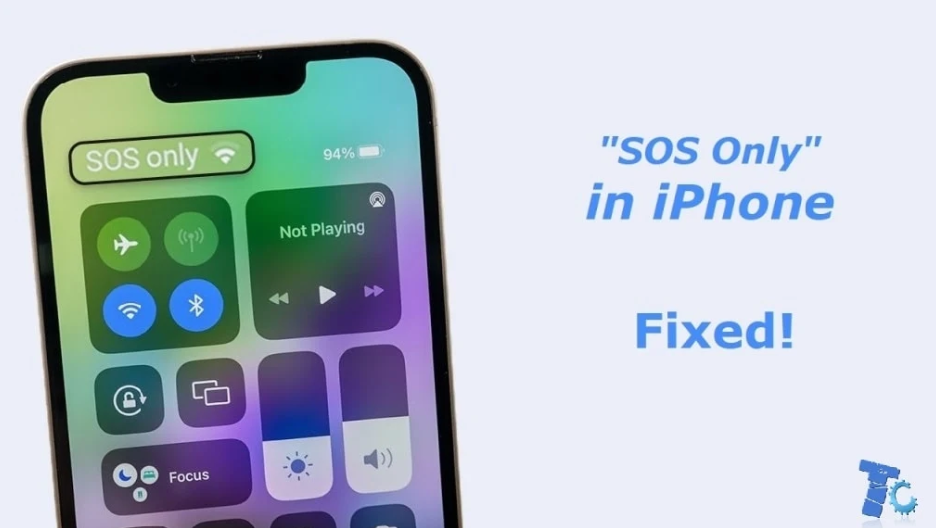
When you see "SOS Only" displayed on your iPhone screen, it can be concerning, especially if you are unsure of what it means. "SOS Only iPhone" refers to a status indicating that your device can only connect to emergency services, such as 911, and cannot connect to your regular mobile network. This mode typically occurs when your iPhone cannot detect a mobile carrier's signal, either due to a lack of service or network issues in your area.
Why Does Your iPhone Show "SOS Only"?
There are several reasons why your iPhone may show "SOS Only". One common cause is a weak or lost signal. If you are in a remote area or a building with poor network coverage, your iPhone might display "SOS Only iPhone." Another reason could be a problem with your SIM card or your mobile carrier. If your carrier is experiencing outages or issues, you may also see the "SOS Only iPhone" status. Additionally, a software glitch or a setting issue could cause this status to appear. Restarting your iPhone or resetting your network settings may help resolve the issue.
How to Fix "SOS Only iPhone"
If you encounter the "SOS Only iPhone" status, there are a few steps you can take to troubleshoot and resolve the issue. First, ensure you are in an area with adequate signal coverage. Move to a different location to see if your iPhone can regain connection to the network. If this doesn’t help, try restarting your iPhone. Often, a simple reboot can resolve temporary issues. You can also check if your iPhone’s SIM card is properly inserted or try using a different SIM card to rule out any card-related issues. If all else fails, contact your mobile carrier to confirm if there are any service outages or problems with your account. If you’re still having trouble, resetting your network settings can sometimes fix the issue and restore regular service.
Conclusion
Seeing "SOS Only iPhone" on your device can be frustrating, but it's not always a serious issue. It usually means that your iPhone can't connect to a cellular network, but it can still reach emergency services. By troubleshooting common problems such as signal issues, network settings, or SIM card problems, you can often restore full connectivity. If these steps don’t work, contacting your carrier for further assistance can help resolve any ongoing problems. Always keep your iPhone updated to prevent software-related issues from causing interruptions in your mobile service.

 English
 Arabic
 Français
 Español
 Português
 Deutsch
 Türkçe
 Dutch
Dutch
 Russian
 Romaian