


Power Automate Course: Complete Beginner's Guide to Getting Started in 2026
Power Automate Course: Everything You Need to Know Before You Enroll
Introduction
A few years back, I watched a colleague spend three hours every Monday copying data from emails into an Excel sheet. Manually. Every single week.
Then she took a Power Automate course, built one simple flow, and that three-hour task shrank to under two minutes.
That's the real story behind why so many people are searching for this skill right now. It's not about chasing a buzzword—it's about getting your time back.
If you're wondering whether a Power Automate course is worth your time, or how it connects to bigger fields like a data engineering course, this guide will walk you through it honestly. No fluff, no sales pitch — just what you actually need to know.
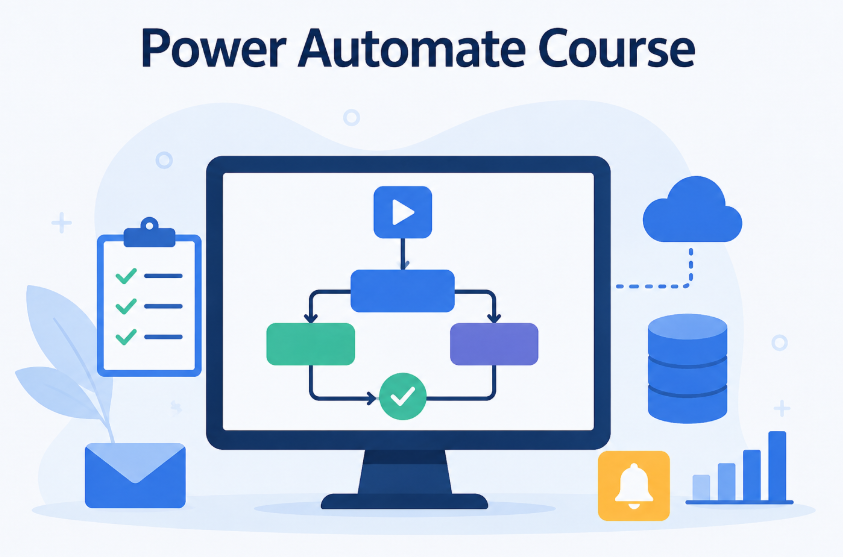
What is a Power Automate Course?
A Power Automate course teaches you how to build automated workflows using Microsoft Power Automate — a tool that connects apps like Outlook, Excel, SharePoint, and Teams so they can talk to each other without manual effort.
In plain words: instead of you copying data between apps by hand, you build a "flow" once, and the software does that repetitive work automatically, every time.
A good course usually covers three levels:
- Basics — triggers, actions, and connectors
- Intermediate — approval flows, conditions, loops
- Advanced — error handling, RPA (robotic process automation), and integration with Power BI or SQL databases
Here's something worth knowing: many students who start with a Power Automate course later move into broader automation and analytics roles, which is exactly where a data engineering course becomes the natural next step. Automation and data engineering often go hand in hand — one moves data, the other structures and analyzes it.
Benefits of a Power Automate Course
Let's get specific about why this skill pays off.
|
Benefit |
Real Impact |
|
Saves hours weekly |
Automates repetitive tasks like approvals, reminders, data entry |
|
No coding required |
Drag-and-drop builder makes it beginner-friendly |
|
High demand skill |
Businesses actively look for automation-savvy employees |
|
Works across Microsoft 365 |
Connects Outlook, Excel, Teams, SharePoint seamlessly |
|
Career flexibility |
Opens paths into RPA, business analysis, and data roles |
|
Immediate ROI |
You can build and use your first flow within a day of learning |
A student I mentored built a leave-approval flow in her second week of class. Her manager noticed within days — not because it was fancy, but because it worked flawlessly and saved everyone's time.
That's the real value. Small automations, real results.
How Does a Power Automate Course Work?
Quick answer for voice search: A Power Automate course works by teaching students, step by step, how to connect triggers (like "when an email arrives") to actions (like "save attachment to SharePoint"), using hands-on practice projects instead of just theory.
Here's what a typical learning path looks like:
- Foundation stage — understanding triggers, connectors, and the Power Automate interface
- Guided practice — building simple flows like automated email alerts or file backups
- Real business scenarios — approval workflows, data sync between apps, notification systems
- Testing and troubleshooting — learning to debug flows when something doesn't run as expected
- Advanced integration — connecting Power Automate with Excel, SQL, or Power BI for deeper automation
- Capstone project — building a complete automation solving a real workplace problem
The best courses don't just show you buttons to click. They explain the "why" behind each step, so you can build your own flows later without needing a tutorial open beside you.
Why Choose Excelgoodies?
There's no shortage of online courses claiming to teach automation. So what actually separates a good one from a forgettable one?
Here's what students consistently say about learning with Excelgoodies:
- Hands-on projects from day one — not just slides and theory, but real workflows you build yourself
- Instructors who've actually worked in automation roles, not just people reading from a script
- Small batch sizes so questions get answered instead of lost in a crowd
- Curriculum that bridges into data skills — many students transition smoothly from automation into a data engineering course once they see how the two connect
- Practical doubt-solving sessions, not just recorded videos with no support
What I've noticed with Excelgoodies specifically is how the course structure mirrors actual workplace problems — not textbook examples that never show up in real jobs.
Common Mistakes to Avoid
Even motivated learners trip up in a few common spots:
- Skipping the fundamentals — jumping straight to advanced flows without understanding triggers and conditions properly
- Not testing flows enough — a flow that works once doesn't mean it works every time
- Ignoring error handling — flows fail in production if you don't plan for exceptions
- Ignoring licensing limits — some connectors need premium licenses, which surprises beginners later
- Treating it as coding — Power Automate is logic-based, not syntax-based; overthinking it as "programming" slows learners down
Take it slow at the start. The fundamentals matter more than rushing to complex flows.
Frequently Asked Questions
Q1: Do I need coding knowledge for a Power Automate course?
No. Power Automate uses a visual, drag-and-drop interface. Basic logical thinking helps, but you don't need programming experience to start building flows confidently.
Q2: How long does it take to complete a Power Automate course?
Most beginner-to-intermediate courses take four to eight weeks, depending on pace. With consistent practice, you can start building useful flows within the first two weeks.
Q3: Is Power Automate useful without a data engineering course?
Yes, absolutely. Power Automate works well on its own for workflow automation. A data engineering course adds extra value if you want to move into data-heavy roles later.
Q4: What jobs can I get after a Power Automate course?
Common roles include Business Analyst, RPA Developer, Automation Specialist, and Operations Analyst. Many companies also value it as an add-on skill for existing roles.
Q5: Is Power Automate free to learn?
The learning itself can be free or low-cost through structured courses. However, certain premium connectors within Power Automate require a paid Microsoft license for business use.
Q6: How does Power Automate relate to data engineering?
Power Automate handles workflow automation, while data engineering focuses on building and managing data pipelines. Many professionals learn both, since automation often feeds directly into data systems.
Q7: Can beginners really learn Power Automate quickly?
Yes. Because it's visual and logic-based rather than code-based, most beginners can build their first working flow within a few hours of hands-on practice.
Conclusion
A Power Automate course isn't just another certificate to add to your resume — it's a practical skill that saves real hours, every single week, starting almost immediately.
Whether you're automating a simple approval process or eventually moving toward a data engineering course for a bigger career shift, the foundation you build here carries forward.
If you're ready to stop doing repetitive tasks manually and start building smart, working automations, Excelgoodies is a solid place to begin. The right Power Automate course won't just teach you tools — it'll teach you how to think in workflows, which is a skill that keeps paying off long after the course ends.

 English
 Arabic
 Français
 Español
 Português
 Deutsch
 Türkçe
 Dutch
Dutch
 Russian
 Romaian