


Anantya.ai, a trusted partner for businesses, offers a comprehensive WhatsApp Marketing solution. Experience the power of Whatsapp Broadcasting, Automation, Live Chat, WhatsApp Catalogues, and Click-to-WhatsApp Ads, and make the most of the WhatsApp Business API effortlessly.
Cerca



 English
 Arabic
 Français
 Español
 Português
 Deutsch
 Türkçe
 Dutch
Dutch
 Russian
 Romaian
Aggiornamenti recenti
-
How to Create a WhatsApp Business Account — Easy Step-by-Step Guide
Introduction
Want to know how to create a WhatsApp Business account for your shop, store, or service? You’re in the right place. This simple guide will walk you through every step — from downloading the app to setting up your profile — in easy language. We’ll also cover common issues like not receiving the verification code, and how to move your number from personal WhatsApp to WhatsApp Business.
Let’s get started with your WhatsApp Business account setup.
Why Your Business Needs WhatsApp Business
If you own a business — big, small, online, or offline — WhatsApp Business isn’t just a nice extra. It’s a tool that can really change how you talk to your customers. Compared to the regular WhatsApp app, the Business version gives you:
A professional-looking business profile
Automatic replies for customers
Labels to keep track of different customers
A catalog to show off your products
Ready-made quick replies for common questions
Business hours so customers know when you’re open
Basic stats on your messages
Here’s how different kinds of businesses can put these features to use:
Small shops and home businesses: Labels and quick replies make it easy to keep track of new visitors and regular customers.
Online sellers: A catalog with photos and prices makes it simple for people to browse and buy.
Service businesses (like salons or tutors): Business hours and auto-replies mean customers get answers instantly, even when you’re busy.
Businesses that are growing fast: Start with the WhatsApp Business app, and move to the WhatsApp API later once you need more automation.
No matter what kind of business you run, WhatsApp Business beats regular WhatsApp hands down.
Steps to Set Up Your WhatsApp Business Account
Step 1 — Download the WhatsApp Business App
Go to your phone’s app store:
Google Play Store if you use Android
Apple App Store if you use an iPhone
Type “WhatsApp Business” in the search bar. Look for the green icon with a small “B” on it, and tap Install. The app doesn’t cost anything, and it works just like regular WhatsApp — just with extra tools built in for business owners.
Step 2 — Create Your Account and Verify Your Number
Once the app is installed:
Open WhatsApp Business.
Type in the phone number you plan to use.
Pick your country code.
Tap Next.
You’ll get a 6-digit code by SMS on that number.
Type in the code and move forward.
If that number was already being used on regular WhatsApp, you’ll be asked whether you want to switch over to WhatsApp Business. Tap Continue, and don’t worry — your old chats will move with you.
Step 3 — Build Your WhatsApp Business Profile
Think of your profile as your online business card — the better it looks, the more customers will trust you right away.
Head to Settings → Business Tools → Business Profile and fill in:
Your business name (note: you can’t change this later)
The category your business falls under
A short description or bio
Your business address
Links to your website, Instagram, or Facebook
Your business hours
Sample bios you can use:
Professional style:
For a store selling daily items: “Reliable store for everyday essentials with quick delivery.”
For a skincare or beauty business: “Quality skincare products made for your skin type.”
Service-based style:
“Helping brands grow through digital marketing.” (List your services below this)
“Home salon services — safe, convenient, and reasonably priced.”
Casual, local style:
“Fresh bakes every day — just like homemade.”
“Quick repairs done right — we pick up and drop off.”
Tip: Keep your bio short, clear, and focused on what value you offer.
Step 4 — Explore the Main Business Features
This is where WhatsApp Business really shines. Here are the tools worth setting up right away:
1 Quick Replies
Save your commonly used messages, such as:
“Hello! How can I assist you today?”
“Your order has been confirmed.”
Just type “/” in the chat, pick your saved message, and send — no retyping needed.
2. Labels
Sort your chats into groups such as:
New Customer
Payment Pending
Order Completed
VIP Customer
VIP Customer
This makes handling a large number of chats **** easier and helps you respond to each customer the right way.
Bonus — Turn On Two-Step Verification
To keep your account safe:
Go to Settings → Account → Two-step verification
Choose a 6-digit PIN
Add a backup email address
This adds an extra layer of protection so your number can’t be misused.
Common Problems and How to Fix Them
Account got banned or flagged?
Don’t manually send messages in bulk
Avoid adding random or unknown people to groups
Stay away from spam-style content or shortcuts
If you think it was a mistake, use the in-app support option to appeal
If you regularly need to send bulk messages — like offers, updates, or new product announcements — to a large number of customers, it’s better to move to the WhatsApp Business API instead of doing it manually.
Catalog not visible to your customers?
Update the app to the latest version
Restart your phone
Check that your number hasn’t been blocked by that customer
Conclusion and Quick Checklist
Setting up a WhatsApp Business account isn’t complicated once you know the steps. From installing the app to verifying your number, building your profile, and adding your catalog — you now have everything you need to get started the right way.
This is where Anantya.ai can help. As an official Meta tech partner, Anantya.ai makes it easy for growing businesses to move from the basic WhatsApp Business app to the full WhatsApp Business API — unlocking automation, bulk messaging, and better customer support tools, all without the technical hassle. If you’re serious about scaling your customer communication, it’s worth checking out what Anantya.ai can offer.
For more information kindly read the full blog - https://anantya.ai/blog/how-to-create-whatsapp-business-account/
How to Create a WhatsApp Business Account — Easy Step-by-Step GuideIntroductionWant to know how to create a WhatsApp Business account for your shop, store, or service? You’re in the right place. This simple guide will walk you through every step — from downloading the app to setting up your profile — in easy language. We’ll also cover common issues like not receiving the verification code, and how to move your number from personal WhatsApp to WhatsApp Business.Let’s get started with your WhatsApp Business account setup.Why Your Business Needs WhatsApp BusinessIf you own a business — big, small, online, or offline — WhatsApp Business isn’t just a nice extra. It’s a tool that can really change how you talk to your customers. Compared to the regular WhatsApp app, the Business version gives you:A professional-looking business profileAutomatic replies for customersLabels to keep track of different customersA catalog to show off your productsReady-made quick replies for common questionsBusiness hours so customers know when you’re openBasic stats on your messagesHere’s how different kinds of businesses can put these features to use:Small shops and home businesses: Labels and quick replies make it easy to keep track of new visitors and regular customers.Online sellers: A catalog with photos and prices makes it simple for people to browse and buy.Service businesses (like salons or tutors): Business hours and auto-replies mean customers get answers instantly, even when you’re busy.Businesses that are growing fast: Start with the WhatsApp Business app, and move to the WhatsApp API later once you need more automation.No matter what kind of business you run, WhatsApp Business beats regular WhatsApp hands down.Steps to Set Up Your WhatsApp Business AccountStep 1 — Download the WhatsApp Business AppGo to your phone’s app store:Google Play Store if you use AndroidApple App Store if you use an iPhoneType “WhatsApp Business” in the search bar. Look for the green icon with a small “B” on it, and tap Install. The app doesn’t cost anything, and it works just like regular WhatsApp — just with extra tools built in for business owners.Step 2 — Create Your Account and Verify Your NumberOnce the app is installed:Open WhatsApp Business.Type in the phone number you plan to use.Pick your country code.Tap Next.You’ll get a 6-digit code by SMS on that number.Type in the code and move forward.If that number was already being used on regular WhatsApp, you’ll be asked whether you want to switch over to WhatsApp Business. Tap Continue, and don’t worry — your old chats will move with you.Step 3 — Build Your WhatsApp Business ProfileThink of your profile as your online business card — the better it looks, the more customers will trust you right away.Head to Settings → Business Tools → Business Profile and fill in:Your business name (note: you can’t change this later)The category your business falls underA short description or bioYour business addressLinks to your website, Instagram, or FacebookYour business hoursSample bios you can use:Professional style:For a store selling daily items: “Reliable store for everyday essentials with quick delivery.”For a skincare or beauty business: “Quality skincare products made for your skin type.”Service-based style:“Helping brands grow through digital marketing.” (List your services below this)“Home salon services — safe, convenient, and reasonably priced.”Casual, local style:“Fresh bakes every day — just like homemade.”“Quick repairs done right — we pick up and drop off.”Tip: Keep your bio short, clear, and focused on what value you offer.Step 4 — Explore the Main Business FeaturesThis is where WhatsApp Business really shines. Here are the tools worth setting up right away:1 Quick RepliesSave your commonly used messages, such as:“Hello! How can I assist you today?”“Your order has been confirmed.”Just type “/” in the chat, pick your saved message, and send — no retyping needed.2. LabelsSort your chats into groups such as:New CustomerPayment PendingOrder CompletedVIP CustomerVIP CustomerThis makes handling a large number of chats much easier and helps you respond to each customer the right way.Bonus — Turn On Two-Step VerificationTo keep your account safe:Go to Settings → Account → Two-step verificationChoose a 6-digit PINAdd a backup email addressThis adds an extra layer of protection so your number can’t be misused.Common Problems and How to Fix Them Account got banned or flagged?Don’t manually send messages in bulkAvoid adding random or unknown people to groupsStay away from spam-style content or shortcutsIf you think it was a mistake, use the in-app support option to appealIf you regularly need to send bulk messages — like offers, updates, or new product announcements — to a large number of customers, it’s better to move to the WhatsApp Business API instead of doing it manually.Catalog not visible to your customers?Update the app to the latest versionRestart your phoneCheck that your number hasn’t been blocked by that customerConclusion and Quick ChecklistSetting up a WhatsApp Business account isn’t complicated once you know the steps. From installing the app to verifying your number, building your profile, and adding your catalog — you now have everything you need to get started the right way.This is where Anantya.ai can help. As an official Meta tech partner, Anantya.ai makes it easy for growing businesses to move from the basic WhatsApp Business app to the full WhatsApp Business API — unlocking automation, bulk messaging, and better customer support tools, all without the technical hassle. If you’re serious about scaling your customer communication, it’s worth checking out what Anantya.ai can offer.For more information kindly read the full blog - https://anantya.ai/blog/how-to-create-whatsapp-business-account/0 Commenti 0 condivisioni 52 Views 0 Anteprima1
-
WhatsApp Marketing: How Software, Service, and Strategy Work Together
Introduction
Over the last few years, WhatsApp has quietly become one of the most powerful marketing channels available to businesses of every size. It started as a simple messaging app, but today it competes with — and often beats — email, SMS, and even traditional advertising when it comes to reaching people where they actually pay attention.
Why does WhatsApp marketing feel so effortless once it’s set up correctly? Is it the technology behind it, the strategy that guides it, or something else that turns everyday conversations into steady business growth?
In this article, we’ll break down the three building blocks of WhatsApp marketing — software, service, and strategy — and look at how they combine to create results that other channels simply can’t match.
What is WhatsApp Marketing?
Picture going door to door in your neighbourhood, learning what each family needs, and offering the right solution for them. Now imagine doing that for millions of people at once, without losing that personal, one-on-one feel. That’s essentially what WhatsApp marketing allows a business to do.
Companies rely on WhatsApp marketing to:
Announce new launches, offers, and product updates
Send order confirmations and transactional alerts
Run broadcast campaigns to large audiences in one go
Handle customer support and after-**** conversations
Why Businesses Are Leaning Into WhatsApp Marketing
WhatsApp isn’t just popular — it’s part of daily life for close to 3 billion people worldwide. Messages get opened almost immediately, the platform is trusted because of end-to-end encryption, and unlike promotional emails, WhatsApp messages rarely end up ignored or buried.
A few things set WhatsApp apart from other social platforms:
Access to the WhatsApp Business API is restricted to verified, legitimate businesses, which keeps the ecosystem trustworthy
Rich media and interactive CTA buttons (like “Book a Demo,” “Explore Products,” or “Call Us”) boost engagement
Direct integration with Meta Business Manager makes performance tracking straightforward
A good Technology Service Provider (TSP) can design flows around how your specific audience actually behaves
Done right, this combination can meaningfully lift lead conversion and cut down response times — some businesses report conversion improvements of 40% or more once automation is properly in place.
WhatsApp Marketing as a Software
Isn’t software just another word for an app? Not quite. WhatsApp, Instagram, and LinkedIn are applications — they do a fixed set of things and nothing more. Software, on the other hand, works at a deeper level, giving businesses the flexibility to automate, customize, and scale.
A solid WhatsApp marketing software helps businesses by:
Automating campaigns and follow-up sequences
Organising contact lists and customer data in one place
Triggering messages based on real customer actions or intent
Tracking delivery rates, read receipts, and responses
Connecting WhatsApp with your CRM and other business tools
Without this layer of technology, most businesses end up doing everything manually — which makes it nearly impossible to scale campaigns, get clear insights, or manage a growing contact base efficiently.
What to Look for in a WhatsApp Marketing Software
Not all platforms are built the same. A good WhatsApp marketing software should support long-term, scalable growth while staying fully compliant with WhatsApp and Meta’s policies and data regulations.
Look for a platform where the customer journey is clearly mapped out — automated replies and triggers should actually resolve queries, not just acknowledge them. Some must-have features include:
WhatsApp Business API access
Campaign and broadcast management tools
Automated workflows and chatbot building
CRM and third-party app integrations
Built-in analytics and performance dashboards
The better platforms go further by enabling personalisation at scale — instead of blasting the same message to everyone, they tailor content based on individual behaviour, preferences, and where a customer is in their journey. That’s what turns a routine broadcast into a genuinely useful conversation.
The Role of WhatsApp Marketing Services
Technology alone won’t get you results — execution does. This is where a reliable WhatsApp Technology Service Provider (TSP) comes in, closing the gap between what the platform can do and what your business actually achieves.
Core service offerings typically include:
A unified inbox so multiple agents can manage conversations together
A template manager to keep messaging compliant with WhatsApp’s rules
A structured campaign planner for organised outreach
Integrations with ERP systems, payment gateways, and marketing tools
Lead tracking, user behaviour analysis, and reporting dashboards
Ready-to-use automation templates and WhatsApp Flow setup
Conclusion
Real growth on WhatsApp isn’t about sending more messages — it’s about building a system that understands your customers, engages them meaningfully, and converts consistently over time. When software, service, and strategy work together, WhatsApp stops being just a messaging app and becomes one of the most reliable growth channels a business can have.
This is exactly the kind of ecosystem that Anantya.ai helps businesses build. With an in-house WhatsApp marketing platform, Anantya.ai brings together the WhatsApp Business API, campaign automation, CRM integrations, and Meta-partner-level features into a single dashboard — so businesses don’t have to juggle multiple tools or vendors to get results. Whether it’s setting up Click-to-WhatsApp Ads, automating customer support, or building data-driven campaigns, Anantya.ai is built to handle the software and service side, so businesses can focus purely on strategy and growth.
For more infromation kindly read the full blog - https://anantya.ai/blog/whatsapp-marketing-software-service-strategy/
WhatsApp Marketing: How Software, Service, and Strategy Work TogetherIntroductionOver the last few years, WhatsApp has quietly become one of the most powerful marketing channels available to businesses of every size. It started as a simple messaging app, but today it competes with — and often beats — email, SMS, and even traditional advertising when it comes to reaching people where they actually pay attention.Why does WhatsApp marketing feel so effortless once it’s set up correctly? Is it the technology behind it, the strategy that guides it, or something else that turns everyday conversations into steady business growth?In this article, we’ll break down the three building blocks of WhatsApp marketing — software, service, and strategy — and look at how they combine to create results that other channels simply can’t match.What is WhatsApp Marketing?Picture going door to door in your neighbourhood, learning what each family needs, and offering the right solution for them. Now imagine doing that for millions of people at once, without losing that personal, one-on-one feel. That’s essentially what WhatsApp marketing allows a business to do.Companies rely on WhatsApp marketing to:Announce new launches, offers, and product updatesSend order confirmations and transactional alertsRun broadcast campaigns to large audiences in one goHandle customer support and after-sale conversationsWhy Businesses Are Leaning Into WhatsApp MarketingWhatsApp isn’t just popular — it’s part of daily life for close to 3 billion people worldwide. Messages get opened almost immediately, the platform is trusted because of end-to-end encryption, and unlike promotional emails, WhatsApp messages rarely end up ignored or buried.A few things set WhatsApp apart from other social platforms:Access to the WhatsApp Business API is restricted to verified, legitimate businesses, which keeps the ecosystem trustworthyRich media and interactive CTA buttons (like “Book a Demo,” “Explore Products,” or “Call Us”) boost engagementDirect integration with Meta Business Manager makes performance tracking straightforwardA good Technology Service Provider (TSP) can design flows around how your specific audience actually behavesDone right, this combination can meaningfully lift lead conversion and cut down response times — some businesses report conversion improvements of 40% or more once automation is properly in place.WhatsApp Marketing as a SoftwareIsn’t software just another word for an app? Not quite. WhatsApp, Instagram, and LinkedIn are applications — they do a fixed set of things and nothing more. Software, on the other hand, works at a deeper level, giving businesses the flexibility to automate, customize, and scale.A solid WhatsApp marketing software helps businesses by:Automating campaigns and follow-up sequencesOrganising contact lists and customer data in one placeTriggering messages based on real customer actions or intentTracking delivery rates, read receipts, and responsesConnecting WhatsApp with your CRM and other business toolsWithout this layer of technology, most businesses end up doing everything manually — which makes it nearly impossible to scale campaigns, get clear insights, or manage a growing contact base efficiently.What to Look for in a WhatsApp Marketing SoftwareNot all platforms are built the same. A good WhatsApp marketing software should support long-term, scalable growth while staying fully compliant with WhatsApp and Meta’s policies and data regulations.Look for a platform where the customer journey is clearly mapped out — automated replies and triggers should actually resolve queries, not just acknowledge them. Some must-have features include:WhatsApp Business API accessCampaign and broadcast management toolsAutomated workflows and chatbot buildingCRM and third-party app integrationsBuilt-in analytics and performance dashboardsThe better platforms go further by enabling personalisation at scale — instead of blasting the same message to everyone, they tailor content based on individual behaviour, preferences, and where a customer is in their journey. That’s what turns a routine broadcast into a genuinely useful conversation.The Role of WhatsApp Marketing ServicesTechnology alone won’t get you results — execution does. This is where a reliable WhatsApp Technology Service Provider (TSP) comes in, closing the gap between what the platform can do and what your business actually achieves.Core service offerings typically include:A unified inbox so multiple agents can manage conversations togetherA template manager to keep messaging compliant with WhatsApp’s rulesA structured campaign planner for organised outreachIntegrations with ERP systems, payment gateways, and marketing toolsLead tracking, user behaviour analysis, and reporting dashboardsReady-to-use automation templates and WhatsApp Flow setupConclusionReal growth on WhatsApp isn’t about sending more messages — it’s about building a system that understands your customers, engages them meaningfully, and converts consistently over time. When software, service, and strategy work together, WhatsApp stops being just a messaging app and becomes one of the most reliable growth channels a business can have.This is exactly the kind of ecosystem that Anantya.ai helps businesses build. With an in-house WhatsApp marketing platform, Anantya.ai brings together the WhatsApp Business API, campaign automation, CRM integrations, and Meta-partner-level features into a single dashboard — so businesses don’t have to juggle multiple tools or vendors to get results. Whether it’s setting up Click-to-WhatsApp Ads, automating customer support, or building data-driven campaigns, Anantya.ai is built to handle the software and service side, so businesses can focus purely on strategy and growth.For more infromation kindly read the full blog - https://anantya.ai/blog/whatsapp-marketing-software-service-strategy/0 Commenti 0 condivisioni 52 Views 0 Anteprima1
-
WhatsApp Catalog: A Simple Guide to Sell More Through Chat in 2026
People don’t like long forms, slow checkouts, or being sent from one app to another just to buy something. They want to look at products, ask a question, and complete the purchase in one place — a place they already open every day. That place is WhatsApp. This is exactly why the WhatsApp Catalog feature has become such a big deal for businesses of every size.
A WhatsApp Catalog turns a normal chat into a small online store. Customers don’t need to leave the app, click on outside links, or save a new number to check what you sell. They can scroll through your products, see prices, read details, and message you right away. This guide explains what a WhatsApp Catalog is, how it works, how it’s different from a full WhatsApp Product Catalog, and how businesses are using it smartly this year.
What Exactly Is a WhatsApp Catalog?
In simple words, a WhatsApp Catalog is a built-in tool inside WhatsApp that lets a business show off its products or services without needing a separate website. Think of it as a digital shop window placed right inside your chat screen.
Customers can look through your items, check out prices and descriptions, and start talking to you instantly — no redirects, no extra apps, no confusion. It takes the old way of sending random product photos one by one and replaces it with a neat, organised, in-chat shopping experience. For many companies today, this simple feature has quietly become the base of their entire chat-commerce setup.
WhatsApp Business Catalog vs WhatsApp Product Catalog: What’s the Difference?
A lot of people mix up the basic WhatsApp Business Catalog with a more advanced WhatsApp Product Catalog built on the API, so here’s a quick breakdown:
Feature WhatsApp Business Catalog WhatsApp Product Catalog (API) Number of products Restricted No real limit Automation Not available Fully available CRM connection Not available Yes, connects easily Ideal forSmall shops and local sellers Growing brands and large enterprises
The regular Business Catalog is fine if you’re just starting out or running a small setup. But once your product list grows, or you want automation and CRM syncing, you’ll need a proper WhatsApp Catalog API setup. Most businesses that handle high order volumes move to this API version fairly quickly because manual updates simply don’t scale.
Setting Up Your WhatsApp Catalog Step by Step
Getting a basic catalog live is not complicated at all. Here’s how most small businesses do it using the WhatsApp Business App:
Open the WhatsApp Business App on your phone
Head to Business Tools and tap on Catalog
Upload clear product photos along with names, prices, and short descriptions
Hit publish and share your catalog link with customers
This works well for small inventories. But if you’re managing hundreds of SKUs, prices that change often, or stock that needs to update in real time, an API-based approach is the smarter route. With a WhatsApp Catalog API, businesses can automatically sync inventory, adjust pricing, and manage availability without touching every product by hand. It saves time and keeps everything accurate.
Best Practices for WhatsApp Catalog Management
How well you manage your catalog says a lot about your brand. Nobody trusts a store with blurry photos or outdated prices, and the same rule applies inside WhatsApp.
Here are some habits worth following:
Use sharp, uniform product images across your catalog
Write titles that focus on the benefit, not just the item name
Keep descriptions short and easy to skim
Group products into clear, logical categories
Switch to an API-based system once your catalog gets large
Refresh your prices and stock status regularly
Good WhatsApp Catalog Management means your customers always see the right price and the right stock level, which naturally builds trust and helps them decide faster.
What’s Trending in WhatsApp Catalog Usage This Year
Businesses want every customer conversation to end in a ****, and the WhatsApp Catalog experience is moving in that direction fast. Some of the trends shaping 2026 include:
Smart, AI-driven product suggestions inside the chat itself
Automated messages that trigger based on what a customer is looking for
Click-to-WhatsApp ad campaigns linking straight to catalogs
Shopping journeys that feel personal, not generic
Quicker, smoother checkout flows without leaving the chat window
Keeping up with these shifts matters. Brands that stay updated give their customers a smoother browsing and buying experience, which usually translates into better retention and repeat purchases.
How WhatsApp Business API, Commerce, and Marketing Work Together
A catalog alone doesn’t do all the work — it performs best when paired with the right tools around it.
The WhatsApp Business API is what makes automation possible in the first place. It lets businesses connect their catalog with CRMs, send automated replies, and manage large volumes of conversations without hiring a huge support team. Without the API, most of this stays manual.
WhatsApp Commerce is the bigger picture — it’s the whole idea of discovering, discussing, and buying a product without ever leaving the chat app. A catalog is just one piece of this; order tracking, payment links, and abandoned-cart follow-ups also fall under commerce.
WhatsApp Marketing is how businesses actually bring people to that catalog in the first place. Broadcast messages, click-to-WhatsApp ads, and personalized offers all count as marketing efforts that push traffic toward your product listings. When your catalog, API automation, and marketing messages work together, you get a smooth pipeline from “just browsing” to “order confirmed” — all inside one app.
Conclusion
The WhatsApp Catalog has quietly become a must-have for businesses in e-commerce, retail, D2C, and services. It shortens the buying journey, keeps customers inside a space they already trust, and makes discovery effortless. Whether you’re starting small with the basic Business Catalog or scaling up through automation and the API, building a proper WhatsApp Catalog strategy is no longer something you can skip.
If you want to go deeper into WhatsApp Catalog setup, management, and 2026 trends — along with how businesses are scaling this with automation — you can read the complete, detailed guide on Anantya.ai’s blog. Anantya.ai, an official Meta Business Partner, also helps brands set up and manage their WhatsApp Catalog and WhatsApp Business API integration from start to finish.
For more infromation kindly read the full blog - https://anantya.ai/blog/whatsapp-catalog-for-ecommerce-guide/</p>
WhatsApp Catalog: A Simple Guide to Sell More Through Chat in 2026People don’t like long forms, slow checkouts, or being sent from one app to another just to buy something. They want to look at products, ask a question, and complete the purchase in one place — a place they already open every day. That place is WhatsApp. This is exactly why the WhatsApp Catalog feature has become such a big deal for businesses of every size.A WhatsApp Catalog turns a normal chat into a small online store. Customers don’t need to leave the app, click on outside links, or save a new number to check what you sell. They can scroll through your products, see prices, read details, and message you right away. This guide explains what a WhatsApp Catalog is, how it works, how it’s different from a full WhatsApp Product Catalog, and how businesses are using it smartly this year.What Exactly Is a WhatsApp Catalog?In simple words, a WhatsApp Catalog is a built-in tool inside WhatsApp that lets a business show off its products or services without needing a separate website. Think of it as a digital shop window placed right inside your chat screen.Customers can look through your items, check out prices and descriptions, and start talking to you instantly — no redirects, no extra apps, no confusion. It takes the old way of sending random product photos one by one and replaces it with a neat, organised, in-chat shopping experience. For many companies today, this simple feature has quietly become the base of their entire chat-commerce setup.WhatsApp Business Catalog vs WhatsApp Product Catalog: What’s the Difference?A lot of people mix up the basic WhatsApp Business Catalog with a more advanced WhatsApp Product Catalog built on the API, so here’s a quick breakdown:Feature WhatsApp Business Catalog WhatsApp Product Catalog (API) Number of products Restricted No real limit Automation Not available Fully available CRM connection Not available Yes, connects easily Ideal forSmall shops and local sellers Growing brands and large enterprisesThe regular Business Catalog is fine if you’re just starting out or running a small setup. But once your product list grows, or you want automation and CRM syncing, you’ll need a proper WhatsApp Catalog API setup. Most businesses that handle high order volumes move to this API version fairly quickly because manual updates simply don’t scale.Setting Up Your WhatsApp Catalog Step by StepGetting a basic catalog live is not complicated at all. Here’s how most small businesses do it using the WhatsApp Business App:Open the WhatsApp Business App on your phoneHead to Business Tools and tap on CatalogUpload clear product photos along with names, prices, and short descriptionsHit publish and share your catalog link with customersThis works well for small inventories. But if you’re managing hundreds of SKUs, prices that change often, or stock that needs to update in real time, an API-based approach is the smarter route. With a WhatsApp Catalog API, businesses can automatically sync inventory, adjust pricing, and manage availability without touching every product by hand. It saves time and keeps everything accurate.Best Practices for WhatsApp Catalog ManagementHow well you manage your catalog says a lot about your brand. Nobody trusts a store with blurry photos or outdated prices, and the same rule applies inside WhatsApp.Here are some habits worth following:Use sharp, uniform product images across your catalogWrite titles that focus on the benefit, not just the item nameKeep descriptions short and easy to skimGroup products into clear, logical categoriesSwitch to an API-based system once your catalog gets largeRefresh your prices and stock status regularlyGood WhatsApp Catalog Management means your customers always see the right price and the right stock level, which naturally builds trust and helps them decide faster.What’s Trending in WhatsApp Catalog Usage This YearBusinesses want every customer conversation to end in a sale, and the WhatsApp Catalog experience is moving in that direction fast. Some of the trends shaping 2026 include:Smart, AI-driven product suggestions inside the chat itselfAutomated messages that trigger based on what a customer is looking forClick-to-WhatsApp ad campaigns linking straight to catalogsShopping journeys that feel personal, not genericQuicker, smoother checkout flows without leaving the chat windowKeeping up with these shifts matters. Brands that stay updated give their customers a smoother browsing and buying experience, which usually translates into better retention and repeat purchases.How WhatsApp Business API, Commerce, and Marketing Work TogetherA catalog alone doesn’t do all the work — it performs best when paired with the right tools around it.The WhatsApp Business API is what makes automation possible in the first place. It lets businesses connect their catalog with CRMs, send automated replies, and manage large volumes of conversations without hiring a huge support team. Without the API, most of this stays manual.WhatsApp Commerce is the bigger picture — it’s the whole idea of discovering, discussing, and buying a product without ever leaving the chat app. A catalog is just one piece of this; order tracking, payment links, and abandoned-cart follow-ups also fall under commerce.WhatsApp Marketing is how businesses actually bring people to that catalog in the first place. Broadcast messages, click-to-WhatsApp ads, and personalized offers all count as marketing efforts that push traffic toward your product listings. When your catalog, API automation, and marketing messages work together, you get a smooth pipeline from “just browsing” to “order confirmed” — all inside one app.ConclusionThe WhatsApp Catalog has quietly become a must-have for businesses in e-commerce, retail, D2C, and services. It shortens the buying journey, keeps customers inside a space they already trust, and makes discovery effortless. Whether you’re starting small with the basic Business Catalog or scaling up through automation and the API, building a proper WhatsApp Catalog strategy is no longer something you can skip.If you want to go deeper into WhatsApp Catalog setup, management, and 2026 trends — along with how businesses are scaling this with automation — you can read the complete, detailed guide on Anantya.ai’s blog. Anantya.ai, an official Meta Business Partner, also helps brands set up and manage their WhatsApp Catalog and WhatsApp Business API integration from start to finish.For more infromation kindly read the full blog - https://anantya.ai/blog/whatsapp-catalog-for-ecommerce-guide/0 Commenti 0 condivisioni 105 Views 0 Anteprima1
-
WhatsApp Marketing 2026: Stop Broadcasting, Start Talking
Businesses are slowly realizing that old marketing methods — email blasts, generic ads, random social posts — just don’t get the same engagement they used to. This is exactly why WhatsApp marketing is growing so fast. It’s not just another trend. It’s a real shift in how brands talk to their customers.
What Is WhatsApp Marketing, and Why Are Businesses Rushing to It?
Think about it. When was the last time you actually read an entire email newsletter? Or clicked on a banner ad? Now think about the last time a WhatsApp message popped up. You probably checked it right away.
That one difference explains a lot. Email open rates are stuck at around 20%. Organic reach on social media keeps shrinking, and paid ads keep getting more expensive. Meanwhile, messages sent on WhatsApp get opened almost every time — close to 98% — and most people read them within minutes.
WhatsApp has over 2 billion active users worldwide, making it one of the most used messaging apps on the planet. In a country like India, it’s become part of everyday life. People use it to talk to family, plan their day, and now, more and more, to talk to businesses too.
Put simply, WhatsApp marketing means reaching your customer where they already spend their time — with messages they actually want to read, instead of ones they scroll past.
It’s Not Just Broadcasting — It’s a Full Journey
A lot of companies treat WhatsApp like a fancier version of SMS. They grab their entire contact list and send the same message to everyone. That’s the biggest mistake you can make.
A good WhatsApp marketing strategy thinks about the whole customer journey, not just one blast. It usually covers five key pieces:
Permission-Based Messaging On WhatsApp, you can only message someone who has already agreed to hear from you. That’s not a downside — it’s an advantage. People who opt in on their own are already interested, so they’re far more likely to respond.
Personal Messages at Scale Good tools use customer data to send messages that feel personal, even when they’re going out to thousands of people at once. For example, if someone leaves an item in their cart, mentioning that exact product in the follow-up works **** better than a generic “come **** and shop” message.
Automated Journeys A welcome message for new sign-ups. A reminder before an appointment. A shipping update after an order. A quick check-in after a purchase. Once these flows are set up, they run on their own — no manual work needed.
The Right Mix of Bots and Humans A WhatsApp chatbot can easily handle common questions, qualify leads, and collect basic details. But when things get more complicated, the conversation should move to a real person instantly, along with the full chat history — so the customer doesn’t have to repeat themselves.
Shopping Without Leaving the Chat Sending customers **** and forth between apps and websites creates friction. With a WhatsApp catalog, customers can browse products, place an order, and even pay — all inside the same chat window.
What You Get With the WhatsApp Business API
The basic WhatsApp Business app works fine for small businesses handling a few chats manually. But as a business grows, its limits become obvious — you can’t run big automations, and you can’t connect it to your CRM or online store.
The WhatsApp Business API solves all of that:
Automation Based on Behavior: Instead of just sending messages on a schedule, the API can trigger messages based on what a customer actually does — like starting a delivery sequence right after a purchase, or sending a re-engagement message if someone’s gone quiet for a while.
A Chatbot That Never Sleeps: A well-built chatbot does more than answer FAQs. It can qualify leads, sort customers into groups, and recommend the right products — all without a human lifting a finger.
Smarter Bulk Messaging: You can send messages to a large list, but each one can still include the customer’s name, order details, or a local offer — so it feels personal instead of like a mass blast.
Selling Directly Through the Catalog: From browsing products to completing payment, everything can happen right inside WhatsApp. For online and D2C brands, this is one of the easiest ways to boost conversions.
Click to WhatsApp Ads have also become a big part of this whole strategy. These are ads that run on Facebook and Instagram, and when someone clicks, they land straight in a WhatsApp chat — no landing page, no form to fill out. Just a conversation that starts immediately.
WhatsApp broadcasting matters too. When the right message goes to the right group of people at the right time, it becomes a really effective way to share new offers, updates, or announcements. But it only works well when the list is properly segmented — sending the same message to everyone rarely gets good results.
How Messaging Is Driving Real Business Growth
The brands growing fastest on WhatsApp right now haven’t found some secret trick. They’ve simply accepted that customers want conversations, not campaigns — and they’ve built their entire approach around that idea.
Real growth comes down to three things: the right tools, the right strategy, and consistent execution. The WhatsApp Business API gives you the infrastructure, but it’s the strategy — whether that’s Click to WhatsApp Ads, smart broadcasting, or the right balance of automation and human touch — that actually makes it work.
Conclusion
By 2026, WhatsApp marketing isn’t just a “nice to have” anymore — it’s become a core part of how businesses communicate. Brands that keep treating it like just another broadcast tool will slowly fall behind. The ones taking a conversation-first approach, with smart automation, proper segmentation, and the right mix of bots and humans, are the ones seeing the strongest engagement and conversions.
Whether it’s bringing in new leads through Click to WhatsApp Ads or keeping existing customers engaged through smart broadcasting, the real difference always comes down to strategy, not just the tool itself. If you’re serious about using WhatsApp for your business, now is a good time to rethink your approach.
For more information kindly read the full blog - https://anantya.ai/blog/conversational-whatsapp-marketing/
WhatsApp Marketing 2026: Stop Broadcasting, Start TalkingBusinesses are slowly realizing that old marketing methods — email blasts, generic ads, random social posts — just don’t get the same engagement they used to. This is exactly why WhatsApp marketing is growing so fast. It’s not just another trend. It’s a real shift in how brands talk to their customers.What Is WhatsApp Marketing, and Why Are Businesses Rushing to It?Think about it. When was the last time you actually read an entire email newsletter? Or clicked on a banner ad? Now think about the last time a WhatsApp message popped up. You probably checked it right away.That one difference explains a lot. Email open rates are stuck at around 20%. Organic reach on social media keeps shrinking, and paid ads keep getting more expensive. Meanwhile, messages sent on WhatsApp get opened almost every time — close to 98% — and most people read them within minutes.WhatsApp has over 2 billion active users worldwide, making it one of the most used messaging apps on the planet. In a country like India, it’s become part of everyday life. People use it to talk to family, plan their day, and now, more and more, to talk to businesses too.Put simply, WhatsApp marketing means reaching your customer where they already spend their time — with messages they actually want to read, instead of ones they scroll past.It’s Not Just Broadcasting — It’s a Full JourneyA lot of companies treat WhatsApp like a fancier version of SMS. They grab their entire contact list and send the same message to everyone. That’s the biggest mistake you can make.A good WhatsApp marketing strategy thinks about the whole customer journey, not just one blast. It usually covers five key pieces:Permission-Based Messaging On WhatsApp, you can only message someone who has already agreed to hear from you. That’s not a downside — it’s an advantage. People who opt in on their own are already interested, so they’re far more likely to respond.Personal Messages at Scale Good tools use customer data to send messages that feel personal, even when they’re going out to thousands of people at once. For example, if someone leaves an item in their cart, mentioning that exact product in the follow-up works much better than a generic “come back and shop” message.Automated Journeys A welcome message for new sign-ups. A reminder before an appointment. A shipping update after an order. A quick check-in after a purchase. Once these flows are set up, they run on their own — no manual work needed.The Right Mix of Bots and Humans A WhatsApp chatbot can easily handle common questions, qualify leads, and collect basic details. But when things get more complicated, the conversation should move to a real person instantly, along with the full chat history — so the customer doesn’t have to repeat themselves.Shopping Without Leaving the Chat Sending customers back and forth between apps and websites creates friction. With a WhatsApp catalog, customers can browse products, place an order, and even pay — all inside the same chat window.What You Get With the WhatsApp Business APIThe basic WhatsApp Business app works fine for small businesses handling a few chats manually. But as a business grows, its limits become obvious — you can’t run big automations, and you can’t connect it to your CRM or online store.The WhatsApp Business API solves all of that:Automation Based on Behavior: Instead of just sending messages on a schedule, the API can trigger messages based on what a customer actually does — like starting a delivery sequence right after a purchase, or sending a re-engagement message if someone’s gone quiet for a while.A Chatbot That Never Sleeps: A well-built chatbot does more than answer FAQs. It can qualify leads, sort customers into groups, and recommend the right products — all without a human lifting a finger.Smarter Bulk Messaging: You can send messages to a large list, but each one can still include the customer’s name, order details, or a local offer — so it feels personal instead of like a mass blast.Selling Directly Through the Catalog: From browsing products to completing payment, everything can happen right inside WhatsApp. For online and D2C brands, this is one of the easiest ways to boost conversions.Click to WhatsApp Ads have also become a big part of this whole strategy. These are ads that run on Facebook and Instagram, and when someone clicks, they land straight in a WhatsApp chat — no landing page, no form to fill out. Just a conversation that starts immediately.WhatsApp broadcasting matters too. When the right message goes to the right group of people at the right time, it becomes a really effective way to share new offers, updates, or announcements. But it only works well when the list is properly segmented — sending the same message to everyone rarely gets good results.How Messaging Is Driving Real Business GrowthThe brands growing fastest on WhatsApp right now haven’t found some secret trick. They’ve simply accepted that customers want conversations, not campaigns — and they’ve built their entire approach around that idea.Real growth comes down to three things: the right tools, the right strategy, and consistent execution. The WhatsApp Business API gives you the infrastructure, but it’s the strategy — whether that’s Click to WhatsApp Ads, smart broadcasting, or the right balance of automation and human touch — that actually makes it work.ConclusionBy 2026, WhatsApp marketing isn’t just a “nice to have” anymore — it’s become a core part of how businesses communicate. Brands that keep treating it like just another broadcast tool will slowly fall behind. The ones taking a conversation-first approach, with smart automation, proper segmentation, and the right mix of bots and humans, are the ones seeing the strongest engagement and conversions.Whether it’s bringing in new leads through Click to WhatsApp Ads or keeping existing customers engaged through smart broadcasting, the real difference always comes down to strategy, not just the tool itself. If you’re serious about using WhatsApp for your business, now is a good time to rethink your approach.For more information kindly read the full blog - https://anantya.ai/blog/conversational-whatsapp-marketing/0 Commenti 0 condivisioni 161 Views 0 Anteprima1
-
WhatsApp Authentication: The 2026 Standard for User Verification
Here's a number most founders never look at: how **** revenue quietly disappears every month because an OTP simply never arrived. Not a failed payment, not cart abandonment in the usual sense — just a boring, invisible delivery failure.
A user signs up, enters their number, and waits. The SMS takes 40 seconds instead of 5, or it never shows up at all. They refresh, try again, maybe hit resend, and eventually just close the tab. On your dashboard, this doesn't register as "OTP failed." It shows up as "incomplete registration" — the real cause buried somewhere in the funnel.
This is exactly why WhatsApp Authentication has moved from "nice-to-have" to something closer to a revenue protection strategy in 2026.
What Is WhatsApp Authentication?
At its core, WhatsApp Authentication is a way of verifying a user's identity by sending a one-time password (or similar verification prompt) through WhatsApp instead of traditional SMS. It runs on the WhatsApp Business API, which sends pre-approved, structured message templates directly to a user's WhatsApp number.
This isn't limited to plain OTPs either. The same infrastructure powers login verification, transaction approvals, account recovery, two-factor authentication, and flagging logins from unfamiliar devices.
How the Verification Flow Actually Works
Users enter their phone number on a signup, login, or checkout screen.
The backend calls the WhatsApp OTP API, usually through a Business Solution Provider (BSP), specifying the approved template and generating a time-bound code.
A well-built system also includes an automatic SMS fallback: if the WhatsApp message doesn't deliver or isn't opened within a set window, the system quietly switches to SMS so no user gets stuck.
Why Businesses Are Making the Switch
A handful of numbers explain most of this shift. WhatsApp messages see open rates around 98%, compared to 85-90% for SMS and barely 25-30% for email. More importantly, they're typically opened within 90 seconds — which matters a lot when your OTP has a 10-minute expiry window.
There's also a trust dimension that's easy to underestimate. A verified, branded WhatsApp message feels fundamentally different from an SMS sent from a random alphanumeric sender ID — something users have learned to be wary of. And because WhatsApp OTPs are tied to a device-level account rather than just a SIM card, they're harder to intercept through SIM-swap or SS7-style attacks, which meaningfully lowers fraud exposure compared to SMS.
Where This Is Being Used
E-commerce platforms use it for both login and checkout OTPs, where even small friction reductions can meaningfully cut cart abandonment. Banking and fintech apps lean on it as a second-factor layer for transfers and payee additions, where a failed OTP doesn't just annoy a user — it erodes trust in the platform's security. Healthcare apps use it to smooth login for appointment booking and telemedicine, which matters especially for less tech-comfortable users. EdTech platforms benefit during admission or **** seasons, when SMS systems often buckle under traffic spikes that WhatsApp's internet-based delivery handles more gracefully.
SaaS companies use it not only for onboarding but also for re-authentication — confirming identity before a user changes billing details or invites a new team member. Travel and hospitality platforms apply it at booking, check-in, and cancellation, moments of genuine user anxiety where a smooth OTP reduces both drop-off and support tickets. And in logistics, it's used for driver and delivery confirmation, creating a time-stamped record that works even in areas with patchy cellular coverage but decent data connectivity.
Common Challenges — and How They're Solved
Delivery sometimes fails. The fix is a defined fallback window (usually 30-60 seconds) after which the system automatically sends an SMS OTP instead.
Not every user is on WhatsApp. The solution isn't to force it — keep WhatsApp as the default option but always offer SMS as a visible alternative.
Compliance requirements vary by region. Templates should clearly state the business name, purpose, and expiry window, and authentication templates should never be mixed with marketing content. A good BSP partner helps structure this correctly from the start.
Where This Is Headed
Passwordless login is becoming the norm, and WhatsApp OTP fits naturally into that shift — a phone number and a WhatsApp code replacing the need for a password entirely. Layered on top of that, behavioral signals like typing patterns, device location, and session timing are increasingly running in the background as a second, quieter layer of verification alongside the explicit OTP check.
There's also a regulatory tailwind. Frameworks like the EU's PSD2 and India's push for stronger two-factor authentication both favor verification tied to a device-linked account over a basic SIM-based SMS. And with WhatsApp Flows expanding what's possible inside a chat window, in-app verification forms that never require leaving WhatsApp at all are likely to become common in the near future.
Summary
This guide walked through what WhatsApp Authentication actually is, how the verification flow works end to end, and why delivery speed, open rates, and trust make it a meaningfully stronger option than SMS OTP for most businesses. We compared the two side by side, looked at where WhatsApp Authentication is already proving valuable — e-commerce, fintech, healthcare, EdTech, SaaS, travel, and logistics — and covered the common challenges (delivery failures, non-WhatsApp users, integration complexity, compliance) along with practical fixes for each.
We also touched on best practices that separate a smooth rollout from a shaky one, and where the space is heading: passwordless login, behavioral verification layered on top of OTPs, and native in-chat verification through WhatsApp Flows. The bigger takeaway is simple — WhatsApp Authentication isn't just a faster OTP. For a lot of products, it's becoming the entry point to a more reliable, more trusted relationship with users from the very first interaction.
For more information kindly read the full blog - https://aaftabalfa.medium.com/whatsapp-authentication-the-2026-standard-for-user-verification-01e154ba8d0f?sharedUserId=aaftabalfa
WhatsApp Authentication: The 2026 Standard for User VerificationHere's a number most founders never look at: how much revenue quietly disappears every month because an OTP simply never arrived. Not a failed payment, not cart abandonment in the usual sense — just a boring, invisible delivery failure.A user signs up, enters their number, and waits. The SMS takes 40 seconds instead of 5, or it never shows up at all. They refresh, try again, maybe hit resend, and eventually just close the tab. On your dashboard, this doesn't register as "OTP failed." It shows up as "incomplete registration" — the real cause buried somewhere in the funnel.This is exactly why WhatsApp Authentication has moved from "nice-to-have" to something closer to a revenue protection strategy in 2026.What Is WhatsApp Authentication?At its core, WhatsApp Authentication is a way of verifying a user's identity by sending a one-time password (or similar verification prompt) through WhatsApp instead of traditional SMS. It runs on the WhatsApp Business API, which sends pre-approved, structured message templates directly to a user's WhatsApp number.This isn't limited to plain OTPs either. The same infrastructure powers login verification, transaction approvals, account recovery, two-factor authentication, and flagging logins from unfamiliar devices.How the Verification Flow Actually WorksUsers enter their phone number on a signup, login, or checkout screen.The backend calls the WhatsApp OTP API, usually through a Business Solution Provider (BSP), specifying the approved template and generating a time-bound code.A well-built system also includes an automatic SMS fallback: if the WhatsApp message doesn't deliver or isn't opened within a set window, the system quietly switches to SMS so no user gets stuck.Why Businesses Are Making the SwitchA handful of numbers explain most of this shift. WhatsApp messages see open rates around 98%, compared to 85-90% for SMS and barely 25-30% for email. More importantly, they're typically opened within 90 seconds — which matters a lot when your OTP has a 10-minute expiry window.There's also a trust dimension that's easy to underestimate. A verified, branded WhatsApp message feels fundamentally different from an SMS sent from a random alphanumeric sender ID — something users have learned to be wary of. And because WhatsApp OTPs are tied to a device-level account rather than just a SIM card, they're harder to intercept through SIM-swap or SS7-style attacks, which meaningfully lowers fraud exposure compared to SMS.Where This Is Being UsedE-commerce platforms use it for both login and checkout OTPs, where even small friction reductions can meaningfully cut cart abandonment. Banking and fintech apps lean on it as a second-factor layer for transfers and payee additions, where a failed OTP doesn't just annoy a user — it erodes trust in the platform's security. Healthcare apps use it to smooth login for appointment booking and telemedicine, which matters especially for less tech-comfortable users. EdTech platforms benefit during admission or sale seasons, when SMS systems often buckle under traffic spikes that WhatsApp's internet-based delivery handles more gracefully.SaaS companies use it not only for onboarding but also for re-authentication — confirming identity before a user changes billing details or invites a new team member. Travel and hospitality platforms apply it at booking, check-in, and cancellation, moments of genuine user anxiety where a smooth OTP reduces both drop-off and support tickets. And in logistics, it's used for driver and delivery confirmation, creating a time-stamped record that works even in areas with patchy cellular coverage but decent data connectivity.Common Challenges — and How They're SolvedDelivery sometimes fails. The fix is a defined fallback window (usually 30-60 seconds) after which the system automatically sends an SMS OTP instead.Not every user is on WhatsApp. The solution isn't to force it — keep WhatsApp as the default option but always offer SMS as a visible alternative.Compliance requirements vary by region. Templates should clearly state the business name, purpose, and expiry window, and authentication templates should never be mixed with marketing content. A good BSP partner helps structure this correctly from the start.Where This Is HeadedPasswordless login is becoming the norm, and WhatsApp OTP fits naturally into that shift — a phone number and a WhatsApp code replacing the need for a password entirely. Layered on top of that, behavioral signals like typing patterns, device location, and session timing are increasingly running in the background as a second, quieter layer of verification alongside the explicit OTP check.There's also a regulatory tailwind. Frameworks like the EU's PSD2 and India's push for stronger two-factor authentication both favor verification tied to a device-linked account over a basic SIM-based SMS. And with WhatsApp Flows expanding what's possible inside a chat window, in-app verification forms that never require leaving WhatsApp at all are likely to become common in the near future.SummaryThis guide walked through what WhatsApp Authentication actually is, how the verification flow works end to end, and why delivery speed, open rates, and trust make it a meaningfully stronger option than SMS OTP for most businesses. We compared the two side by side, looked at where WhatsApp Authentication is already proving valuable — e-commerce, fintech, healthcare, EdTech, SaaS, travel, and logistics — and covered the common challenges (delivery failures, non-WhatsApp users, integration complexity, compliance) along with practical fixes for each.We also touched on best practices that separate a smooth rollout from a shaky one, and where the space is heading: passwordless login, behavioral verification layered on top of OTPs, and native in-chat verification through WhatsApp Flows. The bigger takeaway is simple — WhatsApp Authentication isn't just a faster OTP. For a lot of products, it's becoming the entry point to a more reliable, more trusted relationship with users from the very first interaction.For more information kindly read the full blog - https://aaftabalfa.medium.com/whatsapp-authentication-the-2026-standard-for-user-verification-01e154ba8d0f?sharedUserId=aaftabalfa0 Commenti 0 condivisioni 198 Views 0 Anteprima -
How a Simple WhatsApp Chatbot Solved a Big Problem for Hospitals
When people talk about better healthcare, they usually talk about new machines, better medicines, or skilled doctors. Nobody talks about the front desk. But the front desk is where a patient's journey actually begins, and if that first step is broken, everything after it suffers too.
This is exactly the problem that came up for Simplex Himes, an IT service company working with hospitals across the Middle East and Africa. Their software was doing a great job of managing hospital operations from the inside. But there was one weak point they could not ignore: the appointment booking process.
To fix this, they teamed up with Anantya.ai, a company known for building smart WhatsApp automation tools. Together, they created a simple but powerful system that changed how patients book their appointments. This article breaks down what the problem was, how it was solved, and what results came out of it.
The Real Problem Was Never Medical Care
Simplex Himes worked with hospitals that had strong medical teams and good internal systems. The doctors were skilled. The treatment was solid. So where was the issue?
It was in the small, everyday moments before a patient even reached the hospital.
Simplex Himes understood something important here. This was never a medical problem. It was a communication problem. Their software could handle everything happening inside the hospital, but the very first door a patient walked through was still stuck.
Why WhatsApp Was the Right Answer
When Simplex Himes approached Anantya, they had one clear requirement. The solution had to work without any training. Patients should not need to download a new app, sign up for an account, or learn how to use a new system.
The answer was simpler than expected. It was already sitting on almost every patient's phone.
Here is how the entire process was designed, step by step:
Step 1: The patient starts the conversation. A patient simply sends a WhatsApp message to the hospital's official business number. No app download. No new login.
Step 2: The chatbot asks simple questions The chatbot asks a few easy questions. What is your name? Which department do you need? What time works best for you? The tone feels like a normal conversation, not a form.
Step 3: Real-time slot checking through custom APIs This is where the real technical work happened. Anantya built a custom API connection between the WhatsApp chatbot and the hospital's existing appointment system. So when a patient picks a time, the bot checks live availability right away and confirms the booking instantly.
Step 4: Instant confirmation on WhatsApp As soon as the slot is booked, the patient gets a confirmation message with all the details. The doctor's name, the department, the time, and any instructions before the visit.
Step 5: Automatic reminders A day before the appointment, the system sends a friendly reminder. Patients can confirm, change the time, or cancel, all within the same WhatsApp chat.
The best part is that none of the hospital's existing systems had to be replaced. Anantya simply built a bridge that connected WhatsApp to what was already working.
Building This Was Not as Easy as It Sounds
Two big challenges came up during this project.
The first challenge was purely technical. Hospital management systems are usually closed off on purpose. They are built for internal, secure use, not for outside connections. So creating a safe and reliable custom API that could talk to the hospital's system without disturbing anything else took careful planning. The Anantya team mapped out the entire data flow before writing a single line of code, making sure every booking made through WhatsApp matched perfectly with the hospital's internal calendar.
Language mattered too. Since the hospitals served patients from many different backgrounds, the chatbot was built to detect and respond in the patient's preferred language right from the very first message. This removed yet another barrier between the patient and their appointment.
From building the API to designing the chatbot conversation and testing everything, the whole project was completed and running within just a few weeks.
What Changed After the Chatbot Went Live
The results showed up quickly, and they were noticeable.
Booking time dropped a lot. What used to take multiple phone calls and manual notes now happened in a single WhatsApp chat, often finished in under three minutes.
Front desk calls reduced sharply. Staff who used to spend most of their day answering booking calls suddenly had **** more free time. That time was redirected toward actually helping patients who were physically at the hospital.
Fewer patients missed their appointments. The automatic WhatsApp reminders made a real difference. Patients who got a reminder a day before were far more likely to either show up or reschedule early, which meant the slot did not go to waste.
Patients were happier overall. The feedback was simple and consistent. People liked being able to book an appointment at any time of day, without waiting on hold, using an app they already trusted.
Hospital staff felt the change too. The front desk stopped being a stressful bottleneck. It finally became what it was always meant to be, a place of care instead of a place of friction.
Every Hospital Has a Different Problem, But the Fix Can Still Be Simple
This particular story is about appointment booking. But the bigger lesson here applies to almost any healthcare provider. Somewhere in every patient's journey, there is a slow, manual, outdated step that is quietly costing time, trust, and patients.
If your business, whether in healthcare or any other industry, deals with repeated manual steps, missed follow-ups, or slow customer intake, there is likely a similar solution that fits your situation too.
For more information kindly read the full blog - https://anantya.ai/blog/whatsapp-chatbot-for-hospitals-case-study/
How a Simple WhatsApp Chatbot Solved a Big Problem for HospitalsWhen people talk about better healthcare, they usually talk about new machines, better medicines, or skilled doctors. Nobody talks about the front desk. But the front desk is where a patient's journey actually begins, and if that first step is broken, everything after it suffers too.This is exactly the problem that came up for Simplex Himes, an IT service company working with hospitals across the Middle East and Africa. Their software was doing a great job of managing hospital operations from the inside. But there was one weak point they could not ignore: the appointment booking process.To fix this, they teamed up with Anantya.ai, a company known for building smart WhatsApp automation tools. Together, they created a simple but powerful system that changed how patients book their appointments. This article breaks down what the problem was, how it was solved, and what results came out of it.The Real Problem Was Never Medical CareSimplex Himes worked with hospitals that had strong medical teams and good internal systems. The doctors were skilled. The treatment was solid. So where was the issue?It was in the small, everyday moments before a patient even reached the hospital.Simplex Himes understood something important here. This was never a medical problem. It was a communication problem. Their software could handle everything happening inside the hospital, but the very first door a patient walked through was still stuck.Why WhatsApp Was the Right AnswerWhen Simplex Himes approached Anantya, they had one clear requirement. The solution had to work without any training. Patients should not need to download a new app, sign up for an account, or learn how to use a new system.The answer was simpler than expected. It was already sitting on almost every patient's phone.Here is how the entire process was designed, step by step:Step 1: The patient starts the conversation. A patient simply sends a WhatsApp message to the hospital's official business number. No app download. No new login.Step 2: The chatbot asks simple questions The chatbot asks a few easy questions. What is your name? Which department do you need? What time works best for you? The tone feels like a normal conversation, not a form.Step 3: Real-time slot checking through custom APIs This is where the real technical work happened. Anantya built a custom API connection between the WhatsApp chatbot and the hospital's existing appointment system. So when a patient picks a time, the bot checks live availability right away and confirms the booking instantly.Step 4: Instant confirmation on WhatsApp As soon as the slot is booked, the patient gets a confirmation message with all the details. The doctor's name, the department, the time, and any instructions before the visit.Step 5: Automatic reminders A day before the appointment, the system sends a friendly reminder. Patients can confirm, change the time, or cancel, all within the same WhatsApp chat.The best part is that none of the hospital's existing systems had to be replaced. Anantya simply built a bridge that connected WhatsApp to what was already working.Building This Was Not as Easy as It SoundsTwo big challenges came up during this project.The first challenge was purely technical. Hospital management systems are usually closed off on purpose. They are built for internal, secure use, not for outside connections. So creating a safe and reliable custom API that could talk to the hospital's system without disturbing anything else took careful planning. The Anantya team mapped out the entire data flow before writing a single line of code, making sure every booking made through WhatsApp matched perfectly with the hospital's internal calendar.Language mattered too. Since the hospitals served patients from many different backgrounds, the chatbot was built to detect and respond in the patient's preferred language right from the very first message. This removed yet another barrier between the patient and their appointment.From building the API to designing the chatbot conversation and testing everything, the whole project was completed and running within just a few weeks.What Changed After the Chatbot Went LiveThe results showed up quickly, and they were noticeable.Booking time dropped a lot. What used to take multiple phone calls and manual notes now happened in a single WhatsApp chat, often finished in under three minutes.Front desk calls reduced sharply. Staff who used to spend most of their day answering booking calls suddenly had much more free time. That time was redirected toward actually helping patients who were physically at the hospital.Fewer patients missed their appointments. The automatic WhatsApp reminders made a real difference. Patients who got a reminder a day before were far more likely to either show up or reschedule early, which meant the slot did not go to waste.Patients were happier overall. The feedback was simple and consistent. People liked being able to book an appointment at any time of day, without waiting on hold, using an app they already trusted.Hospital staff felt the change too. The front desk stopped being a stressful bottleneck. It finally became what it was always meant to be, a place of care instead of a place of friction.Every Hospital Has a Different Problem, But the Fix Can Still Be SimpleThis particular story is about appointment booking. But the bigger lesson here applies to almost any healthcare provider. Somewhere in every patient's journey, there is a slow, manual, outdated step that is quietly costing time, trust, and patients.If your business, whether in healthcare or any other industry, deals with repeated manual steps, missed follow-ups, or slow customer intake, there is likely a similar solution that fits your situation too.For more information kindly read the full blog - https://anantya.ai/blog/whatsapp-chatbot-for-hospitals-case-study/0 Commenti 0 condivisioni 229 Views 0 Anteprima -
RCS Messaging: What It Is, How It Works, and Why Businesses Are Switching to It
If you have used a smartphone in the last couple of years, chances are you have already seen RCS in action without realising it. Maybe you noticed that texts from a friend started showing "typing…" indicators, or that a photo you sent didn't look grainy and compressed like it used to on regular SMS. That shift is the quiet rollout of RCS, and it has slowly changed the way people — and businesses — talk to each other over text.
In this blog, we will break down RCS messaging in plain language: what the term actually stands for, how it came about, what makes it different from old-school SMS, and how it stacks up against WhatsApp Business API, which many businesses in India and abroad already use. We will also talk about SMS fallback, a concept that quietly holds the whole system together.
RCS Meaning: What Does RCS Stand For?
RCS stands for Rich Communication Services. It is a messaging protocol, meaning a set of technical rules that decide how messages travel between two phones. Think of SMS as a very basic postcard — text only, limited characters, no delivery confirmation worth mentioning. RCS, on the other hand, works more like a modern chat app, but it lives inside your phone's default messaging app instead of a separate download.
The RCS meaning goes a bit deeper than just "better texting," though. It was designed by the telecom industry itself, through an organisation called the GSMA (GSM Association), to bring SMS up to date with what internet-based chat apps had already been offering for years — read receipts, typing indicators, group chats, high-resolution media sharing, and more.
A Short History: How and When Did RCS Come About
RCS was not built overnight. The idea started taking shape around 2007-2008, when telecom operators realised that plain SMS was falling behind apps like early instant messengers. The GSMA later took over standardising it under what is called the "Universal Profile," which basically means every carrier and phone maker agrees to follow the same rulebook so RCS messages work the same way regardless of network.
For a long time, RCS adoption moved slowly. Android devices and Google's own Jibe platform pushed it forward gradually through the 2010s. The real turning point came when Apple, which had resisted RCS for years in favour of its own iMessage, finally announced support for the standard. Apple began rolling out RCS on iPhones toward the end of 2024, and since then the gap between Android and iPhone texting has narrowed noticeably. More recently, both Google and Apple have worked together to bring end-to-end encryption to RCS conversations between Android and iPhone users, something that used to be a major gap compared to apps like WhatsApp.
What Is RCS Messaging, Practically Speaking?
So what changes for an everyday user or a business sending messages? RCS messaging allows:
High-resolution photos and videos instead of compressed, blurry SMS media
Read receipts and "typing…" indicators
Group chats with names and shared media
Longer messages without the old 160-character SMS limit
Rich, interactive elements for businesses — buttons, carousels, verified sender badges
That last point matters a lot for companies. Under RCS Business Messaging, brands can send messages that look and feel closer to a mini-app inside a chat thread — a delivery update with a tracking button, a promotional carousel of products, or a verified business name and logo instead of a random ten-digit number. This is a big shift from plain transactional SMS, which most people barely glance at anymore.
RCS Service for Businesses: Where Does It Fit?
The RCS service model for businesses works somewhat like WhatsApp Business messaging, but it runs through the carrier network and the phone's native messaging app rather than a separate installed application. That means customers don't need to download anything new — they simply see a richer message inside the app they already use to text.
Businesses that adopt RCS typically use it for order confirmations, delivery tracking, appointment reminders, OTPs, and promotional campaigns, all with the added benefit of a verified sender identity, which helps cut down on the spam and phishing worries that plain SMS from unknown numbers usually triggers.
Conclusion: Bringing It All Together
RCS, or Rich Communication Services, is essentially SMS's long-overdue upgrade — built by the telecom industry to bring modern chat features like read receipts, typing indicators, high-quality media, and verified business branding into the default messaging app on your phone. It started slowly around 2008, gained real momentum through Android and Google's Jibe platform, and picked up serious pace once Apple joined in with RCS support on iPhones from late 2024 onward, followed by end-to-end encryption for cross-platform chats.
For businesses, RCS Business Messaging offers a native, no-download way to send richer, more trustworthy messages, and its SMS fallback ensures nothing gets lost even when RCS isn't supported on the other end. Compared to WhatsApp Business API — which platforms like Anantya.ai help businesses set up and manage — RCS wins on native reach without app dependency, while WhatsApp still leads in global consistency and messaging tools maturity. In practice, most businesses today are better off understanding both and picking the right mix based on where their customers actually are.
Frequently Asked Questions
1. What does RCS mean in texting?
RCS stands for Rich Communication Services. It's a messaging protocol that upgrades traditional SMS with features like read receipts, typing indicators, group chats, and high-resolution media sharing, all inside your phone's default messaging app.
2. Is RCS the same as WhatsApp?
No. RCS works through your carrier network and phone's built-in messaging app, so there's nothing to download. WhatsApp is a separate app that works over the internet and requires both people to have it installed.
3. Does RCS work between iPhone and Android?
Yes, since Apple added RCS support on iPhones starting late 2024. Both Android and iOS devices can now exchange RCS messages, including end-to-end encrypted conversations on supported carriers and OS versions.
4. What happens if RCS is not supported on a device?
The message automatically falls **** to regular SMS. This is called SMS fallback, and it makes sure the recipient still receives the message, just without the richer RCS features.
5. Should businesses use RCS or WhatsApp Business API?
It depends on the audience. RCS offers native reach without requiring an app download, while WhatsApp Business API — often set up through providers like Anantya.ai — offers a larger, more consistent global user base and mature business messaging tools. Many businesses use both together for wider coverage.
For more information kindly read the full blog - https://anantya.ai/blog/what-is-rcs-messaging/
RCS Messaging: What It Is, How It Works, and Why Businesses Are Switching to ItIf you have used a smartphone in the last couple of years, chances are you have already seen RCS in action without realising it. Maybe you noticed that texts from a friend started showing "typing…" indicators, or that a photo you sent didn't look grainy and compressed like it used to on regular SMS. That shift is the quiet rollout of RCS, and it has slowly changed the way people — and businesses — talk to each other over text.In this blog, we will break down RCS messaging in plain language: what the term actually stands for, how it came about, what makes it different from old-school SMS, and how it stacks up against WhatsApp Business API, which many businesses in India and abroad already use. We will also talk about SMS fallback, a concept that quietly holds the whole system together.RCS Meaning: What Does RCS Stand For?RCS stands for Rich Communication Services. It is a messaging protocol, meaning a set of technical rules that decide how messages travel between two phones. Think of SMS as a very basic postcard — text only, limited characters, no delivery confirmation worth mentioning. RCS, on the other hand, works more like a modern chat app, but it lives inside your phone's default messaging app instead of a separate download.The RCS meaning goes a bit deeper than just "better texting," though. It was designed by the telecom industry itself, through an organisation called the GSMA (GSM Association), to bring SMS up to date with what internet-based chat apps had already been offering for years — read receipts, typing indicators, group chats, high-resolution media sharing, and more.A Short History: How and When Did RCS Come AboutRCS was not built overnight. The idea started taking shape around 2007-2008, when telecom operators realised that plain SMS was falling behind apps like early instant messengers. The GSMA later took over standardising it under what is called the "Universal Profile," which basically means every carrier and phone maker agrees to follow the same rulebook so RCS messages work the same way regardless of network.For a long time, RCS adoption moved slowly. Android devices and Google's own Jibe platform pushed it forward gradually through the 2010s. The real turning point came when Apple, which had resisted RCS for years in favour of its own iMessage, finally announced support for the standard. Apple began rolling out RCS on iPhones toward the end of 2024, and since then the gap between Android and iPhone texting has narrowed noticeably. More recently, both Google and Apple have worked together to bring end-to-end encryption to RCS conversations between Android and iPhone users, something that used to be a major gap compared to apps like WhatsApp.What Is RCS Messaging, Practically Speaking?So what changes for an everyday user or a business sending messages? RCS messaging allows:High-resolution photos and videos instead of compressed, blurry SMS mediaRead receipts and "typing…" indicatorsGroup chats with names and shared mediaLonger messages without the old 160-character SMS limitRich, interactive elements for businesses — buttons, carousels, verified sender badgesThat last point matters a lot for companies. Under RCS Business Messaging, brands can send messages that look and feel closer to a mini-app inside a chat thread — a delivery update with a tracking button, a promotional carousel of products, or a verified business name and logo instead of a random ten-digit number. This is a big shift from plain transactional SMS, which most people barely glance at anymore.RCS Service for Businesses: Where Does It Fit?The RCS service model for businesses works somewhat like WhatsApp Business messaging, but it runs through the carrier network and the phone's native messaging app rather than a separate installed application. That means customers don't need to download anything new — they simply see a richer message inside the app they already use to text.Businesses that adopt RCS typically use it for order confirmations, delivery tracking, appointment reminders, OTPs, and promotional campaigns, all with the added benefit of a verified sender identity, which helps cut down on the spam and phishing worries that plain SMS from unknown numbers usually triggers.Conclusion: Bringing It All TogetherRCS, or Rich Communication Services, is essentially SMS's long-overdue upgrade — built by the telecom industry to bring modern chat features like read receipts, typing indicators, high-quality media, and verified business branding into the default messaging app on your phone. It started slowly around 2008, gained real momentum through Android and Google's Jibe platform, and picked up serious pace once Apple joined in with RCS support on iPhones from late 2024 onward, followed by end-to-end encryption for cross-platform chats.For businesses, RCS Business Messaging offers a native, no-download way to send richer, more trustworthy messages, and its SMS fallback ensures nothing gets lost even when RCS isn't supported on the other end. Compared to WhatsApp Business API — which platforms like Anantya.ai help businesses set up and manage — RCS wins on native reach without app dependency, while WhatsApp still leads in global consistency and messaging tools maturity. In practice, most businesses today are better off understanding both and picking the right mix based on where their customers actually are.Frequently Asked Questions1. What does RCS mean in texting?RCS stands for Rich Communication Services. It's a messaging protocol that upgrades traditional SMS with features like read receipts, typing indicators, group chats, and high-resolution media sharing, all inside your phone's default messaging app.2. Is RCS the same as WhatsApp?No. RCS works through your carrier network and phone's built-in messaging app, so there's nothing to download. WhatsApp is a separate app that works over the internet and requires both people to have it installed.3. Does RCS work between iPhone and Android?Yes, since Apple added RCS support on iPhones starting late 2024. Both Android and iOS devices can now exchange RCS messages, including end-to-end encrypted conversations on supported carriers and OS versions.4. What happens if RCS is not supported on a device?The message automatically falls back to regular SMS. This is called SMS fallback, and it makes sure the recipient still receives the message, just without the richer RCS features.5. Should businesses use RCS or WhatsApp Business API?It depends on the audience. RCS offers native reach without requiring an app download, while WhatsApp Business API — often set up through providers like Anantya.ai — offers a larger, more consistent global user base and mature business messaging tools. Many businesses use both together for wider coverage.For more information kindly read the full blog - https://anantya.ai/blog/what-is-rcs-messaging/0 Commenti 0 condivisioni 241 Views 0 Anteprima -
Why WhatsApp Usernames Could Redefine Digital Identity
WhatsApp is gradually introducing Usernames, allowing users to connect without publicly sharing their phone numbers. At first glance, the update looks like another privacy feature. While privacy is certainly one of its biggest advantages, the change reflects something **** larger. It signals a shift in how digital identity is evolving across messaging platforms.
The Evolution of Digital Identity
The internet has changed the way we recognize people.
Earlier, mail addresses were our primary online identity. Then social media platforms introduced usernames and profile handles that were easier to remember, easier to share, and independent of personal contact details.
Today, it's common to search for someone using their Instagram handle, LinkedIn profile, or X username instead of asking for their phone number.
Messaging platforms, however, followed a different path.
Apps like WhatsApp built their networks around mobile numbers because they already existed in users' contact lists. It simplified onboarding and helped people instantly find friends and family.
As messaging evolved beyond personal conversations into business communication, creator communities, customer support, and digital commerce, relying solely on phone numbers started to reveal its limitations.
Why Phone Numbers Are No Longer Enough
Phone numbers were designed for communication, not identity.
Unlike usernames, they're difficult to remember, vary across countries, and often reveal personal information that many users would rather keep private.
For businesses, the limitations become even more apparent.
A phone number doesn't communicate trust.
It doesn't reinforce branding.
And it certainly isn't memorable after seeing it once in an advertisement or on a website.
This is why many digital platforms gradually shifted towards usernames. They separate identity from contact information, making it easier for people to recognize and connect with individuals and organizations without exposing personal details.
WhatsApp's latest update follows that same direction.
Beyond Privacy: The Bigger Impact of WhatsApp Usernames
**** of the discussion surrounding WhatsApp Usernames has focused on privacy, and understandably so.
Sharing a username instead of a personal phone number gives users greater control over who can see their contact information.
But privacy is only one part of the story.
Usernames also simplify discovery.
Imagine finding a local bakery on Instagram and wanting to ask whether a cake is available for same-day pickup. Instead of copying a phone number, saving it as a contact, and opening WhatsApp, you could simply search for the bakery's username and start a conversation.
Removing even a single step from a customer journey can make communication feel more natural.
For individuals, this creates convenience.
For businesses, it has the potential to reduce friction between customer interest and customer action.
What This Means for Businesses
Although the feature is still rolling out, businesses should pay attention to what it represents rather than focusing only on how it works today.
A recognizable username can become another extension of a brand's identity.
Just as customers remember Instagram handles or website domains, they may eventually recognize businesses by their WhatsApp usernames as well.
Consistency across digital channels becomes increasingly valuable in that environment. Using the same brand identity across websites, social media platforms, and messaging apps helps customers quickly identify legitimate businesses while reducing confusion.
That doesn't mean phone numbers are disappearing.
They will continue to play an important role in account verification, security, and business communication.
Usernames simply introduce another layer that prioritizes discoverability over contact details.
A Gradual Shift, Not an Overnight Transformation
Technology rarely changes user behaviour overnight. QR codes existed for years before becoming a part of everyday payments. Messaging apps gradually replaced SMS instead of doing so overnight.
Similarly, WhatsApp Usernames are unlikely to transform customer communication the moment they're available worldwide.
Adoption will happen gradually. Some users will continue sharing phone numbers out of habit. Others will embrace usernames immediately. Businesses will experiment with new ways of presenting their digital identity.
The long-term impact will depend less on the feature itself and more on how people choose to use it.
Looking Ahead
Every major internet platform eventually reaches a point where identity becomes more important than contact information.
WhatsApp appears to be approaching that moment.
Usernames won't replace phone numbers, nor are they intended to.
Instead, they introduce a more flexible way to connect while giving users greater control over their privacy and making interactions feel more intuitive.
Whether they become a defining part of digital communication remains to be seen.
What is certain, however, is that the conversation around online identity is evolving. WhatsApp Usernames are simply the latest chapter in that story.
Frequently Asked Questions
What is a WhatsApp Username?
A WhatsApp Username is a unique identifier that lets users connect without publicly sharing their phone number.
Are WhatsApp Usernames available to everyone?
The feature is rolling out gradually, so availability depends on your account, app version, and region.
Will WhatsApp Usernames replace phone numbers?
No. Phone numbers are still required for account creation, verification, and account security.
Why are WhatsApp Usernames important?
They improve privacy, make profiles easier to recognize, and reduce the need to share personal phone numbers when starting conversations.
Can businesses use WhatsApp Usernames?
Yes. Businesses are expected to benefit from improved brand recognition and simpler customer communication as the feature becomes more widely available.
For more information kindly read the full blog - https://medium.com/@aaftabalfa/why-whatsapp-usernames-could-redefine-digital-identity-e29aa24d8707?sharedUserId=aaftabalfa
Why WhatsApp Usernames Could Redefine Digital IdentityWhatsApp is gradually introducing Usernames, allowing users to connect without publicly sharing their phone numbers. At first glance, the update looks like another privacy feature. While privacy is certainly one of its biggest advantages, the change reflects something much larger. It signals a shift in how digital identity is evolving across messaging platforms.The Evolution of Digital IdentityThe internet has changed the way we recognize people.Earlier, mail addresses were our primary online identity. Then social media platforms introduced usernames and profile handles that were easier to remember, easier to share, and independent of personal contact details.Today, it's common to search for someone using their Instagram handle, LinkedIn profile, or X username instead of asking for their phone number.Messaging platforms, however, followed a different path.Apps like WhatsApp built their networks around mobile numbers because they already existed in users' contact lists. It simplified onboarding and helped people instantly find friends and family.As messaging evolved beyond personal conversations into business communication, creator communities, customer support, and digital commerce, relying solely on phone numbers started to reveal its limitations.Why Phone Numbers Are No Longer EnoughPhone numbers were designed for communication, not identity.Unlike usernames, they're difficult to remember, vary across countries, and often reveal personal information that many users would rather keep private.For businesses, the limitations become even more apparent.A phone number doesn't communicate trust.It doesn't reinforce branding.And it certainly isn't memorable after seeing it once in an advertisement or on a website.This is why many digital platforms gradually shifted towards usernames. They separate identity from contact information, making it easier for people to recognize and connect with individuals and organizations without exposing personal details.WhatsApp's latest update follows that same direction.Beyond Privacy: The Bigger Impact of WhatsApp UsernamesMuch of the discussion surrounding WhatsApp Usernames has focused on privacy, and understandably so.Sharing a username instead of a personal phone number gives users greater control over who can see their contact information.But privacy is only one part of the story.Usernames also simplify discovery.Imagine finding a local bakery on Instagram and wanting to ask whether a cake is available for same-day pickup. Instead of copying a phone number, saving it as a contact, and opening WhatsApp, you could simply search for the bakery's username and start a conversation.Removing even a single step from a customer journey can make communication feel more natural.For individuals, this creates convenience.For businesses, it has the potential to reduce friction between customer interest and customer action.What This Means for BusinessesAlthough the feature is still rolling out, businesses should pay attention to what it represents rather than focusing only on how it works today.A recognizable username can become another extension of a brand's identity.Just as customers remember Instagram handles or website domains, they may eventually recognize businesses by their WhatsApp usernames as well.Consistency across digital channels becomes increasingly valuable in that environment. Using the same brand identity across websites, social media platforms, and messaging apps helps customers quickly identify legitimate businesses while reducing confusion.That doesn't mean phone numbers are disappearing.They will continue to play an important role in account verification, security, and business communication.Usernames simply introduce another layer that prioritizes discoverability over contact details.A Gradual Shift, Not an Overnight TransformationTechnology rarely changes user behaviour overnight. QR codes existed for years before becoming a part of everyday payments. Messaging apps gradually replaced SMS instead of doing so overnight.Similarly, WhatsApp Usernames are unlikely to transform customer communication the moment they're available worldwide.Adoption will happen gradually. Some users will continue sharing phone numbers out of habit. Others will embrace usernames immediately. Businesses will experiment with new ways of presenting their digital identity.The long-term impact will depend less on the feature itself and more on how people choose to use it.Looking AheadEvery major internet platform eventually reaches a point where identity becomes more important than contact information.WhatsApp appears to be approaching that moment.Usernames won't replace phone numbers, nor are they intended to.Instead, they introduce a more flexible way to connect while giving users greater control over their privacy and making interactions feel more intuitive.Whether they become a defining part of digital communication remains to be seen.What is certain, however, is that the conversation around online identity is evolving. WhatsApp Usernames are simply the latest chapter in that story.Frequently Asked QuestionsWhat is a WhatsApp Username?A WhatsApp Username is a unique identifier that lets users connect without publicly sharing their phone number.Are WhatsApp Usernames available to everyone?The feature is rolling out gradually, so availability depends on your account, app version, and region.Will WhatsApp Usernames replace phone numbers?No. Phone numbers are still required for account creation, verification, and account security.Why are WhatsApp Usernames important?They improve privacy, make profiles easier to recognize, and reduce the need to share personal phone numbers when starting conversations.Can businesses use WhatsApp Usernames?Yes. Businesses are expected to benefit from improved brand recognition and simpler customer communication as the feature becomes more widely available.For more information kindly read the full blog - https://medium.com/@aaftabalfa/why-whatsapp-usernames-could-redefine-digital-identity-e29aa24d8707?sharedUserId=aaftabalfa0 Commenti 0 condivisioni 261 Views 0 Anteprima -
WhatsApp Usernames Are Here: What the Update Means for Users and Businesses
For years, a phone number has been the entry point to every WhatsApp interaction. Saving a contact, joining a group, or messaging a business usually meant sharing a personal number first.
WhatsApp usernames are set to change that system.
Meta has announced that people and businesses can reserve unique usernames before the feature rolls out more widely later in 2026. Once active, a username will allow someone to start a WhatsApp chat without seeing the other person’s phone number.
The update may look like a small profile change, but its impact could extend across privacy, brand identity, customer acquisition, and business messaging.
What Is a WhatsApp Username?
A WhatsApp username is a unique name linked to an account. It begins with the “@” symbol and works as an alternative way for people to find or contact someone on WhatsApp.
For example, a local bakery may choose a name such as @GreenOvenBakery instead of asking customers to save its phone number.
Usernames are optional. Phone numbers will continue to support account registration and other essential functions behind the scenes. However, users who enable a username will be able to keep their number hidden during a first-time interaction.
According to Meta’s official announcement, WhatsApp will not offer a public username directory or account suggestions. A person must know the exact username to contact an account. An optional username key can add another layer of control by requiring a code before a new contact can send a message.
Why Is WhatsApp Introducing Usernames?
Phone numbers were designed for calls, not digital identity. Yet they now connect people to bank accounts, login systems, delivery apps, government services, and personal records.
Sharing a number with an unfamiliar seller, service provider, group member, or online contact can therefore reveal more than someone intends.
A WhatsApp username creates some distance between a public identity and a private phone number. A customer could contact a business for a product query without immediately disclosing personal contact information. Freelancers and creators could also share a memorable username across public profiles instead of posting their mobile numbers.
This approach brings WhatsApp closer to platforms such as Instagram and Telegram, where people commonly connect through handles rather than phone numbers.
How WhatsApp Usernames Could Change Business Messaging
The biggest benefit for businesses is simple: a username is easier to recognise and remember than a long number.
A customer may forget +91 98XXXXXXXX, but a name such as @BrandName is more likely to stay in memory. Businesses can also use the same or a similar identity across WhatsApp, Instagram, Facebook, websites, advertisements, packaging, and offline material.
That consistency may reduce friction at the beginning of the customer journey. Someone who discovers a product through a social post could search for the brand’s exact username or open its username link to start a chat.
WhatsApp says each username can create a direct wa.me/username link. Such links may eventually appear in social bios, email signatures, landing pages, digital advertisements, and business cards.
The change does not remove the need for a structured WhatsApp Business API solution when a company manages messaging at scale. Automation, shared team access, message templates, CRM integration, consent management, and customer support workflows remain separate operational requirements.
A Username Is Not the Same as a Display Name
WhatsApp business accounts already use display names, which appear on profiles and inside chats. A display name identifies the business to customers, but it is not always unique.
A business username serves a different purpose. It is a unique identifier that customers can use to find or contact the account.
This distinction matters because two businesses may have similar display names, while only one account can hold a specific username. Early reservation could therefore become important for brands with common names or multiple regional pages.
What Businesses Should Do Now
Businesses should first check whether username reservation is available on their account. Meta has said the feature will roll out gradually, so access may differ by country, device, and account type.
Once the option appears, the strongest choice will usually be the official brand name. Extra numbers, unusual spellings, and unnecessary symbols can make the username harder to remember and easier to mistype.
Teams should also review every place where the business phone number currently appears. Common examples include websites, social media bios, QR codes, paid ads, product packaging, email signatures, invoices, and printed material.
There is no need to replace these details immediately. A proper audit will simply show how **** work may be required once username-based contact becomes fully available.
Businesses using CRM or customer support software should speak with their technology providers as well. Meta is introducing Business-Scoped User IDs to help systems identify customers when phone numbers are no longer the primary visible identity. Existing integrations may need updates to prevent duplicate records or broken customer histories.
Will WhatsApp Usernames Replace Phone Numbers?
Not completely.
A phone number will still sit behind the WhatsApp account, and many existing processes will continue to rely on it. Customers may also choose to share their contact details when needed for delivery, verification, support, or account recovery.
The more likely outcome is a change in when the number becomes visible.
At present, people often share their number before a chat can begin. With usernames, the interaction may start with greater privacy. Contact information can be requested later when there is a clear reason to collect it.
That change gives both users and businesses more control over the first point of contact.
The Beginning of a New WhatsApp Identity
WhatsApp usernames will not transform business messaging overnight. Their larger effect will emerge as people become comfortable contacting accounts without exchanging phone numbers.
For users, the feature offers more privacy. Businesses gain a recognisable identity that can travel across digital and offline channels. Technology teams will need to prepare for a system where a visible phone number is no longer the only way to identify a customer.
The phone number is not disappearing from WhatsApp. Its role, however, is becoming less public.
For more information kindly read the full blog - https://medium.com/@aaftabalfa/whatsapp-usernames-are-here-what-the-update-means-for-users-and-businesses-931df46144a9?sharedUserId=aaftabalfa
WhatsApp Usernames Are Here: What the Update Means for Users and BusinessesFor years, a phone number has been the entry point to every WhatsApp interaction. Saving a contact, joining a group, or messaging a business usually meant sharing a personal number first.WhatsApp usernames are set to change that system.Meta has announced that people and businesses can reserve unique usernames before the feature rolls out more widely later in 2026. Once active, a username will allow someone to start a WhatsApp chat without seeing the other person’s phone number.The update may look like a small profile change, but its impact could extend across privacy, brand identity, customer acquisition, and business messaging.What Is a WhatsApp Username?A WhatsApp username is a unique name linked to an account. It begins with the “@” symbol and works as an alternative way for people to find or contact someone on WhatsApp.For example, a local bakery may choose a name such as @GreenOvenBakery instead of asking customers to save its phone number.Usernames are optional. Phone numbers will continue to support account registration and other essential functions behind the scenes. However, users who enable a username will be able to keep their number hidden during a first-time interaction.According to Meta’s official announcement, WhatsApp will not offer a public username directory or account suggestions. A person must know the exact username to contact an account. An optional username key can add another layer of control by requiring a code before a new contact can send a message.Why Is WhatsApp Introducing Usernames?Phone numbers were designed for calls, not digital identity. Yet they now connect people to bank accounts, login systems, delivery apps, government services, and personal records.Sharing a number with an unfamiliar seller, service provider, group member, or online contact can therefore reveal more than someone intends.A WhatsApp username creates some distance between a public identity and a private phone number. A customer could contact a business for a product query without immediately disclosing personal contact information. Freelancers and creators could also share a memorable username across public profiles instead of posting their mobile numbers.This approach brings WhatsApp closer to platforms such as Instagram and Telegram, where people commonly connect through handles rather than phone numbers.How WhatsApp Usernames Could Change Business MessagingThe biggest benefit for businesses is simple: a username is easier to recognise and remember than a long number.A customer may forget +91 98XXXXXXXX, but a name such as @BrandName is more likely to stay in memory. Businesses can also use the same or a similar identity across WhatsApp, Instagram, Facebook, websites, advertisements, packaging, and offline material.That consistency may reduce friction at the beginning of the customer journey. Someone who discovers a product through a social post could search for the brand’s exact username or open its username link to start a chat.WhatsApp says each username can create a direct wa.me/username link. Such links may eventually appear in social bios, email signatures, landing pages, digital advertisements, and business cards.The change does not remove the need for a structured WhatsApp Business API solution when a company manages messaging at scale. Automation, shared team access, message templates, CRM integration, consent management, and customer support workflows remain separate operational requirements.A Username Is Not the Same as a Display NameWhatsApp business accounts already use display names, which appear on profiles and inside chats. A display name identifies the business to customers, but it is not always unique.A business username serves a different purpose. It is a unique identifier that customers can use to find or contact the account.This distinction matters because two businesses may have similar display names, while only one account can hold a specific username. Early reservation could therefore become important for brands with common names or multiple regional pages.What Businesses Should Do NowBusinesses should first check whether username reservation is available on their account. Meta has said the feature will roll out gradually, so access may differ by country, device, and account type.Once the option appears, the strongest choice will usually be the official brand name. Extra numbers, unusual spellings, and unnecessary symbols can make the username harder to remember and easier to mistype.Teams should also review every place where the business phone number currently appears. Common examples include websites, social media bios, QR codes, paid ads, product packaging, email signatures, invoices, and printed material.There is no need to replace these details immediately. A proper audit will simply show how much work may be required once username-based contact becomes fully available.Businesses using CRM or customer support software should speak with their technology providers as well. Meta is introducing Business-Scoped User IDs to help systems identify customers when phone numbers are no longer the primary visible identity. Existing integrations may need updates to prevent duplicate records or broken customer histories.Will WhatsApp Usernames Replace Phone Numbers?Not completely.A phone number will still sit behind the WhatsApp account, and many existing processes will continue to rely on it. Customers may also choose to share their contact details when needed for delivery, verification, support, or account recovery.The more likely outcome is a change in when the number becomes visible.At present, people often share their number before a chat can begin. With usernames, the interaction may start with greater privacy. Contact information can be requested later when there is a clear reason to collect it.That change gives both users and businesses more control over the first point of contact.The Beginning of a New WhatsApp IdentityWhatsApp usernames will not transform business messaging overnight. Their larger effect will emerge as people become comfortable contacting accounts without exchanging phone numbers.For users, the feature offers more privacy. Businesses gain a recognisable identity that can travel across digital and offline channels. Technology teams will need to prepare for a system where a visible phone number is no longer the only way to identify a customer.The phone number is not disappearing from WhatsApp. Its role, however, is becoming less public.For more information kindly read the full blog - https://medium.com/@aaftabalfa/whatsapp-usernames-are-here-what-the-update-means-for-users-and-businesses-931df46144a9?sharedUserId=aaftabalfa0 Commenti 0 condivisioni 249 Views 0 Anteprima -
How Brands Can Use WhatsApp Marketing During the FIFA World Cup
Every four years, something strange happens in India. A country that doesn't even have a team in the tournament turns into one of the most emotionally invested football audiences on the planet. Office chats fill up with match predictions. Friends argue over Messi versus Ronaldo. Local cafes put up big screens and fill every table on match nights. For a few weeks, football becomes the biggest conversation in the room — even in homes that don't follow the sport the rest of the year.
For brands, this is not just a fun cultural moment to post about on Instagram. It's a genuine business opportunity. And the channel best suited to capture it isn't a billboard, a TV spot, or even a social media feed — it's WhatsApp, the app that's already open on almost every Indian phone, in the very same chats where fans are already talking about the match.
Why the World Cup Is Different From a Normal Campaign Window
Most marketing campaigns have to work hard to create urgency. The World Cup already comes with it built in. Matches happen on fixed dates and times. Knockout rounds raise the stakes. A final creates a shared, almost national mood. People aren't just watching passively — they're planning watch parties, placing food orders, betting on outcomes in friendly group chats, and shopping for jerseys of teams they've never even visited.
And yet, this is exactly where a lot of brands fail to use the moment properly. Too many campaigns treat the World Cup as nothing more than a design theme: swap the colour scheme, add a football graphic, post a "good luck" creative, and call it a campaign. That approach might get a few likes or a passing glance, but it rarely gets a customer to do anything.
A campaign built only around visibility misses the real question a brand should be asking: what happens after someone sees this? Can they act on it right there? Can the brand keep talking to them once the tournament is over, or does the relationship end the moment the final whistle blows? Brands that only chase impressions during the World Cup usually walk away from it with nothing more than a folder of creatives and no real customer relationships to show for it.
Why WhatsApp Fits This Moment Better Than Other Channels
Think about how people actually experience a big match. They're switching between the TV, their phone, a food delivery app, and three different group chats — often at the same time. Their attention is scattered, but their interest is high.
Email feels too slow for this. A push notification gets lost. A social media post competes with a thousand others in the same feed. WhatsApp, on the other hand, is where people are already talking to their friends about the match. A message from a brand doesn't feel like an ad interrupting them — it fits naturally into a space they're already checking every few minutes.
It also allows for far richer interactions than a plain text message. Businesses can send images, buttons, quick polls, product catalogues, and payment links, and build entire conversations instead of one-way blasts. That's a big difference from traditional SMS or email marketing, where the customer's only real option is to read and move on.
With the right setup, a business can automatically segment its audience, send different messages to different groups, hand off complicated queries to a human agent, and track exactly how each campaign is performing — all from one place, instead of juggling spreadsheets and multiple tools.
Practical Ways Brands Can Use WhatsApp Around the Tournament
Let fans choose what they want to hear about
Instead of sending every update to everyone, let users pick their favourite team, preferred language, and city right at the start of the conversation. A Brazil fan doesn't need updates about a match they don't care about, and someone only interested in the final doesn't want daily notifications for three weeks straight. This kind of preference-first approach protects the campaign from feeling like spam, because every message that follows is something the person actually asked to receive. It's a small step, but it's the difference between a list of engaged subscribers and a list of people waiting to hit "block."
Turn predictions into a game
People love being proven right, and football gives everyone an opinion to defend. A simple "who wins tonight" or "guess the scoreline" campaign, with a small reward like a discount code, loyalty points, or early access to a ****, keeps users coming **** before every big match. This is one of the easiest ways to create repeat engagement without repeat effort — the format stays the same, only the match changes. Over a full tournament, a brand can even build a leaderboard or reward users on a streak, which keeps people opening the chat match after match instead of just once.
Bring people in through short, one-tap journeys
A "Click-to-WhatsApp" style ad that takes someone straight from a social media post into a chat removes a lot of the friction of filling out a form on a separate landing page. In a normal campaign, every extra step — click, load a page, scroll, fill a form, wait for a callback — loses a share of the audience. During a live event, when attention spans are shorter than usual and a customer's interest can shift the moment the match restarts, that shortcut matters even more than it would in an ordinary campaign.
The Takeaway
The World Cup will be watched on television screens, but for a lot of Indian audiences, it will actually be experienced through conversations — in group chats, over shared predictions, and in plans made for watch parties. Brands that understand this and meet customers where those conversations are already happening, through simple, timely, and useful WhatsApp messages, stand to gain a lot more than the ones simply shouting the loudest on social media. The tournament gives every brand the same window of attention; what separates the ones who benefit from it is how well they turn that attention into an actual conversation to know more about it read the full blog.
For more information kindly visit - https://anantya.ai/
How Brands Can Use WhatsApp Marketing During the FIFA World CupEvery four years, something strange happens in India. A country that doesn't even have a team in the tournament turns into one of the most emotionally invested football audiences on the planet. Office chats fill up with match predictions. Friends argue over Messi versus Ronaldo. Local cafes put up big screens and fill every table on match nights. For a few weeks, football becomes the biggest conversation in the room — even in homes that don't follow the sport the rest of the year.For brands, this is not just a fun cultural moment to post about on Instagram. It's a genuine business opportunity. And the channel best suited to capture it isn't a billboard, a TV spot, or even a social media feed — it's WhatsApp, the app that's already open on almost every Indian phone, in the very same chats where fans are already talking about the match.Why the World Cup Is Different From a Normal Campaign WindowMost marketing campaigns have to work hard to create urgency. The World Cup already comes with it built in. Matches happen on fixed dates and times. Knockout rounds raise the stakes. A final creates a shared, almost national mood. People aren't just watching passively — they're planning watch parties, placing food orders, betting on outcomes in friendly group chats, and shopping for jerseys of teams they've never even visited.And yet, this is exactly where a lot of brands fail to use the moment properly. Too many campaigns treat the World Cup as nothing more than a design theme: swap the colour scheme, add a football graphic, post a "good luck" creative, and call it a campaign. That approach might get a few likes or a passing glance, but it rarely gets a customer to do anything.A campaign built only around visibility misses the real question a brand should be asking: what happens after someone sees this? Can they act on it right there? Can the brand keep talking to them once the tournament is over, or does the relationship end the moment the final whistle blows? Brands that only chase impressions during the World Cup usually walk away from it with nothing more than a folder of creatives and no real customer relationships to show for it.Why WhatsApp Fits This Moment Better Than Other ChannelsThink about how people actually experience a big match. They're switching between the TV, their phone, a food delivery app, and three different group chats — often at the same time. Their attention is scattered, but their interest is high.Email feels too slow for this. A push notification gets lost. A social media post competes with a thousand others in the same feed. WhatsApp, on the other hand, is where people are already talking to their friends about the match. A message from a brand doesn't feel like an ad interrupting them — it fits naturally into a space they're already checking every few minutes.It also allows for far richer interactions than a plain text message. Businesses can send images, buttons, quick polls, product catalogues, and payment links, and build entire conversations instead of one-way blasts. That's a big difference from traditional SMS or email marketing, where the customer's only real option is to read and move on.With the right setup, a business can automatically segment its audience, send different messages to different groups, hand off complicated queries to a human agent, and track exactly how each campaign is performing — all from one place, instead of juggling spreadsheets and multiple tools.Practical Ways Brands Can Use WhatsApp Around the TournamentLet fans choose what they want to hear aboutInstead of sending every update to everyone, let users pick their favourite team, preferred language, and city right at the start of the conversation. A Brazil fan doesn't need updates about a match they don't care about, and someone only interested in the final doesn't want daily notifications for three weeks straight. This kind of preference-first approach protects the campaign from feeling like spam, because every message that follows is something the person actually asked to receive. It's a small step, but it's the difference between a list of engaged subscribers and a list of people waiting to hit "block."Turn predictions into a gamePeople love being proven right, and football gives everyone an opinion to defend. A simple "who wins tonight" or "guess the scoreline" campaign, with a small reward like a discount code, loyalty points, or early access to a sale, keeps users coming back before every big match. This is one of the easiest ways to create repeat engagement without repeat effort — the format stays the same, only the match changes. Over a full tournament, a brand can even build a leaderboard or reward users on a streak, which keeps people opening the chat match after match instead of just once.Bring people in through short, one-tap journeysA "Click-to-WhatsApp" style ad that takes someone straight from a social media post into a chat removes a lot of the friction of filling out a form on a separate landing page. In a normal campaign, every extra step — click, load a page, scroll, fill a form, wait for a callback — loses a share of the audience. During a live event, when attention spans are shorter than usual and a customer's interest can shift the moment the match restarts, that shortcut matters even more than it would in an ordinary campaign.The TakeawayThe World Cup will be watched on television screens, but for a lot of Indian audiences, it will actually be experienced through conversations — in group chats, over shared predictions, and in plans made for watch parties. Brands that understand this and meet customers where those conversations are already happening, through simple, timely, and useful WhatsApp messages, stand to gain a lot more than the ones simply shouting the loudest on social media. The tournament gives every brand the same window of attention; what separates the ones who benefit from it is how well they turn that attention into an actual conversation to know more about it read the full blog.For more information kindly visit - https://anantya.ai/0 Commenti 0 condivisioni 281 Views 0 Anteprima -
Why Banks Are Quietly Moving Customer Conversations to WhatsApp
Most people don't think about banking until something needs their attention.
Their salary gets credited. A debit card is blocked after unusual activity. A KYC document expires. A loan application moves to the next stage.
For years, banks relied on SMS, emails, phone calls, and mobile applications to communicate these updates. Those channels still matter, but customer habits have changed. People ignore promotional emails, silence unknown calls, and often swipe away app notifications without reading them. Yet there is one app they continue to open multiple times every day, almost without thinking.
That app is WhatsApp.
For banks, NBFCs, insurance providers, and fintech companies, this shift is less about following a technology trend and more about meeting customers where they already are. Instead of asking people to check another portal or download another app, financial institutions are bringing routine conversations into a familiar space.
This is what WhatsApp banking looks like today. It is not about replacing internet banking or mobile banking. It is about making everyday communication simpler, faster, and easier to act on.
Banking Has Always Been About Communication
People often associate banks with transactions, loans, investments, and regulations. But beneath all of these services lies one constant need: communication.
Every customer relationship depends on timely information.
A customer wants to know whether their loan application has been approved. A borrower wants a reminder before an EMI is due. Someone opening a new account wants to understand which documents are still missing. Another customer may simply want confirmation that a payment has been completed successfully.
When these messages arrive late, or not at all, frustration grows quickly.
Good banking communication is not about sending more notifications. It is about sending the right information at the right time through a channel people actually pay attention to.
That is why many financial institutions have started treating WhatsApp as a communication channel rather than just a messaging app.
What WhatsApp Banking Actually Means
The phrase WhatsApp banking can be misleading because it does not mean customers perform every banking activity inside WhatsApp.
Instead, it refers to the use of WhatsApp to support communication between financial institutions and their customers.
These conversations can include:
Account notifications
Transaction confirmations
Loan updates
Credit card statements
Insurance reminders
Customer support
Document requests
Payment alerts
Service updates
The actual banking systems continue to operate in the background. WhatsApp simply becomes the interface through which customers receive information and interact with the institution.
Think of it as the difference between visiting a bank branch to ask a question and receiving the same answer instantly through a secure conversation.
The service remains the same. The experience becomes more convenient.
Why Traditional Banking Messages Are Losing Attention
For decades, SMS was the default communication channel for banks.
It worked because customers received very few messages each day.
Today, the average smartphone receives notifications from shopping apps, food delivery services, social media platforms, streaming subscriptions, travel companies, and dozens of other businesses. Important banking messages often compete with hundreds of other notifications.
Email faces a similar challenge.
Many customers check their personal inbox only occasionally, while promotional emails make it difficult for important financial messages to stand out.
Identity Comes First: The Role of WhatsApp OTP
Every digital banking journey begins with trust.
Before a customer can log in, reset a password, verify a transaction, or register a new device, the institution needs to confirm their identity.
This is where WhatsApp OTP messages are becoming increasingly relevant.
Using WhatsApp does not change the purpose of the OTP. It simply provides another way to deliver time-sensitive authentication codes.
It is important to note that authentication should always follow the organisation's security policies and regulatory requirements. WhatsApp is a communication channel, not a replacement for broader security controls.
The Small Reminder That Prevents Bigger Problems
Missing an EMI payment is not always the result of financial difficulty.
Sometimes, people simply forget.
A busy work schedule, changing priorities, or multiple payment commitments can cause even responsible borrowers to overlook a due date.
This is where automated EMI reminders become valuable.
Rather than relying on customers to remember every repayment schedule, financial institutions can send timely notifications before the payment is due.
A typical reminder might include:
The upcoming due date
EMI amount
Loan reference
Payment confirmation after successful repayment
Follow-up notifications if a payment is missed
These reminders help customers stay informed without requiring manual follow-ups from support teams.
For lenders, the benefits extend beyond convenience. Consistent communication can reduce missed payments, improve collection efficiency, and lower the operational effort involved in outbound reminder calls.
The reminder itself is simple. The impact comes from its timing.
Why KYC Still Feels Complicated
Few banking processes create as **** frustration as Know Your Customer verification.
Customers often need to submit identity documents, proof of address, photographs, signatures, or additional paperwork before opening an account or accessing financial services.
The process is essential for regulatory compliance, yet it can feel repetitive and confusing.
Many people are unsure which documents are required. Others upload incomplete files or miss follow-up emails requesting additional information.
This is where WhatsApp KYC automation helps simplify the experience.
Instead of exchanging multiple emails or visiting a branch, customers receive clear instructions through a guided conversation.
For customers, the process feels more transparent.
For institutions, it reduces incomplete submissions and improves operational efficiency.
For more information kindly visit - https://anantya.ai/
Why Banks Are Quietly Moving Customer Conversations to WhatsAppMost people don't think about banking until something needs their attention.Their salary gets credited. A debit card is blocked after unusual activity. A KYC document expires. A loan application moves to the next stage.For years, banks relied on SMS, emails, phone calls, and mobile applications to communicate these updates. Those channels still matter, but customer habits have changed. People ignore promotional emails, silence unknown calls, and often swipe away app notifications without reading them. Yet there is one app they continue to open multiple times every day, almost without thinking.That app is WhatsApp.For banks, NBFCs, insurance providers, and fintech companies, this shift is less about following a technology trend and more about meeting customers where they already are. Instead of asking people to check another portal or download another app, financial institutions are bringing routine conversations into a familiar space.This is what WhatsApp banking looks like today. It is not about replacing internet banking or mobile banking. It is about making everyday communication simpler, faster, and easier to act on.Banking Has Always Been About CommunicationPeople often associate banks with transactions, loans, investments, and regulations. But beneath all of these services lies one constant need: communication.Every customer relationship depends on timely information.A customer wants to know whether their loan application has been approved. A borrower wants a reminder before an EMI is due. Someone opening a new account wants to understand which documents are still missing. Another customer may simply want confirmation that a payment has been completed successfully.When these messages arrive late, or not at all, frustration grows quickly.Good banking communication is not about sending more notifications. It is about sending the right information at the right time through a channel people actually pay attention to.That is why many financial institutions have started treating WhatsApp as a communication channel rather than just a messaging app.What WhatsApp Banking Actually MeansThe phrase WhatsApp banking can be misleading because it does not mean customers perform every banking activity inside WhatsApp.Instead, it refers to the use of WhatsApp to support communication between financial institutions and their customers.These conversations can include:Account notificationsTransaction confirmationsLoan updatesCredit card statementsInsurance remindersCustomer supportDocument requestsPayment alertsService updatesThe actual banking systems continue to operate in the background. WhatsApp simply becomes the interface through which customers receive information and interact with the institution.Think of it as the difference between visiting a bank branch to ask a question and receiving the same answer instantly through a secure conversation.The service remains the same. The experience becomes more convenient.Why Traditional Banking Messages Are Losing AttentionFor decades, SMS was the default communication channel for banks.It worked because customers received very few messages each day.Today, the average smartphone receives notifications from shopping apps, food delivery services, social media platforms, streaming subscriptions, travel companies, and dozens of other businesses. Important banking messages often compete with hundreds of other notifications.Email faces a similar challenge.Many customers check their personal inbox only occasionally, while promotional emails make it difficult for important financial messages to stand out.Identity Comes First: The Role of WhatsApp OTPEvery digital banking journey begins with trust.Before a customer can log in, reset a password, verify a transaction, or register a new device, the institution needs to confirm their identity.This is where WhatsApp OTP messages are becoming increasingly relevant.Using WhatsApp does not change the purpose of the OTP. It simply provides another way to deliver time-sensitive authentication codes.It is important to note that authentication should always follow the organisation's security policies and regulatory requirements. WhatsApp is a communication channel, not a replacement for broader security controls.The Small Reminder That Prevents Bigger ProblemsMissing an EMI payment is not always the result of financial difficulty.Sometimes, people simply forget.A busy work schedule, changing priorities, or multiple payment commitments can cause even responsible borrowers to overlook a due date.This is where automated EMI reminders become valuable.Rather than relying on customers to remember every repayment schedule, financial institutions can send timely notifications before the payment is due.A typical reminder might include:The upcoming due dateEMI amountLoan referencePayment confirmation after successful repaymentFollow-up notifications if a payment is missedThese reminders help customers stay informed without requiring manual follow-ups from support teams.For lenders, the benefits extend beyond convenience. Consistent communication can reduce missed payments, improve collection efficiency, and lower the operational effort involved in outbound reminder calls.The reminder itself is simple. The impact comes from its timing.Why KYC Still Feels ComplicatedFew banking processes create as much frustration as Know Your Customer verification.Customers often need to submit identity documents, proof of address, photographs, signatures, or additional paperwork before opening an account or accessing financial services.The process is essential for regulatory compliance, yet it can feel repetitive and confusing.Many people are unsure which documents are required. Others upload incomplete files or miss follow-up emails requesting additional information.This is where WhatsApp KYC automation helps simplify the experience.Instead of exchanging multiple emails or visiting a branch, customers receive clear instructions through a guided conversation.For customers, the process feels more transparent.For institutions, it reduces incomplete submissions and improves operational efficiency.For more information kindly visit - https://anantya.ai/0 Commenti 0 condivisioni 274 Views 0 Anteprima -
WhatsApp Broadcasting: A Complete Guide for Businesses
Introduction
Businesses today need fast and reliable ways to connect with customers. Traditional channels like email and SMS are still useful, but many customers now prefer messaging apps because they are simple and convenient. WhatsApp has become one of the most widely used communication platforms, making it an excellent channel for customer engagement.
One feature that has gained significant attention among businesses is the ability to send messages to multiple customers at once without creating a group. This helps companies share updates, offers, and important information while maintaining a personal communication experience. Whether you run a small business or a large organization, this messaging approach can help improve customer relationships and increase engagement.
What Are Broadcast Messages on WhatsApp?
A broadcast message allows a business to send the same message to multiple contacts simultaneously. The message appears as a private chat to every recipient, which means customers receive the communication individually rather than in a public group.
This creates a more personalized experience because customers feel they are receiving direct communication from the business. They can also reply privately, making conversations more comfortable and professional. Companies often use this feature for announcements, offers, reminders, and customer updates.
How It Works
The process is simple. A business selects a list of contacts and sends one message to all of them at the same time. Every customer receives the message in their own chat window.
Unlike group conversations, recipients cannot see other people who received the same message. This helps maintain privacy and keeps the communication focused. Businesses can therefore reach many customers without compromising the user experience.
For larger campaigns, organizations often rely on the WhatsApp Business API, which allows them to send messages at scale, automate communication, and integrate messaging with their existing business systems.
Key Benefits for Businesses
One of the biggest advantages is improved customer engagement. Since people frequently check WhatsApp throughout the day, messages are more likely to be seen quickly compared to many other channels.
Another benefit is personalization. Businesses can segment audiences based on interests, purchase history, or location and send relevant content to each group. This makes communication more meaningful and increases the chances of customer interaction.
The feature is also useful for saving time. Instead of sending messages one by one, companies can communicate with hundreds or even thousands of customers through a single campaign.
Common Business Use Cases
Promotional Offers
Retail stores, restaurants, and online businesses use broadcast campaigns to inform customers about discounts, seasonal sales, and special deals. These messages help generate interest and encourage purchases.
Product Announcements
Launching a new product requires visibility. Businesses can quickly inform customers about new arrivals, features, and availability through direct messaging.
Event Notifications
Webinars, workshops, conferences, and business events can be promoted effectively through WhatsApp. Customers receive details instantly and can respond more easily.
Customer Service Updates
Many companies send order updates, delivery notifications, appointment reminders, and account-related information using this communication method. This improves customer satisfaction and reduces support queries.
WhatsApp Marketing Campaigns
Businesses running WhatsApp Marketing campaigns often combine customer segmentation with personalized messaging to improve engagement. This approach helps brands deliver relevant content instead of generic promotional messages.
Click to WhatsApp Ads
Many organizations use Click to WhatsApp Ads on Facebook and Instagram to attract potential customers. When users click the advertisement, they are directed to a WhatsApp conversation where businesses can continue the discussion and build relationships more effectively.
Best Practices
Always obtain customer consent before sending promotional messages. Permission-based communication builds trust and improves engagement rates.
Focus on sending useful and relevant content instead of constantly promoting products. Customers are more likely to stay engaged when they receive information that provides value.
It is also important to avoid excessive messaging. Sending too many updates can cause customers to lose interest or mute notifications. Maintaining a balanced communication strategy delivers better long-term results.
Conclusion
Direct messaging has become an important part of modern customer communication. It helps businesses connect with customers quickly, share updates efficiently, and build stronger relationships through personalized conversations. From promotional campaigns to service notifications, businesses across industries are using this approach to improve engagement and customer satisfaction.
Companies looking for a professional solution can explore the services offered by Anantya ai. With advanced WhatsApp Business API capabilities, automation features, and campaign management tools, businesses can streamline communication and create better customer experiences at scale.
FAQs
What is the difference between a broadcast message and a group chat?
A broadcast message is delivered individually to each recipient, while group chats allow all members to see and interact with each other.
Can small businesses use this feature?
Yes, small businesses can use it to send offers, updates, reminders, and announcements to customers.
How does the WhatsApp Business API help?
It enables businesses to automate communication, send messages at scale, and integrate WhatsApp with business systems.
What are Click to WhatsApp Ads?
These are advertisements that open a WhatsApp chat when users click on them, helping businesses generate leads and conversations.
Why is this useful for customer engagement?
It allows businesses to communicate directly with customers, provide timely information, and build stronger relationships through personalized messaging.
For more information kindly read the full blog - https://anantya.ai/blog/whatsapp-broadcast-list/
WhatsApp Broadcasting: A Complete Guide for Businesses IntroductionBusinesses today need fast and reliable ways to connect with customers. Traditional channels like email and SMS are still useful, but many customers now prefer messaging apps because they are simple and convenient. WhatsApp has become one of the most widely used communication platforms, making it an excellent channel for customer engagement.One feature that has gained significant attention among businesses is the ability to send messages to multiple customers at once without creating a group. This helps companies share updates, offers, and important information while maintaining a personal communication experience. Whether you run a small business or a large organization, this messaging approach can help improve customer relationships and increase engagement.What Are Broadcast Messages on WhatsApp?A broadcast message allows a business to send the same message to multiple contacts simultaneously. The message appears as a private chat to every recipient, which means customers receive the communication individually rather than in a public group.This creates a more personalized experience because customers feel they are receiving direct communication from the business. They can also reply privately, making conversations more comfortable and professional. Companies often use this feature for announcements, offers, reminders, and customer updates.How It WorksThe process is simple. A business selects a list of contacts and sends one message to all of them at the same time. Every customer receives the message in their own chat window.Unlike group conversations, recipients cannot see other people who received the same message. This helps maintain privacy and keeps the communication focused. Businesses can therefore reach many customers without compromising the user experience.For larger campaigns, organizations often rely on the WhatsApp Business API, which allows them to send messages at scale, automate communication, and integrate messaging with their existing business systems.Key Benefits for BusinessesOne of the biggest advantages is improved customer engagement. Since people frequently check WhatsApp throughout the day, messages are more likely to be seen quickly compared to many other channels.Another benefit is personalization. Businesses can segment audiences based on interests, purchase history, or location and send relevant content to each group. This makes communication more meaningful and increases the chances of customer interaction.The feature is also useful for saving time. Instead of sending messages one by one, companies can communicate with hundreds or even thousands of customers through a single campaign.Common Business Use CasesPromotional OffersRetail stores, restaurants, and online businesses use broadcast campaigns to inform customers about discounts, seasonal sales, and special deals. These messages help generate interest and encourage purchases.Product AnnouncementsLaunching a new product requires visibility. Businesses can quickly inform customers about new arrivals, features, and availability through direct messaging.Event NotificationsWebinars, workshops, conferences, and business events can be promoted effectively through WhatsApp. Customers receive details instantly and can respond more easily.Customer Service UpdatesMany companies send order updates, delivery notifications, appointment reminders, and account-related information using this communication method. This improves customer satisfaction and reduces support queries.WhatsApp Marketing CampaignsBusinesses running WhatsApp Marketing campaigns often combine customer segmentation with personalized messaging to improve engagement. This approach helps brands deliver relevant content instead of generic promotional messages.Click to WhatsApp AdsMany organizations use Click to WhatsApp Ads on Facebook and Instagram to attract potential customers. When users click the advertisement, they are directed to a WhatsApp conversation where businesses can continue the discussion and build relationships more effectively.Best PracticesAlways obtain customer consent before sending promotional messages. Permission-based communication builds trust and improves engagement rates.Focus on sending useful and relevant content instead of constantly promoting products. Customers are more likely to stay engaged when they receive information that provides value.It is also important to avoid excessive messaging. Sending too many updates can cause customers to lose interest or mute notifications. Maintaining a balanced communication strategy delivers better long-term results.ConclusionDirect messaging has become an important part of modern customer communication. It helps businesses connect with customers quickly, share updates efficiently, and build stronger relationships through personalized conversations. From promotional campaigns to service notifications, businesses across industries are using this approach to improve engagement and customer satisfaction.Companies looking for a professional solution can explore the services offered by Anantya ai. With advanced WhatsApp Business API capabilities, automation features, and campaign management tools, businesses can streamline communication and create better customer experiences at scale.FAQsWhat is the difference between a broadcast message and a group chat?A broadcast message is delivered individually to each recipient, while group chats allow all members to see and interact with each other.Can small businesses use this feature?Yes, small businesses can use it to send offers, updates, reminders, and announcements to customers.How does the WhatsApp Business API help?It enables businesses to automate communication, send messages at scale, and integrate WhatsApp with business systems.What are Click to WhatsApp Ads?These are advertisements that open a WhatsApp chat when users click on them, helping businesses generate leads and conversations.Why is this useful for customer engagement?It allows businesses to communicate directly with customers, provide timely information, and build stronger relationships through personalized messaging.For more information kindly read the full blog - https://anantya.ai/blog/whatsapp-broadcast-list/0 Commenti 0 condivisioni 326 Views 0 Anteprima
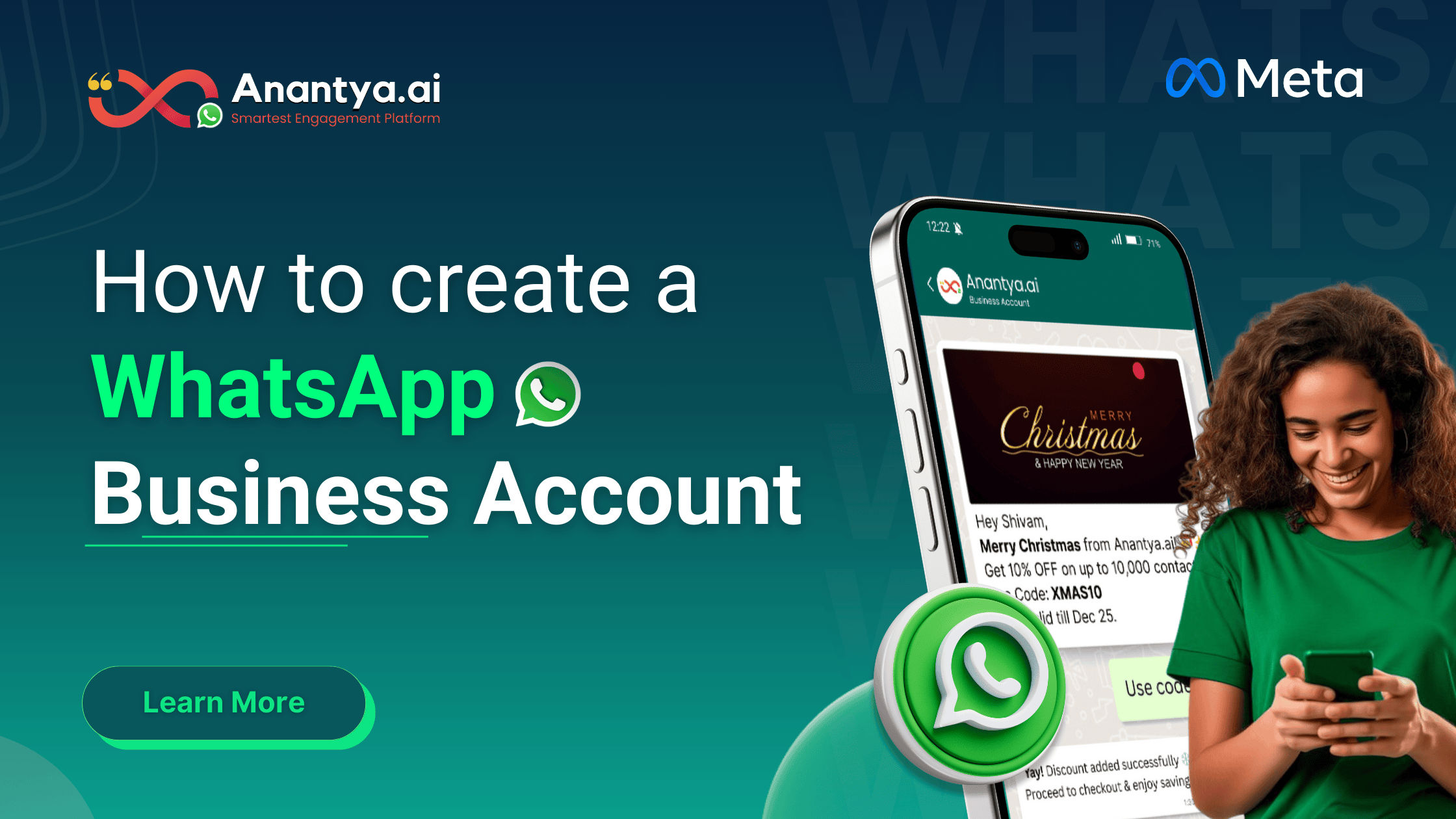
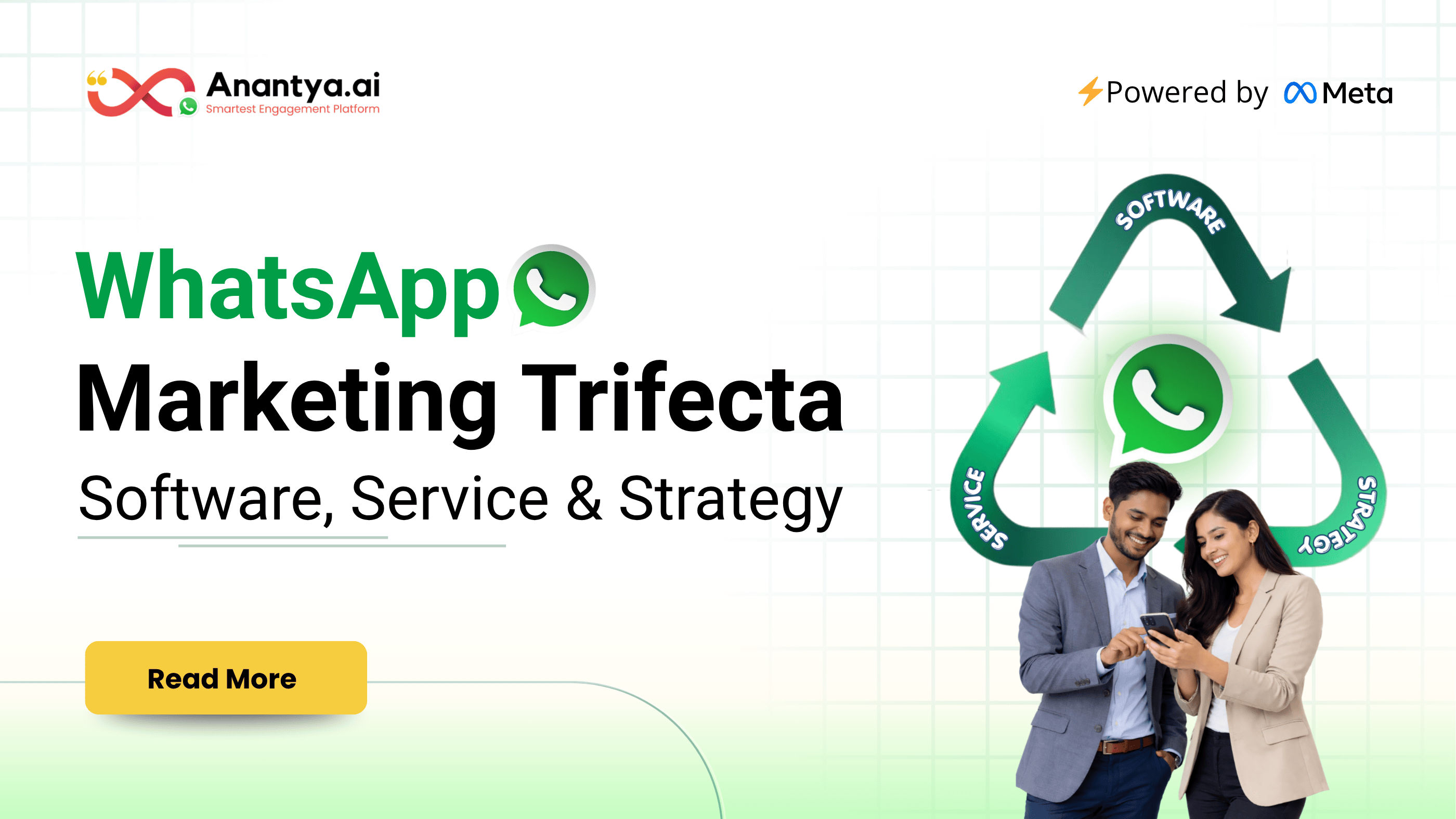
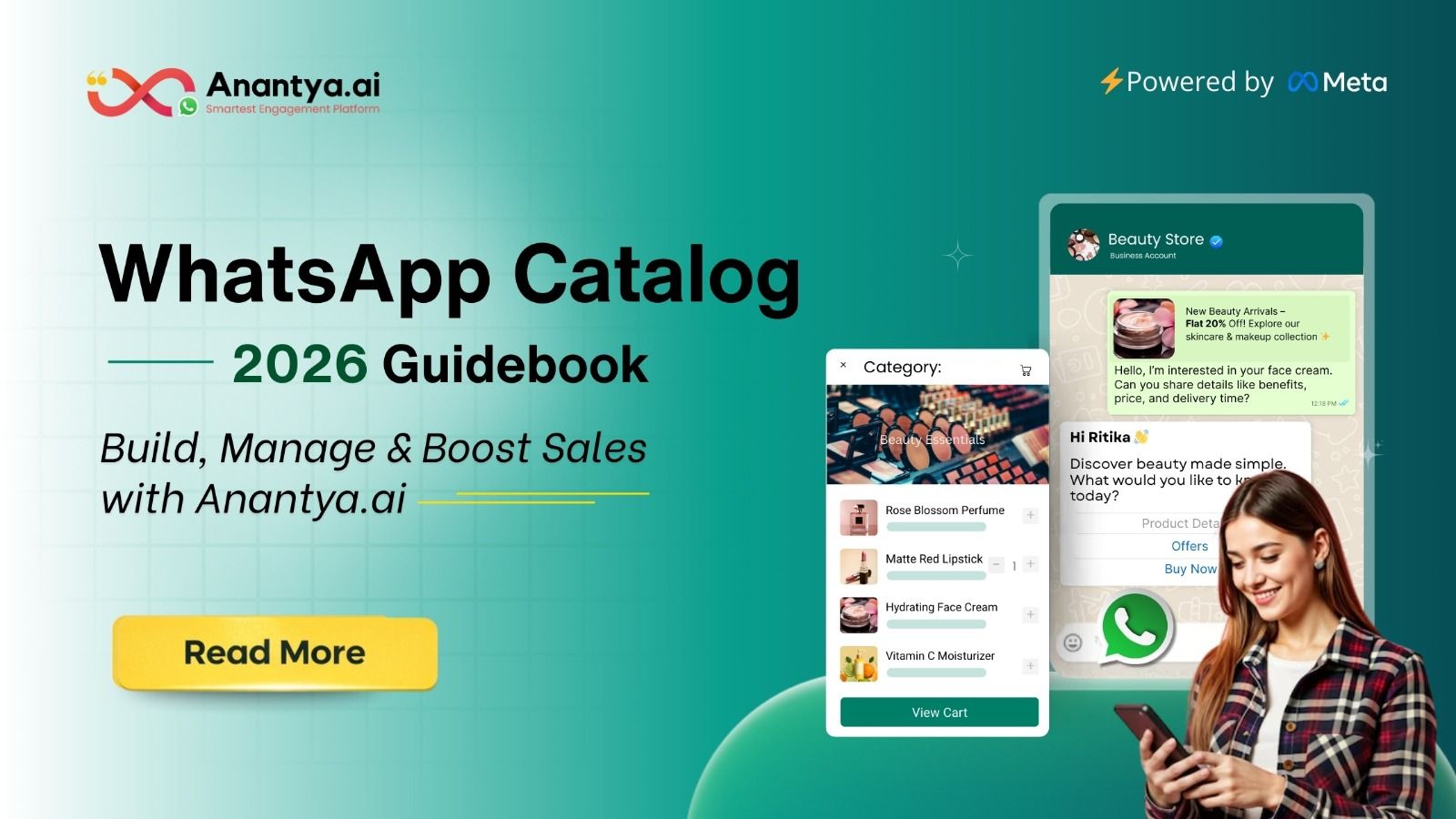
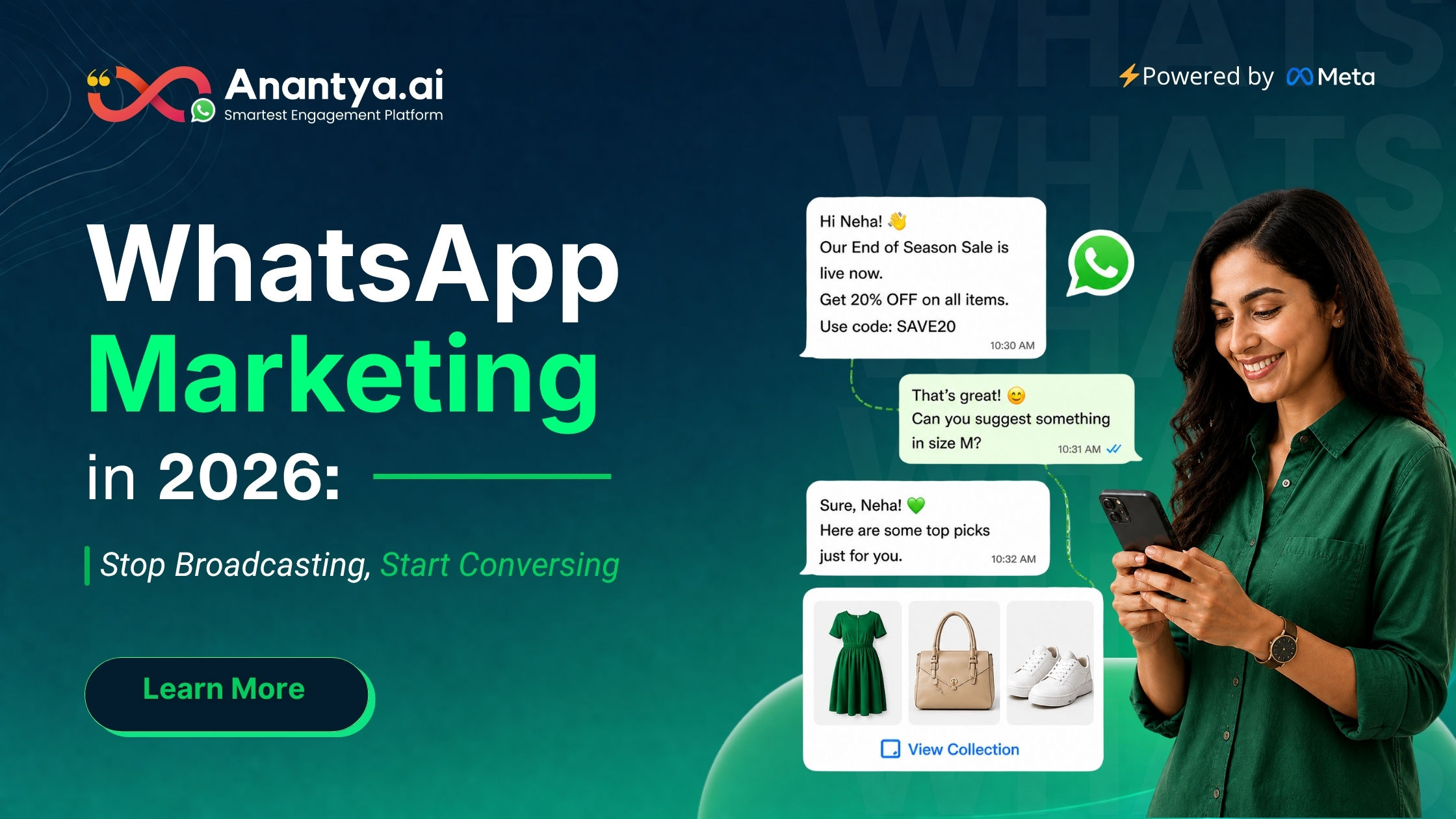
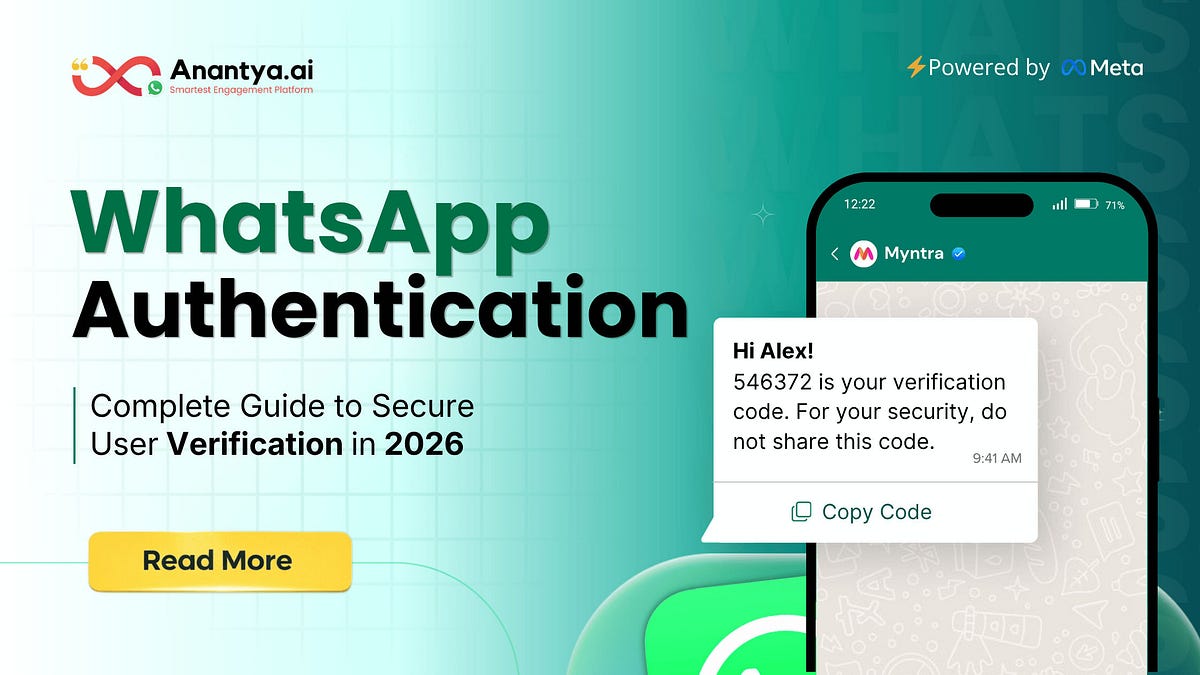
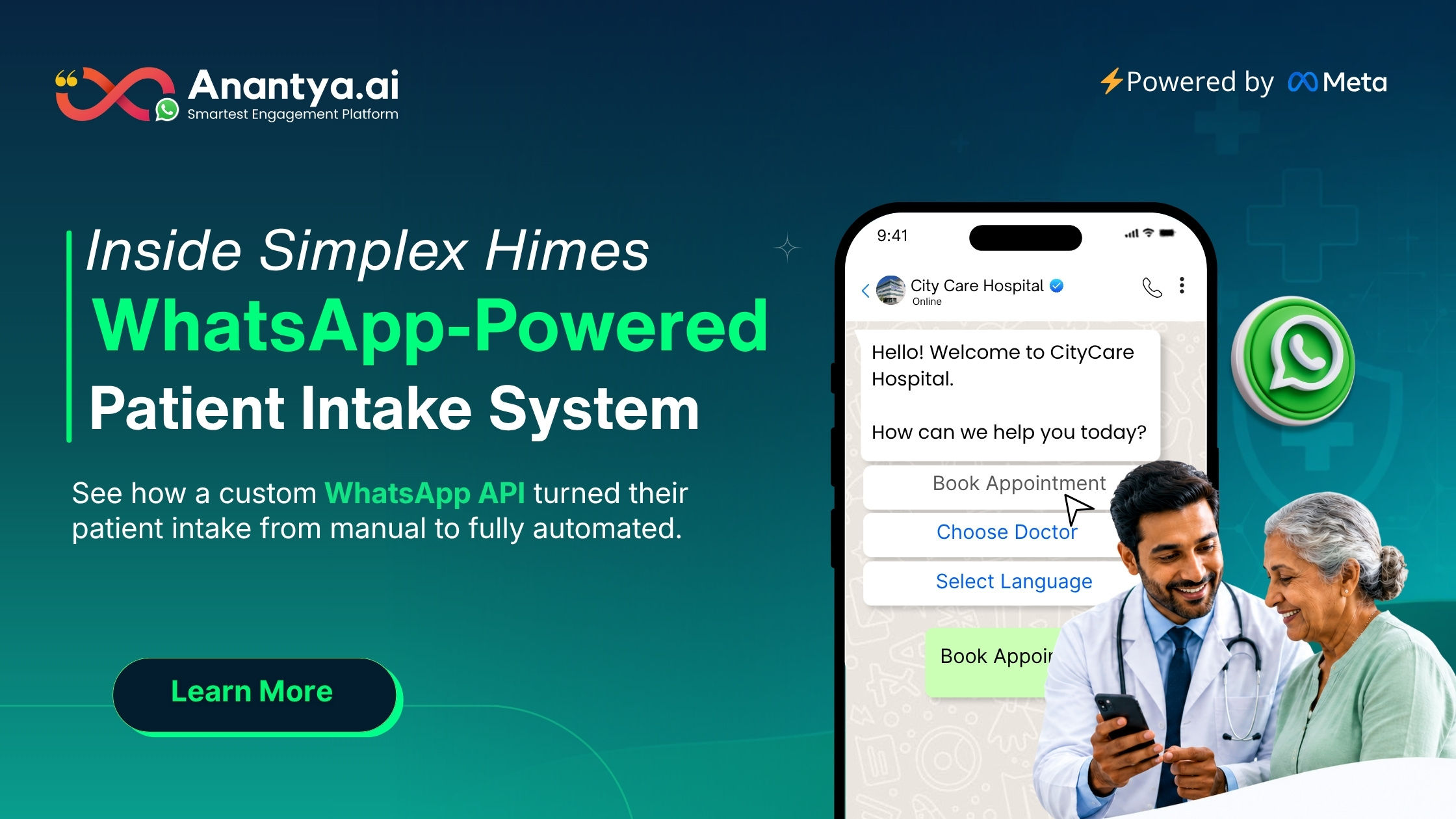
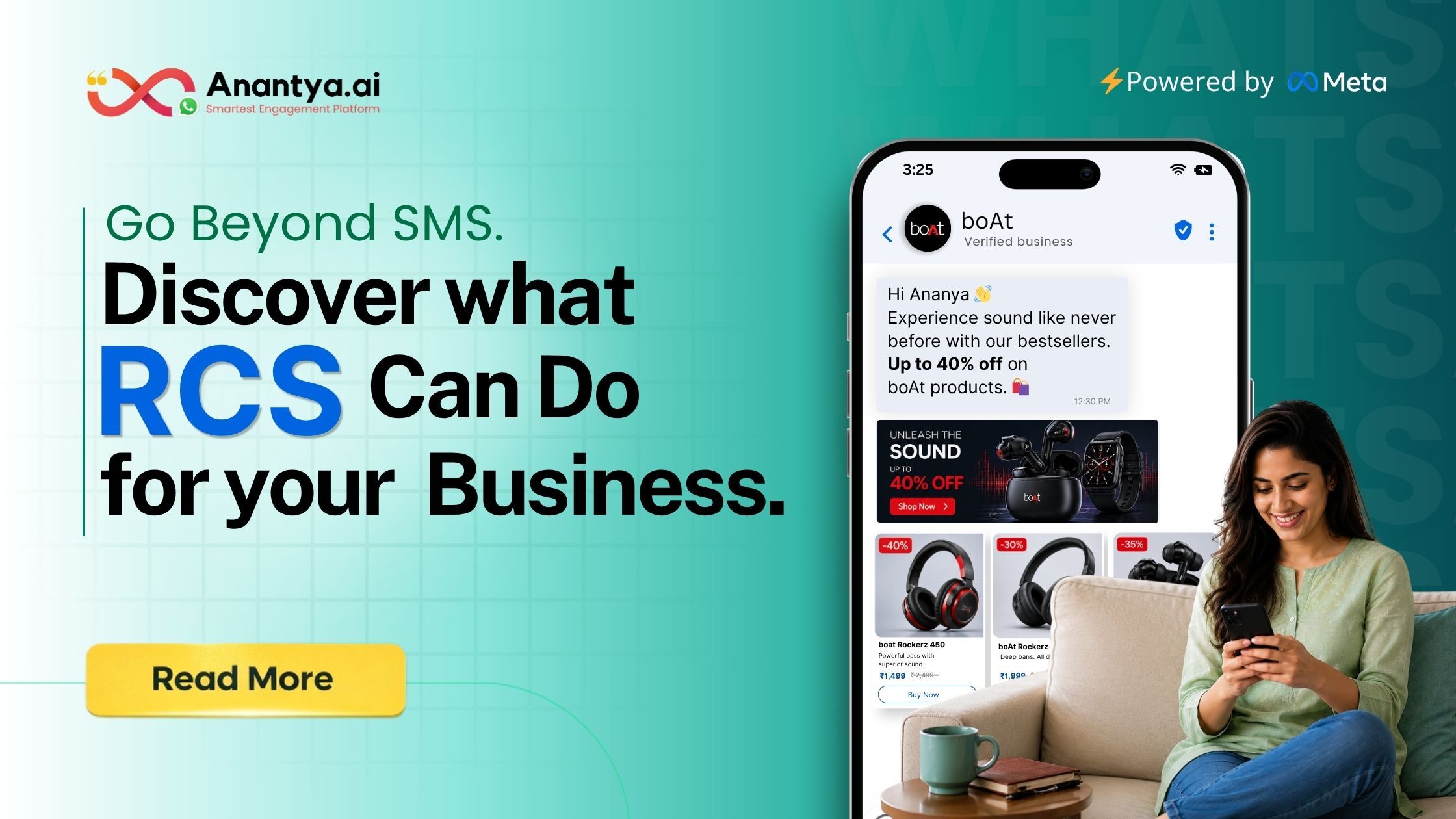

Altre storie